
🚨 In a DIY emergency or rush?
Skip the details and jump straight to our 30-second cheat sheet for the most crucial info.
If your attic exhaust fan is not working, you are most often dealing with one of a few buckets: a control problem (thermostat, humidistat, or relay), a power problem (breaker, switch, wiring), an airflow problem (stuck shutters, blocked intake soffits), or a motor problem (bad capacitor, seized bearings, worn motor). Sometimes it is even simpler: a bird nest, a wad of insulation, or a blade rubbing the housing.
I have been in all of these situations while rehabbing our 1970s ranch. The good news is that most of the checks are simple and cost little or nothing. The key is doing them in a safe, logical order so you do not swap parts at random.
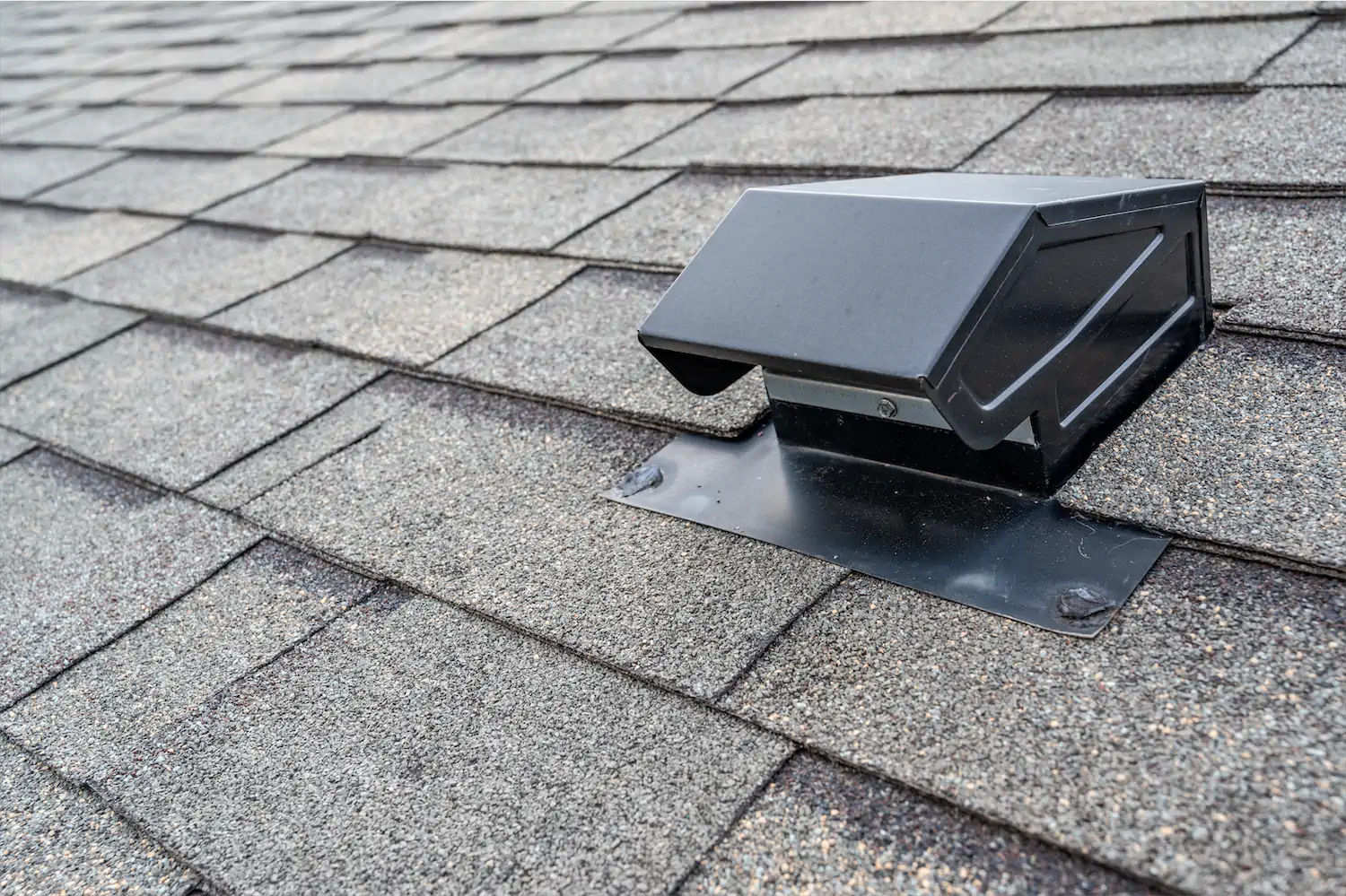
First, make sure you have the right fan
People often mix up three different products that live in or near the attic. They behave differently, so the troubleshooting path matters.
Powered attic exhaust fan (what this article covers)
This is a roof-mounted or gable-mounted fan that exhausts hot attic air to the outside. It typically turns on via a built-in thermostat, a humidistat, or both. Many are hardwired. Some plug into an attic receptacle.
Whole-house attic fan
This mounts in the ceiling (often a big grille in a hallway) and pulls air from the living space into the attic to cool the house when windows are open. If your fan is in the ceiling and you feel a strong breeze indoors, you have a whole-house fan, not a powered roof ventilator.
Passive attic ventilation
Ridge vents, gable vents, and soffit vents have no motor. If you are looking at a vent with no power feed and no moving parts, there is nothing to “run”.
What normal looks like in summer
Before you assume it is broken, it helps to know how these fans typically run.
- Thermostat-controlled fans often kick on mid-day when the attic hits the set point. Many homeowners set them around 100°F to 110°F, but factory dial ranges and recommendations vary widely. If you have the manual, follow it.
- They do not always run every day in mild weather, and they may run in bursts as the attic temperature rises and falls.
- On very hot days, a properly sized fan can run for long stretches or most of the afternoon.
- Humidistat-controlled units may run during damp shoulder seasons even when it is not hot. Use the manufacturer’s recommended setting. For testing, a mid-range setting is fine.
If your attic fan only runs on the hottest days, that can be completely normal. If it never runs during obvious heat, runs nonstop in cool weather, or sounds like a coffee grinder, keep reading.
Safety first: three quick rules
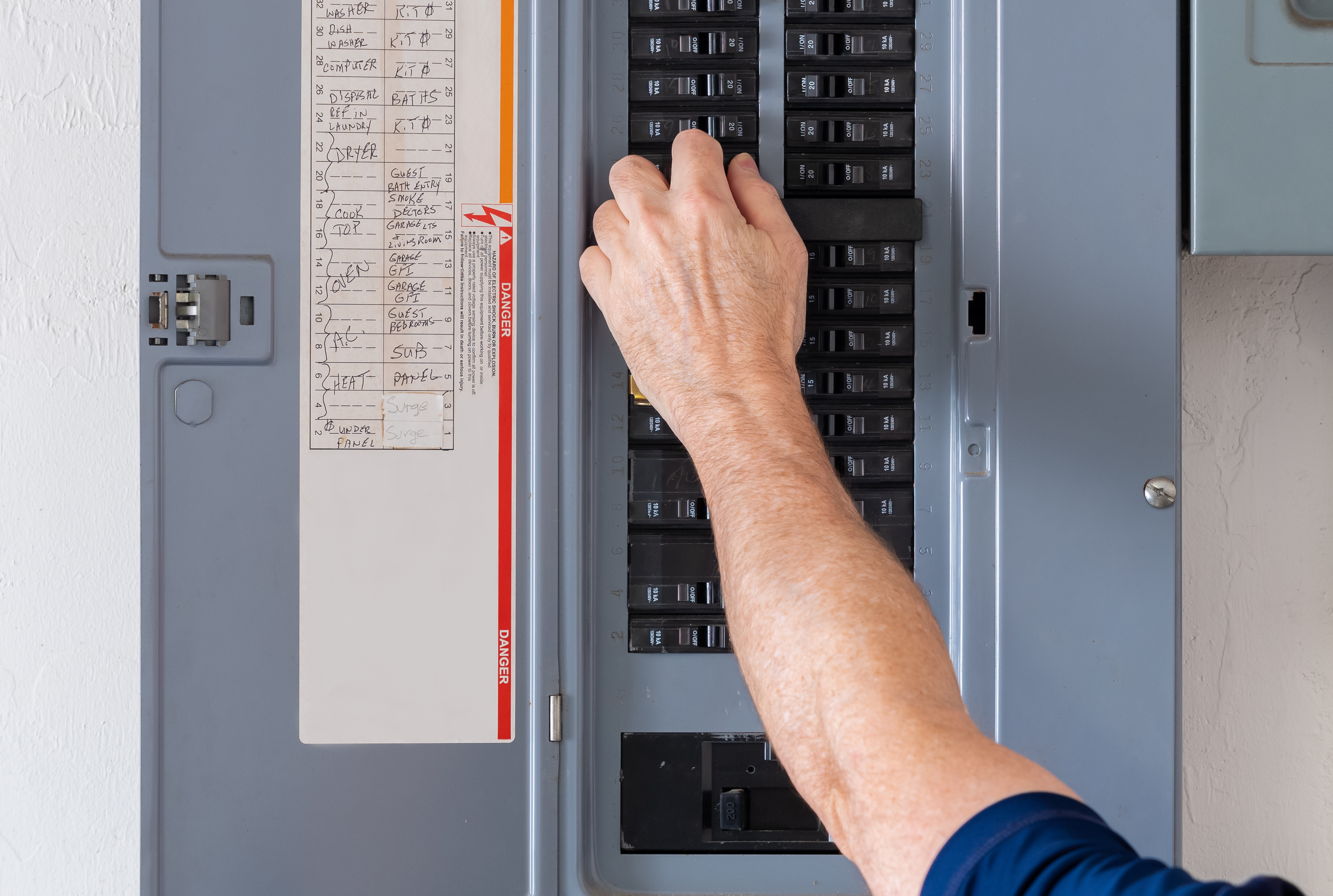
- Treat it like any other hardwired appliance. Turn off the breaker before opening any junction box, removing the fan, or touching terminals.
- Do not run it with no intake. A powered fan that is starved for makeup air can pull conditioned air from the living space through ceiling leaks, and in the wrong house it can contribute to backdrafting combustion appliances. If you suspect that, stop and get a pro involved.
- Be careful around the opening. A roof or gable fan housing often has sharp edges, and some shutters can snap shut unexpectedly.
If you are not comfortable with electrical testing, it is totally reasonable to stop after the easy checks and call an electrician or HVAC tech for the meter work.
Step-by-step troubleshooting
1) Check the obvious power issues
This sounds basic, but it is the most common culprit, especially after storm season, a recent electrical project, or a new homeowner move-in.
- Breaker or fuse: Check your panel for a tripped breaker labeled attic fan, ventilator, or sometimes simply “garage” or “lights”. Reset once. If it trips again, stop and investigate for a short or a seized motor drawing high current.
- Switch: Some powered attic fans have a dedicated wall switch, pull switch, or service switch in the attic. Make sure it is on.
- GFCI receptacle: If your fan plugs in, it may be on a tripped GFCI outlet upstream. Reset any nearby GFCI in the attic, garage, or exterior circuit.
- Loose connection: In older homes, wirenuts can loosen with vibration. With power off, open the junction box and look for a scorched connector, a loose neutral, or brittle insulation.
- Voltage mismatch or miswire: If a fan or motor was replaced, confirm it matches the supply (commonly 120V, sometimes 240V). A mislabeled circuit or incorrect wiring can cause weird behavior or a no-start.
2) Verify thermostat or humidistat settings
Most roof and gable ventilators have a small control box or dial mounted on the fan housing, a nearby joist, or integrated into the motor bracket.
- Thermostat set too high: If it is set to 120°F or higher, the fan may rarely run. Try setting it temporarily to 90°F to 95°F for a test on a warm day (or use the test function if your control has one). Then put it back where you want it.
- Humidistat set too high or too low: Humidity controls vary a lot by model and climate. For a diagnostic test, use a mid-range setting or the manufacturer’s recommended mark rather than chasing a “perfect” number.
- Test mode: Some controls have a manual test button or allow you to rotate the dial below attic temperature to force a call for the fan. If yours does, use it.
Quick reality check: If your attic is hot but you are not sure how hot, a simple probe thermometer or an inexpensive wireless sensor helps a lot. “Feels hot” is real, but it is not a number you can troubleshoot with.
3) Check for physical obstructions
This is the quick mechanical check I do before I assume it is electrical.
- Debris and nests: Leaves, roofing grit, and the occasional bird or wasp nest can block a housing or jam shutters.
- Blade rubbing: A shifted bracket or bent blade can scrape the housing and slow the motor.
- Insulation intrusion: In some attics, loose insulation can drift into the fan opening or into a gable unit.
With power off, try to spin the blade by hand. It should rotate smoothly and coast a little. If it feels gritty, stiff, or wobbly, you are probably looking at bearings, a rubbing blade, or a bent shaft.
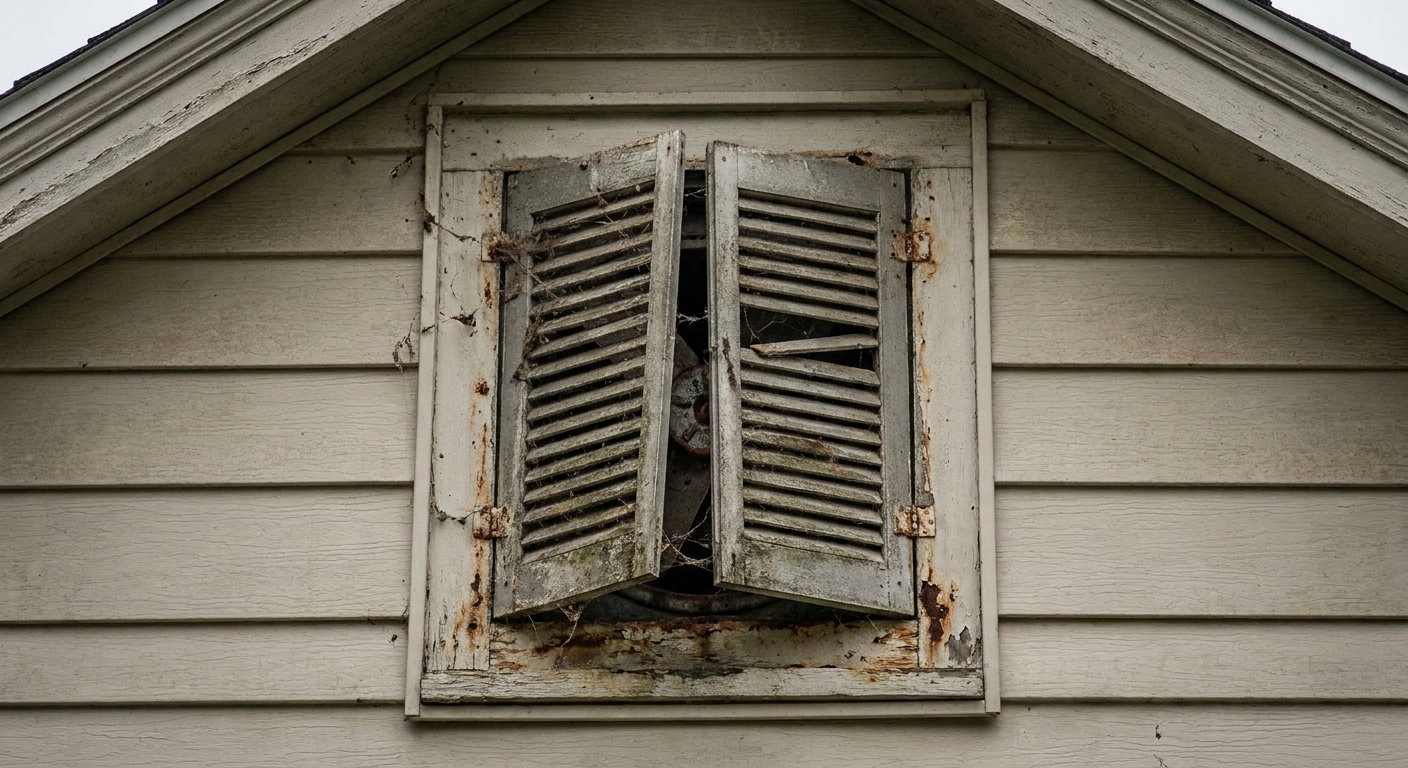
4) Look for stuck shutters or louvers
Roof and gable fans usually have shutters that open when the fan runs. If the shutters are stuck shut, the fan can struggle, overheat, or move almost no air.
- Paint overspray: Common on gable units near exterior painting. A little paint can glue louvers shut.
- Warped plastic: Heat can warp lightweight shutters so they bind.
- Rust and debris: Older metal flaps can rust at pivots, and leaves can wedge in the frame.
With power off, gently move the flaps by hand. They should swing freely and settle closed under gravity. If they bind, clean the hinge points and remove debris. Replace badly warped shutter assemblies. I have tried bending it back before and it worked for about two weeks. Replacing the shutter was the real fix.
5) Confirm the intake is not blocked (soffits matter)
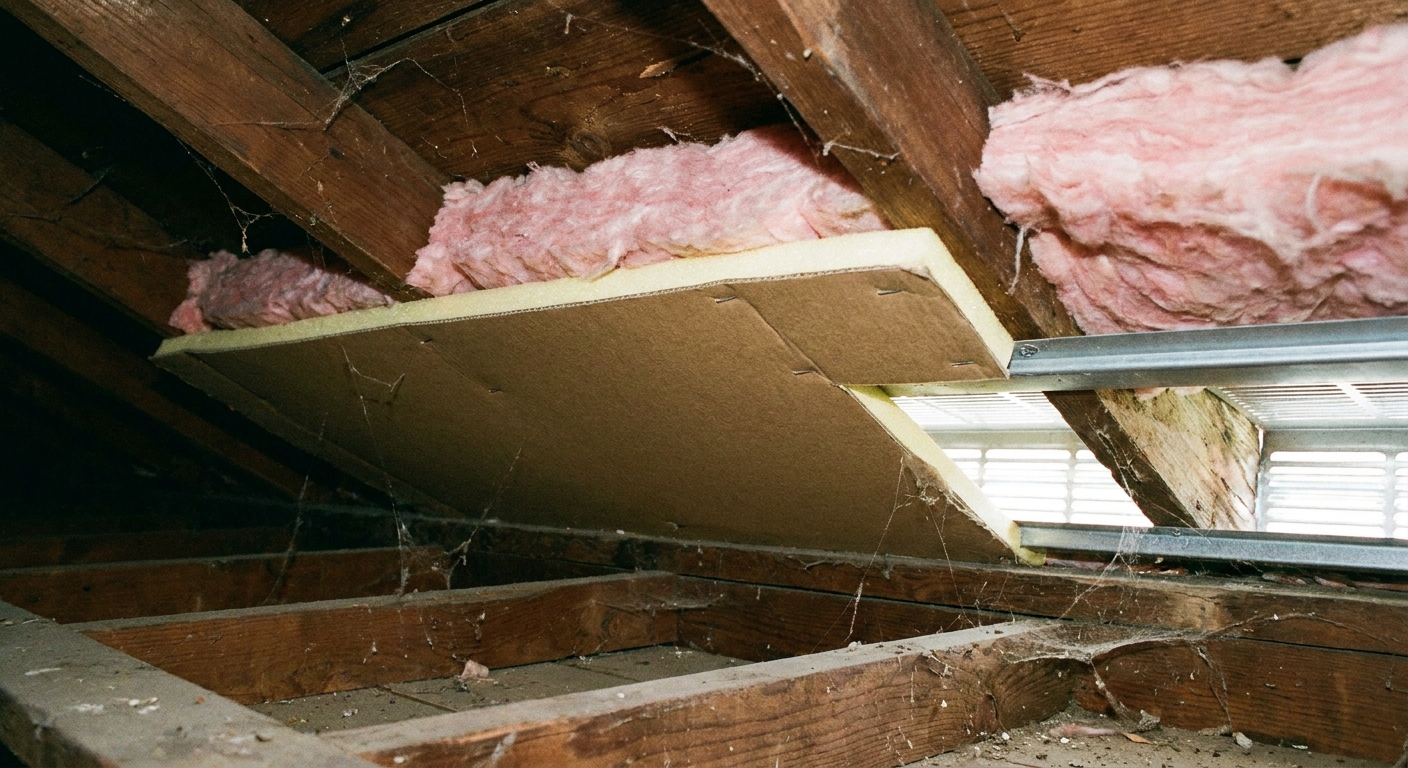
This is the sneaky one. A powered attic exhaust fan needs makeup air. If your soffit vents are clogged or covered, the fan can pull from the wrong places, short-circuit airflow, or do almost nothing besides make noise.
Check these common intake blockers:
- Insulation covering soffit vents: Especially blown-in insulation that drifted into the eaves.
- No baffles at the eaves: Without baffles, insulation can block the air path between soffit and attic.
- Painted-over or dirty soffit vent screens: Exterior paint and grime can reduce flow dramatically.
- Too little intake area: Even if vents are open, there may not be enough total intake for the fan size.
What it looks like: On a running fan, you may feel it sucking air from attic access hatches, recessed lights, bath fan housings, or other gaps. That is a sign the attic is starved for intake and may be pulling air from the house.
6) Listen and check for overheating odors
Once controls and airflow look reasonable, focus on the motor and its starting components.
- Hums but will not spin: Often a failed capacitor, a stuck bearing, or a seized motor.
- Starts only with a push: Very common sign of a weak capacitor.
- Runs but sounds rough: Bearings may be failing, or the fan blade may be rubbing the housing.
- Burnt smell or melted wiring: Stop and cut power. That is an overheat event and parts may be unsafe.
If your fan is belt-driven (less common on newer residential units), check belt tension and alignment. Most modern units are direct-drive.
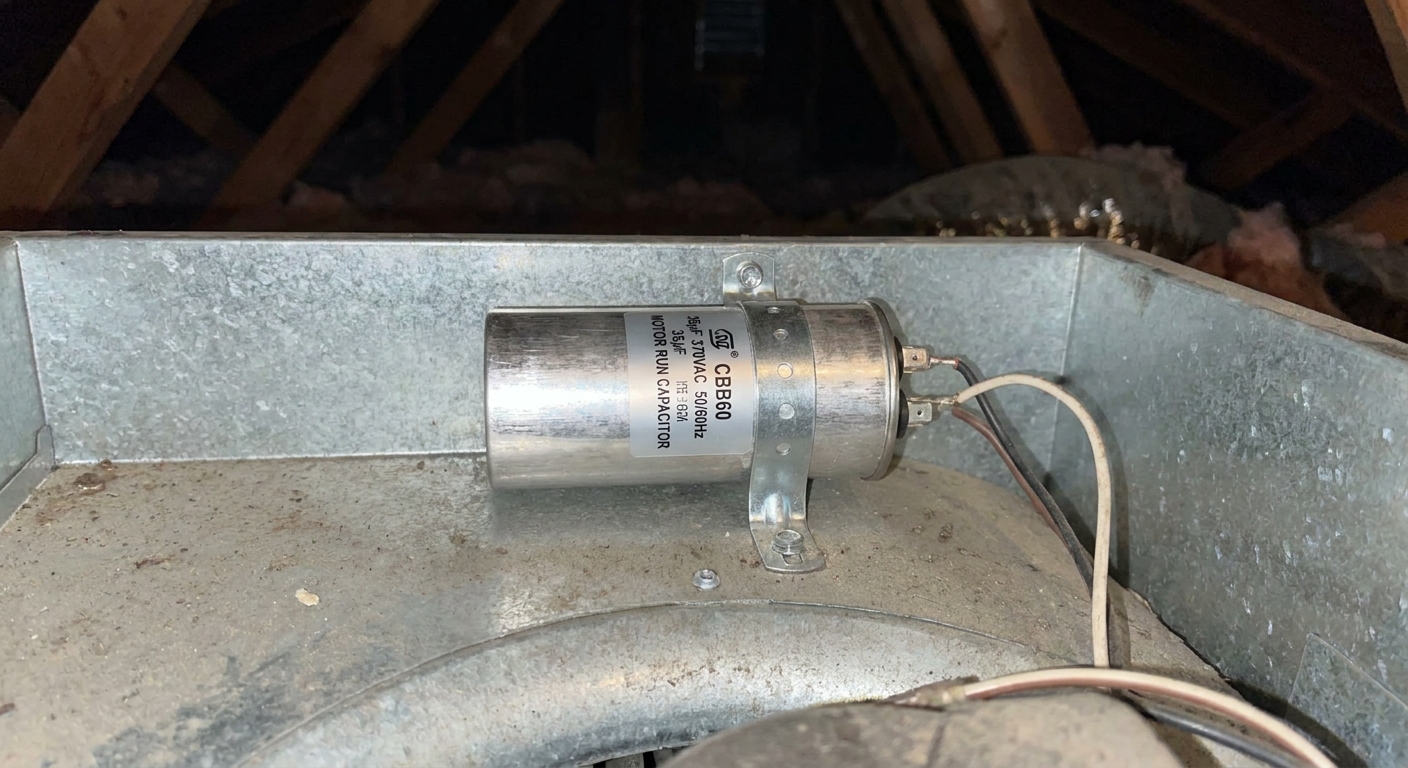
Capacitor issues
Many attic exhaust fans use a start or run capacitor. When it fails, the motor may sit there humming, start inconsistently, or trip the breaker on startup.
How to spot a bad capacitor
- Bulging top or leaking oily residue
- Fan motor hums but blade does not turn
- Fan starts inconsistently, especially on hot days
Replacement basics
Capacitors are inexpensive, but they must match the microfarad (µF) rating and be the same type (start vs run). The replacement should also meet or exceed the voltage rating printed on the old part. If a temperature rating is listed, match it. Take a photo of the label before you buy.
Important safety note: Capacitors can hold a charge even with the breaker off. Do not touch bare metal terminals. If you do not know the correct discharge procedure for your unit, have a pro handle it. Many DIYers discharge a capacitor by bridging the terminals with an insulated screwdriver or a resistor lead, but the safest move is to follow the manufacturer’s instructions and keep your hands off the terminals until you are sure it is discharged.
Thermostat or humidistat problems
If the fan has power but never gets the signal to run, the control itself may be the culprit.
- Thermostat stuck open: Fan never turns on no matter how hot the attic gets.
- Thermostat stuck closed: Fan runs constantly, even at night or in cool weather.
- Humidistat drift: Humidity sensors can get inaccurate over time, especially in dusty attics.
- Relay or contact failure: Some models use a relay or control board, and the contacts can fail open or weld shut.
Some controls are sold as a combined replacement kit with a new bracket and wiring leads. If your unit is older, this is often the most painless repair compared to chasing tiny parts.
Wiring and voltage checks
If you are comfortable with basic electrical testing, a multimeter can quickly narrow the problem.
- Confirm supply voltage at the fan junction box (with extreme caution and correct meter settings). Also verify whether the unit is 120V or 240V.
- Check for voltage leaving the thermostat when the attic is above the setpoint.
- Inspect wire insulation for heat damage where it passes through the housing or near the motor.
If you find low voltage, intermittent voltage, or signs of overheating, that is a good time to bring in an electrician. Attics are hard on wiring, and a poor connection can be a fire risk.
If the fan runs, but the attic is still roasting
Sometimes the fan is working mechanically, but the attic stays hot because the ventilation system is not balanced or the fan is fighting the house.
Common causes
- Blocked or insufficient soffit intake (most common)
- Undersized fan for attic square footage and roof pitch
- Air leaks from the house feeding the fan, like unsealed attic hatches, can lights, and top plates
- Short-circuiting airflow: In some layouts a powered fan can pull replacement air from nearby vents (including ridge or gable vents) instead of drawing evenly from soffits, especially when intake is weak. The fix is usually improving intake and air sealing, not simply adding more fan.
What I do in older homes
In a 1970s ranch like mine, I prioritize air sealing the ceiling plane and making sure soffits are clear and baffled. Then I evaluate whether the powered fan is actually helping or just masking an intake problem.
Roof vs gable fans
Roof-mounted ventilators
- Heat exposure: Control boxes and capacitors bake under the roof deck.
- Weather intrusion: Flashing failures can drip onto wiring or the motor.
- Harder access: Repairs are often done from inside the attic, but removal can involve roof work.
Gable-mounted ventilators
- Shutters: Louvers can stick from paint, dust, or warping.
- Wind effects: Strong winds can rattle shutters and wear pivots.
- Easier servicing: Generally simpler to inspect and replace from inside the attic.
Repair vs replace
I am thrifty by nature, but I have learned to stop pouring time into a motor that is on its last legs.
- Repair is usually worth it if the issue is a setting, stuck shutter, loose connection, obstruction, or a simple capacitor replacement.
- Replacement is often smarter if the motor is seized, the housing is rusted out, water damage is present, or multiple components are failing at once.
If your unit is more than 10 to 15 years old and you are already replacing a motor, it is worth pricing a full new fan assembly. The labor is the expensive part, especially in a tight attic.
Quick troubleshooting checklist
- Confirm it is a powered roof or gable attic exhaust fan, not a whole-house fan
- Reset breaker, check switch, check GFCI if plugged in
- Lower thermostat temporarily to force a test (follow your manual)
- Check humidistat setting if equipped (use a mid-range setting for testing)
- Check for nests, debris, or blade rub and spin the blade by hand (power off)
- Make sure shutters open freely
- Confirm soffit intake is open and not buried in insulation
- Listen for hum or grinding and check for overheating odors
- Inspect capacitor for bulging or leaks, and match type, µF, and voltage if replacing
- If needed, verify supply voltage and control output with a meter
If this guide helped, tell me what symptoms you are seeing and what type of fan you have in the comments below. A couple details can narrow the cause quickly.
The 30-Second Cheat Sheet
Essential takeaways for: Attic Exhaust Fan Not Working? Causes and Fixes
Fast diagnosis (what to check first)
- Not running at all: breaker or switch off, tripped GFCI, thermostat set too high, failed thermostat, failed relay/control (some models), loose or burnt wiring connection.
- Hums but won’t spin: stuck shutter, debris rubbing the blade, seized bearings, or most commonly a bad capacitor.
- Runs nonstop: thermostat stuck closed, humidistat set too low, wiring bypassed, or control contacts welded.
- Runs but attic stays hot: blocked soffit intake (insulation, no baffles, dirty vents), short-circuiting airflow, or an undersized fan.
Two quick test moves
- Lower the thermostat dial (or control setpoint) to 90°F to 95°F temporarily on a warm day to see if it calls for the fan. Follow your unit’s manual if the dial range differs.
- Check soffits from inside the attic: if insulation is packed into the eaves, your fan is starving for makeup air.
Normal summer behavior
- Many attic exhaust fans run mostly mid-day when the attic hits the setpoint. Typical homeowner settings often land around 100°F to 110°F, but ranges vary by manufacturer.
- On very hot days, long run times can be normal.
When to stop and call a pro
- Breaker trips repeatedly
- Burnt smell, melted insulation, or scorched wiring
- You suspect the fan is pulling air from the house or backdrafting combustion appliances
- You need to test live voltage and you are not confident doing it safely
💡 Tip: Scroll up to read the full article for detailed, step-by-step instructions.
⬆️ Back to top
About Marcus Vance
Content Creator @ Grit & Home
Marcus Vance is a lifelong DIY enthusiast and self-taught home renovator who has spent the last decade transforming a dilapidated 1970s ranch into his family's dream home. He specializes in budget-friendly carpentry, room-by-room renovations, and demystifying power tools for beginners. Through his writing, Marcus shares practical tutorials and hard-learned lessons to help homeowners tackle their own projects with confidence.