
🚨 In a DIY emergency or rush?
Skip the details and jump straight to our 30-second cheat sheet for the most crucial info.
A wobbling ceiling fan is one of those home issues that feels bigger than it is. The good news is that most wobble comes down to three boring causes: loose screws, uneven blades, or a fan that is not mounted to a fan-rated ceiling box.
I have chased this problem more than once in my 1970s ranch. The first time, I assumed I needed a new fan. Turns out I just needed a screwdriver, a $5 balancing kit, and the patience to check things in the right order.
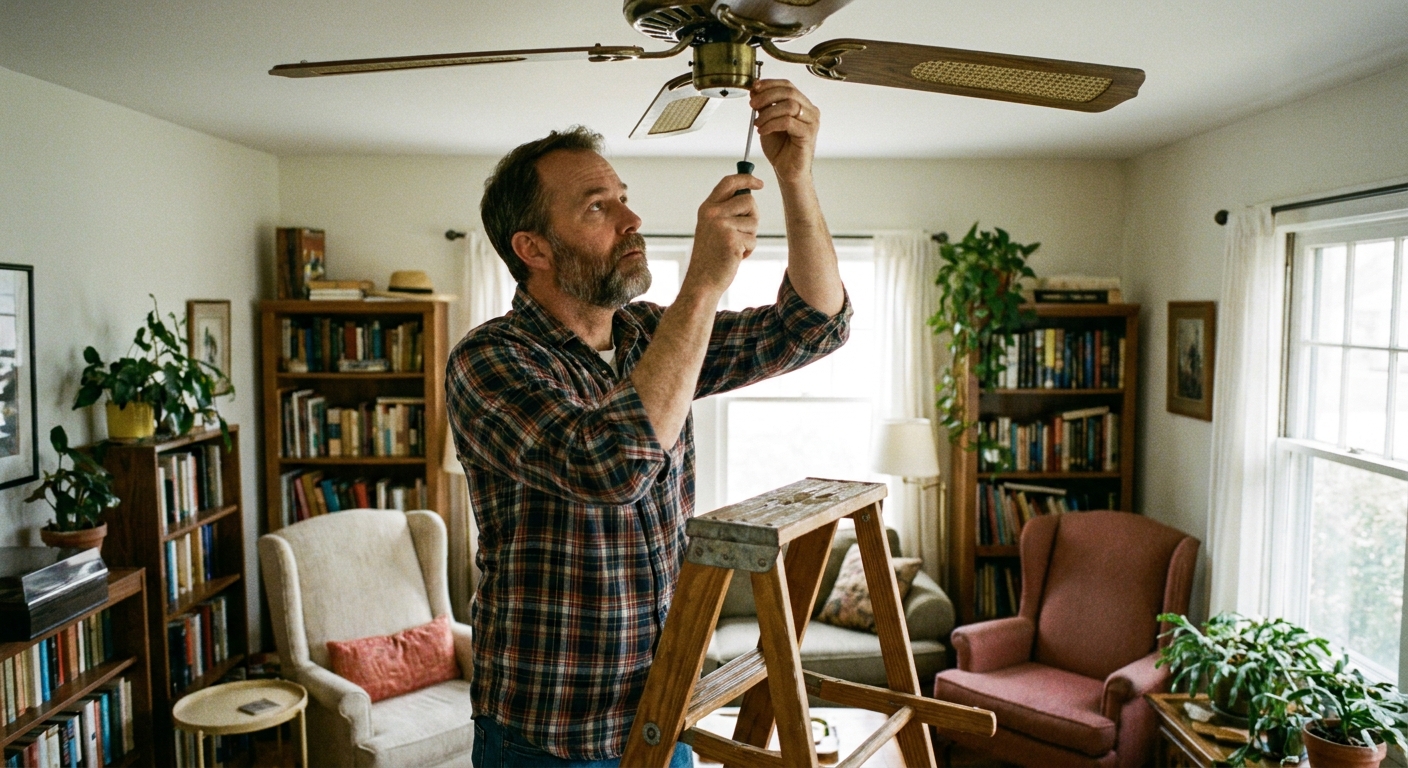
Safety first (every time)
1) Turn off power at the breaker
Flip the breaker for the fan circuit, not just the wall switch. The switch might only cut power to one function (fan or light), and the canopy box can still contain energized wires.
2) Confirm power is off
Use a non-contact voltage tester at the switch and at the fan canopy area if you will open it. Non-contact testers are great, but they are not perfect. If you know how to use one, a two-pole tester or multimeter is more definitive.
3) Let the blades stop fully
Sounds obvious, but do not try to grab or slow the blades by hand. Wait until the fan is completely still.
What is normal (and what is not)
A small amount of movement is normal, especially at higher speeds. What you do not want is excessive wobble that loosens hardware over time, makes the fan look like it is trying to leave the ceiling, or causes parts to strike each other.
- Probably normal: slight sway you notice only if you stare at it.
- Needs fixing: pull chains swing widely, the motor housing visibly shifts side to side, or the wobble is shaking light globes loose.
- Stop using it: the ceiling box moves, you see drywall cracking, or the fan is striking the canopy, downrod, or light kit.
Before balancing: tighten everything
Balancing kits work, but they cannot fix a fan that is loose. Start with a full shake-down of fasteners. You are aiming for snug, not stripped.
Tools
- #2 Phillips screwdriver (or the exact driver your fan uses)
- Small adjustable wrench (sometimes helpful for hanger hardware)
- Step ladder
- Flashlight or headlamp
1) Tighten blade screws
Check the screws that hold each blade to its blade iron (the metal bracket). Then check the screws that hold each blade iron to the motor.
- Support the blade with one hand while you snug screws so you are not flexing MDF or wood.
- Tighten evenly. If one screw is loose and the others are cranked down, you can introduce a twist.
- If a screw spins without tightening, remove it and check for stripped threads. Replace the screw with the same diameter and thread type.
- If your fan uses rubber or fiber washers, make sure they are present and not cracked. Missing washers can create wobble and increase vibration noise.
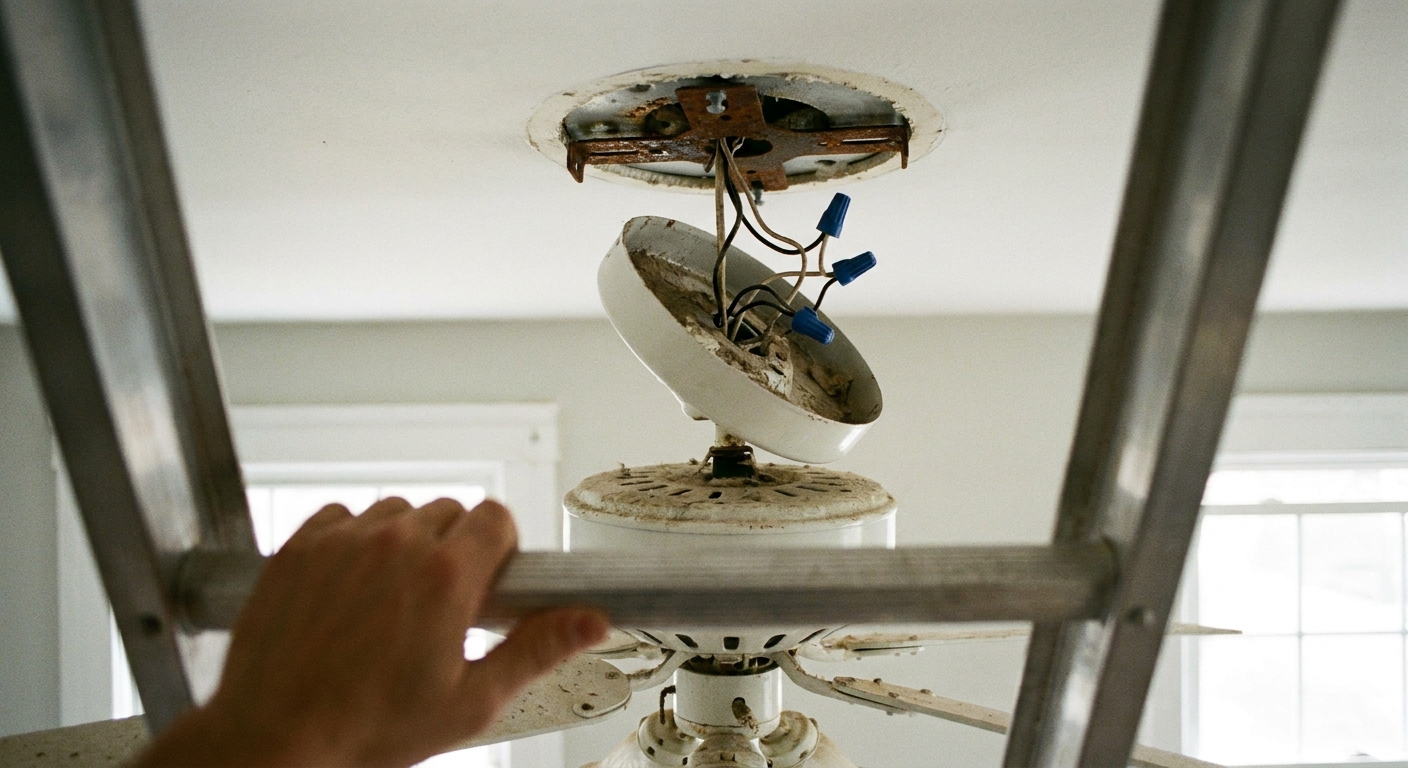
2) Tighten the canopy and mounting bracket
The canopy is the decorative cover at the ceiling. Behind it is the mounting bracket that actually holds the fan.
- Snug the canopy screws so the cover does not rattle.
- Verify the mounting bracket screws are tight and seated properly.
3) Check the downrod (if you have one)
For downrod-mounted fans, wobble often comes from a loose set screw or the downrod not seated on the hanger ball.
- Locate and tighten the downrod set screw(s).
- Make sure the hanger ball is fully seated in the bracket cradle.
Quick diagnosis
This helps you pick the right fix instead of doing random steps.
- Wobble changes with speed: usually blade imbalance, dust buildup, or small blade pitch differences.
- Wobble is worst on one side: often a bent blade, warped blade, twisted blade iron, or a blade installed differently than the others.
- Fan “walks” in a circle: commonly loose mounting or a hanger ball that is not seated correctly. It can also happen with a severe imbalance or bent blade iron, so keep going down the checklist.
- Wobble plus creaking ceiling drywall: stop and inspect the ceiling box. That is not a balancing issue.
Blade checks that people skip
1) Make sure blades are matched and installed the same way
This sounds too simple, but it matters. If your fan has reversible blades, confirm they are all facing the same direction (same finish up or same finish down). Also check for any blade labels or markings (some sets are weight-matched or have A/B stickers).
- Do not mix blades from different fans, even if they are “close enough.”
- Confirm all blades are the same length and style, and none are swapped with an oddball replacement.
2) Clean the blades
Dust buildup can throw off balance, especially if it is heavier on one side. Wipe the top of each blade before you start chasing weights.
Check blade alignment
You are checking whether all blade tips travel in the same plane.
1) Measure blade tip height
Pick a fixed point on the ceiling or use a yardstick held up near the blade tip. Rotate the fan by hand and measure the distance from each blade tip to the ceiling (or the same reference point).
- If one blade tip sits noticeably lower or higher than the others, that blade or blade iron is the likely culprit.
- As a rule of thumb, if you can measure a difference around 1/8 inch, it is worth correcting. Some fans are fussier than others, so treat this as a heuristic, not a universal spec.
2) Correct minor differences
Small corrections can be made by gently bending the blade iron, not the blade itself.
- Support the blade iron close to the motor housing and apply light pressure.
- Make tiny adjustments, then re-measure. It is easy to overdo it.
If the blade itself is warped (common with MDF or thin wood blades), replacement is usually the cleanest option.

Use a balancing kit
Most fans can be tamed with a basic balancing kit. Many new fans include one in the box, and universal kits are inexpensive at any hardware store.
What is in the kit?
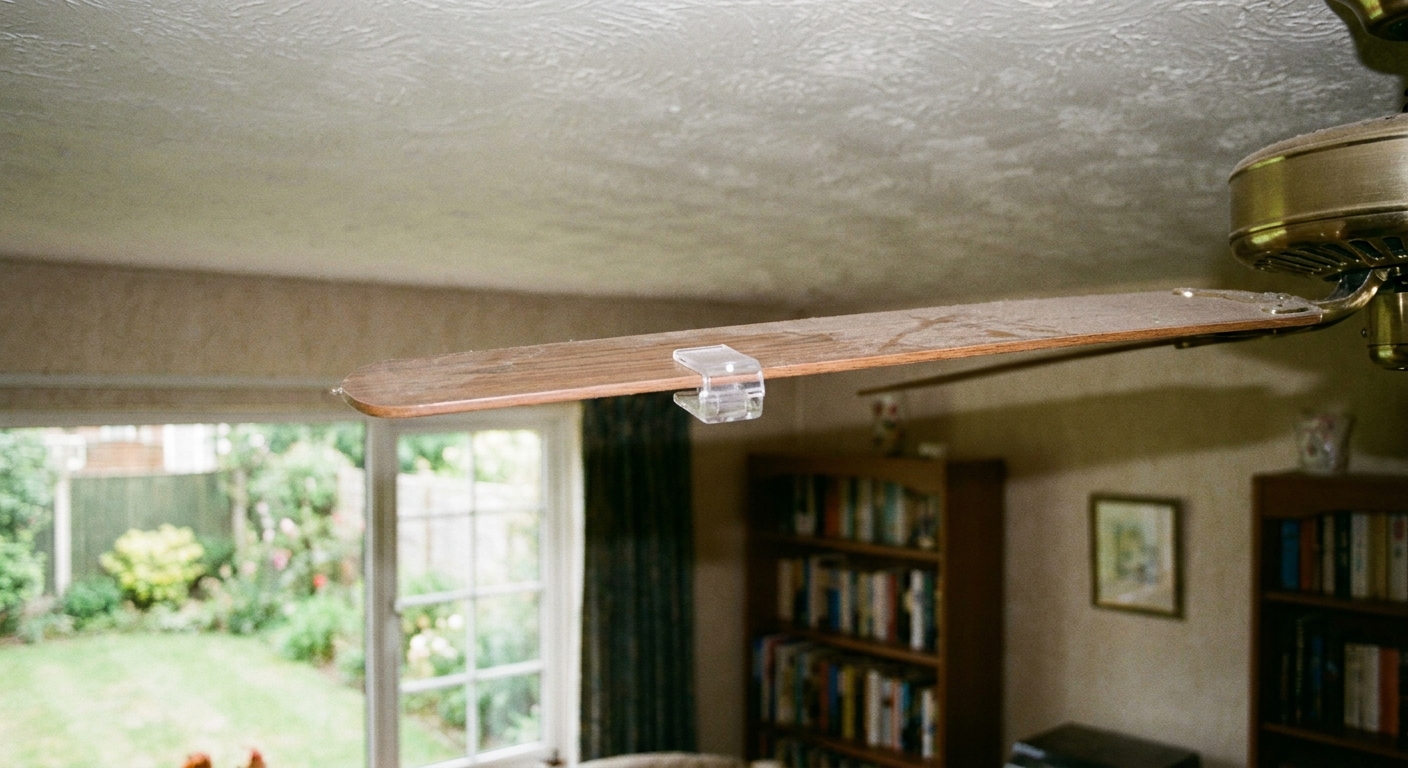
- A plastic clip (to temporarily add weight and locate the problem blade)
- Small peel-and-stick weights (to permanently correct the imbalance)
1) Start clean
Wipe dust off the top of the blades. Dust build-up can throw off balance, especially if it is heavier on one side.
2) Pick the right speed
Run the fan at the speed where the wobble is most noticeable (often high). If the fan feels sketchy at high, start on medium and work up once it is calmer.
3) Place the clip on the first blade
Put the clip midway along the blade, roughly half the distance from the motor to the tip. Turn the fan on and watch the wobble.
4) Move the clip to each blade
Test one blade at a time. You are looking for the blade that reduces wobble the most with the clip installed.
5) Fine-tune clip position on the problem blade
Move the clip in small increments toward the tip or toward the motor, re-testing each time, until wobble is minimized.
6) Replace the clip with a permanent weight
Turn power off again. Stick a weight on the top side of the blade, centered where the clip ended up. Start with one weight.
7) Test and adjust
Turn the fan back on. If the wobble is improved but not gone, you can:
- Add a second weight next to the first, or
- Move the weight slightly toward the tip or motor
Go slow. The goal is stable enough that you forget about it, not perfection with a stopwatch.
Light kits can fake a wobble
If your fan has a light kit, a loose or off-center globe can look like a fan wobble from across the room.
- Make sure the globe is seated evenly and the screws are snug (do not overtighten glass).
- Check the light kit screws where it attaches to the fan.
- If you recently changed bulbs, confirm all bulbs are tightened and similar in weight and shape.
When balancing will not fix it
Here is the honest line: balancing only works when the fan is fundamentally straight and securely mounted. If you keep adding weights and it still shakes, stop and inspect these common culprits.
Bent or warped blade
- Visible curve, twist, or cup along the blade length
- Blade tip heights vary a lot and do not respond to gentle blade iron adjustment
- Wobble is strongest on one side every time
Fix: Replace the blade set with manufacturer-matched blades. Mixing blade styles or lengths can create new wobble.
Twisted blade iron (blade bracket)
- Cracks, bends, or a slight twist where it meets the motor
- One blade sits at a noticeably different pitch angle than the others
Fix: Replace the blade iron. Many brands sell them individually or as a set.
Fan-rated ceiling box issues
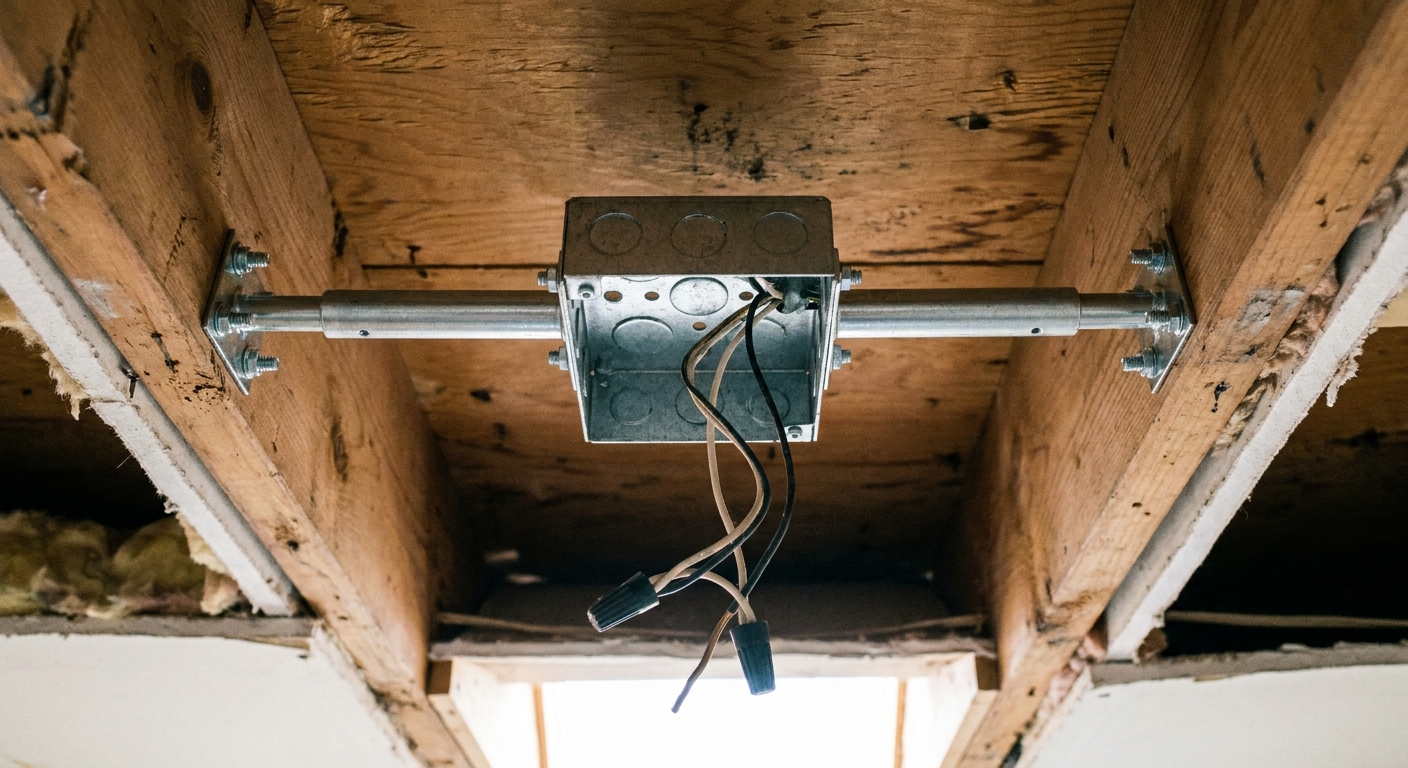
This is the big safety issue. Ceiling fans must be attached to a fan-rated box (UL-listed for fan support) and proper framing support, not a light-duty box that was only meant for a fixture. The box also needs to be secured to a joist or an approved fan brace. “Fan-rated” and “solidly attached” both matter.
Red flags:
- The box is marked for lights only
- The fan is attached only to drywall or a flimsy brace
- The whole box shifts when you push the fan gently (power off)
- You see cracked drywall around the box
Fix: Install a fan-rated ceiling box and brace, or hire an electrician or handyman if you are not comfortable working overhead with wiring.
Angled ceilings
If your fan is on a sloped ceiling, make sure it is installed with the correct angled-mount hardware for that model. The wrong mount can keep the hanger ball from seating correctly or put the fan at a weird angle, which can look like a balance problem.
- Use the manufacturer’s slope adapter if required.
- Confirm the downrod length is appropriate so the blades have clearance and the fan hangs plumb.
Wobble vs noise
People often search “wobbly” when they really mean “loud.” Here is how I separate them.
If it wobbles
- You can see the motor housing or light kit moving side to side
- Shadows on the ceiling visibly sway
- The pull chains swing in an arc
If it is noisy but not wobbling
- Buzzing can point to a dimmer incompatibility or a motor issue
- Clicking can be a loose wire in the canopy or a blade tapping a bracket
- Rattling can be a light kit screw, globe, or canopy screw
If your fan is noisy but steady, focus on electrical compatibility (especially if you have a dimmer) and loose trim pieces, not balancing.
My order of operations
- Step 1: Breaker off, then tighten all blade, blade iron, canopy, bracket, and downrod hardware.
- Step 2: Confirm blades are matched, installed the same way, and clean.
- Step 3: Check blade tip heights and correct small alignment issues.
- Step 4: Use the balancing clip to find the problem blade, then add a stick-on weight at the speed where wobble is most obvious.
- Step 5: If wobble persists, inspect for warped blades, twisted blade irons, a loose light kit, angled-ceiling mounting issues, or a non fan-rated ceiling box.
That sequence saves you from the classic DIY trap: adding weights to a fan that is simply loose.
When to call a pro
I am all for sweat equity, but I also like ceilings that stay intact.
- If the ceiling box moves, is cracked, or is not fan-rated
- If the fan wobbles violently even on low
- If the fan is striking the canopy, downrod, or light kit
- If you smell hot electrical, see flickering, or find scorched wiring
- If the fan is over a stairwell or high ceiling where ladder safety is compromised
A service call is cheaper than repairing a torn-out ceiling box or dealing with an injury.
FAQ
Can I tighten the blades while the fan is hanging?
Yes, that is normal. Keep one hand on the blade to support it while you snug the screws, and do not overtighten into wood or MDF.
Do I need to balance a brand-new fan?
Sometimes. Shipping can tweak blade irons, and installers can miss a loose screw. Always do the tighten-everything step first.
Why does wobble come back after a few weeks?
Most commonly: a screw worked loose, a blade warped due to humidity, dust build-up returned, or the fan was never mounted to a solid, fan-rated box. Re-check fasteners, then re-check blade alignment.
The 30-Second Cheat Sheet
Essential takeaways for: Ceiling Fan Wobbling? Stop the Shake
Do this first (2 minutes)
- Turn power off at the breaker.
- Tighten every blade screw, blade iron screw, canopy screw, mounting bracket screw, and downrod set screw.
- Make sure the hanger ball is fully seated in the bracket (downrod fans).
Then fix the blades (5 to 15 minutes)
- Clean dust off the blades.
- Confirm all blades are installed the same way and are a matched set.
- Check blade tip heights by rotating the fan by hand and measuring each tip to the ceiling.
- If one blade sits lower or higher, gently adjust the blade iron a tiny amount and re-measure.
Balance it (10 to 20 minutes)
- Use a balancing kit clip to test one blade at a time at the speed where wobble is easiest to see (often high). Start on medium if you want to be cautious.
- When wobble improves, move the clip along that blade to find the best spot.
- Power off, replace the clip with a stick-on weight on top of the blade at that location.
- Add or shift weight in small steps until wobble is minimal.
Stop and inspect if you see this
- Blade is visibly warped or bent: replace blade set.
- Blade iron is cracked or twisted: replace blade iron(s).
- Ceiling box moves, drywall cracks, or box is not fan-rated: install a fan-rated box and brace or call a pro.
- Fan is striking the canopy, downrod, or light kit: do not keep running it.
Safety line
A little movement can be normal. If the fan wobbles violently even on low, the ceiling box shifts when you gently push the fan (power off), or anything is hitting anything, stop using it until it is fixed.
💡 Tip: Scroll up to read the full article for detailed, step-by-step instructions.
⬆️ Back to top
About Marcus Vance
Content Creator @ Grit & Home
Marcus Vance is a lifelong DIY enthusiast and self-taught home renovator who has spent the last decade transforming a dilapidated 1970s ranch into his family's dream home. He specializes in budget-friendly carpentry, room-by-room renovations, and demystifying power tools for beginners. Through his writing, Marcus shares practical tutorials and hard-learned lessons to help homeowners tackle their own projects with confidence.