
🚨 In a DIY emergency or rush?
Skip the details and jump straight to our 30-second cheat sheet for the most crucial info.
I’ve owned more dehumidifiers than I care to admit. Basement remodels, a leaky crawlspace era, and one memorable summer when our 1970s ranch felt like a terrarium. The good news is this: when a dehumidifier “won’t turn on,” it is often something simple like a tripped GFCI, a bucket switch not being pressed, or a setting that quietly prevents a restart.
This guide walks you through the quickest fixes first, then helps you separate a truly dead unit from one that powers on but does not actually remove moisture.
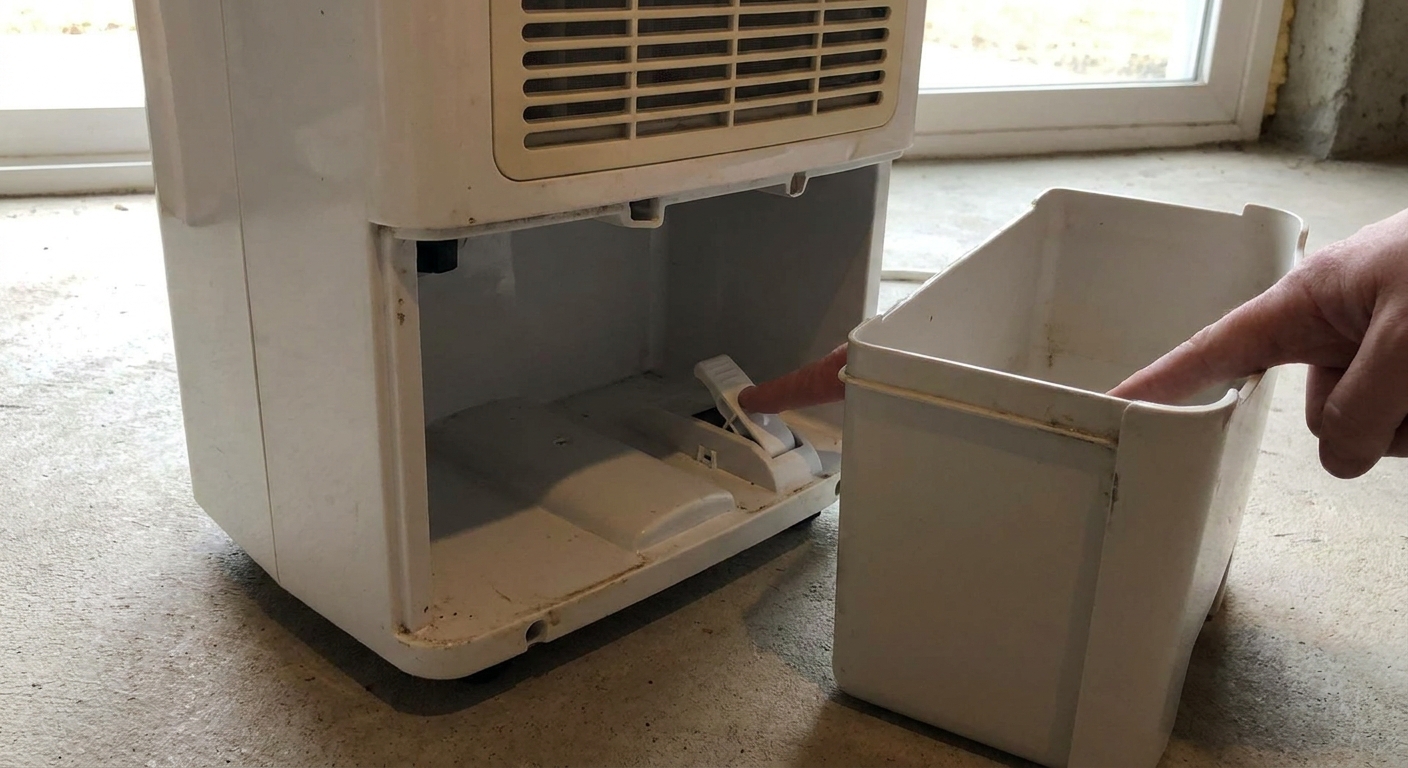
Safety first
- Unplug the unit before removing covers or poking around near wires.
- Do not run a flooded or smoking unit. If you smell burning plastic, see melted plugs, or hear arcing, unplug it and stop.
- Give it a few minutes after unplugging before touching anything internal. Electronics can hold a charge, and you should not touch exposed components.
- If the dehumidifier was recently tipped or transported, keep it upright per your manual. If you are not sure, letting it sit upright for 12 to 24 hours is a common safe approach so compressor oil can settle.
Start here: the 7 fastest checks
1) Confirm the outlet has power
Plug in a lamp or phone charger. If the outlet is dead, you are chasing the wrong problem.
- Check the breaker panel for a tripped breaker.
- If the outlet is controlled by a wall switch, try flipping it.
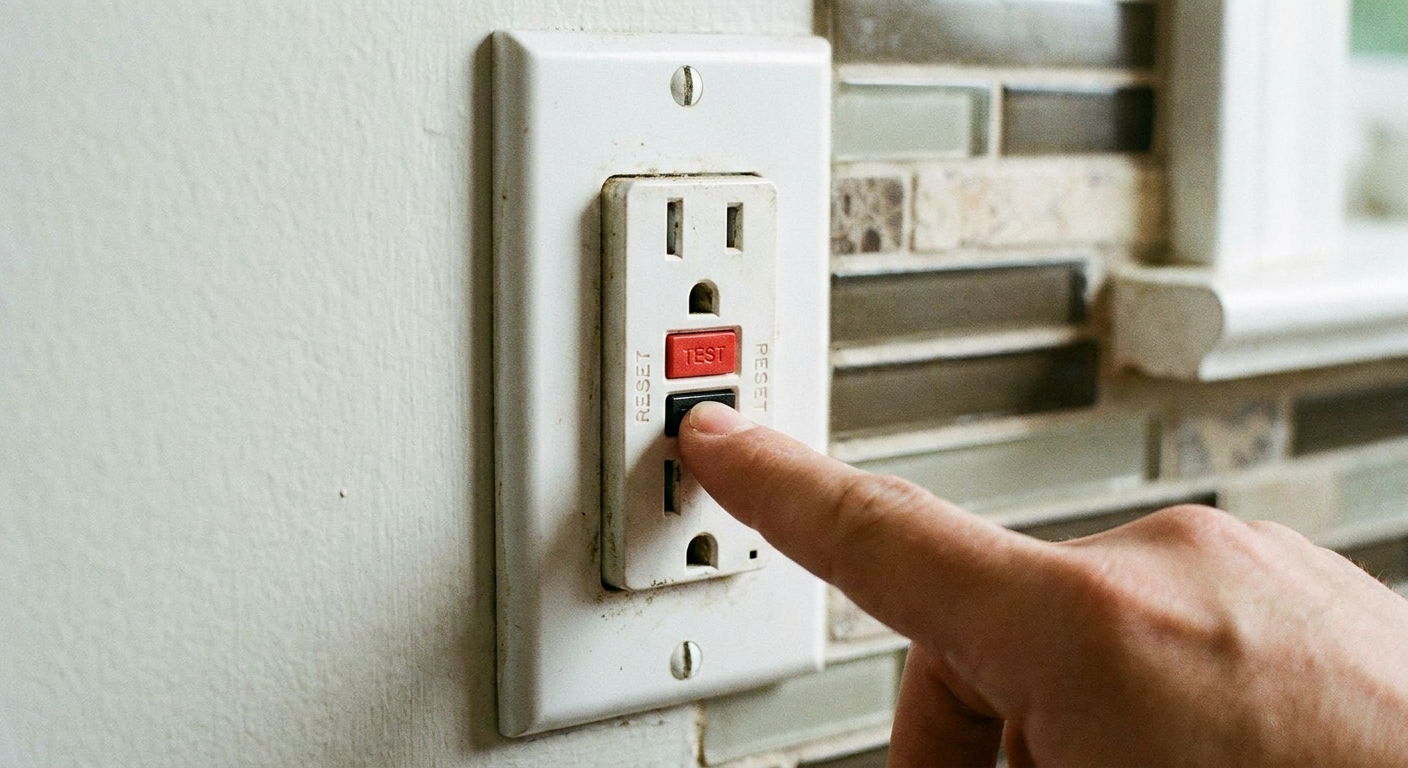
2) Reset a tripped GFCI
Many basements, garages, laundry rooms, and utility areas are protected by GFCI outlets. If the dehumidifier is on a GFCI circuit, you might have a tripped outlet upstream.
- Press RESET on the GFCI outlet.
- If it will not reset, unplug the dehumidifier and try again.
- If it keeps tripping after you plug the dehumidifier back in, move to the “When to stop DIY” section near the end.
3) Check the plug and cord for heat damage
This is the thrift-store lesson I learned the hard way. I once “fixed” a dead dehumidifier by swapping outlets, only to notice the plug was warm. The outlet was loose and the plug blades were scorched.
- Look for browned plastic, melted areas, or a loose-fitting plug.
- If the cord is damaged, do not tape it. Replace the cord if the model allows it, or retire the unit.
4) Plug it directly into the wall
Dehumidifiers pull enough current that weak power strips, extension cords, and loose receptacles can cause nuisance shutdowns, overheating, or weird behavior.
- Plug the unit directly into a wall outlet.
- Avoid extension cords. If you must use one temporarily to test, use a heavy-duty cord rated for the load and keep an eye on heat at the plug. The long-term fix is a proper outlet where you need it.
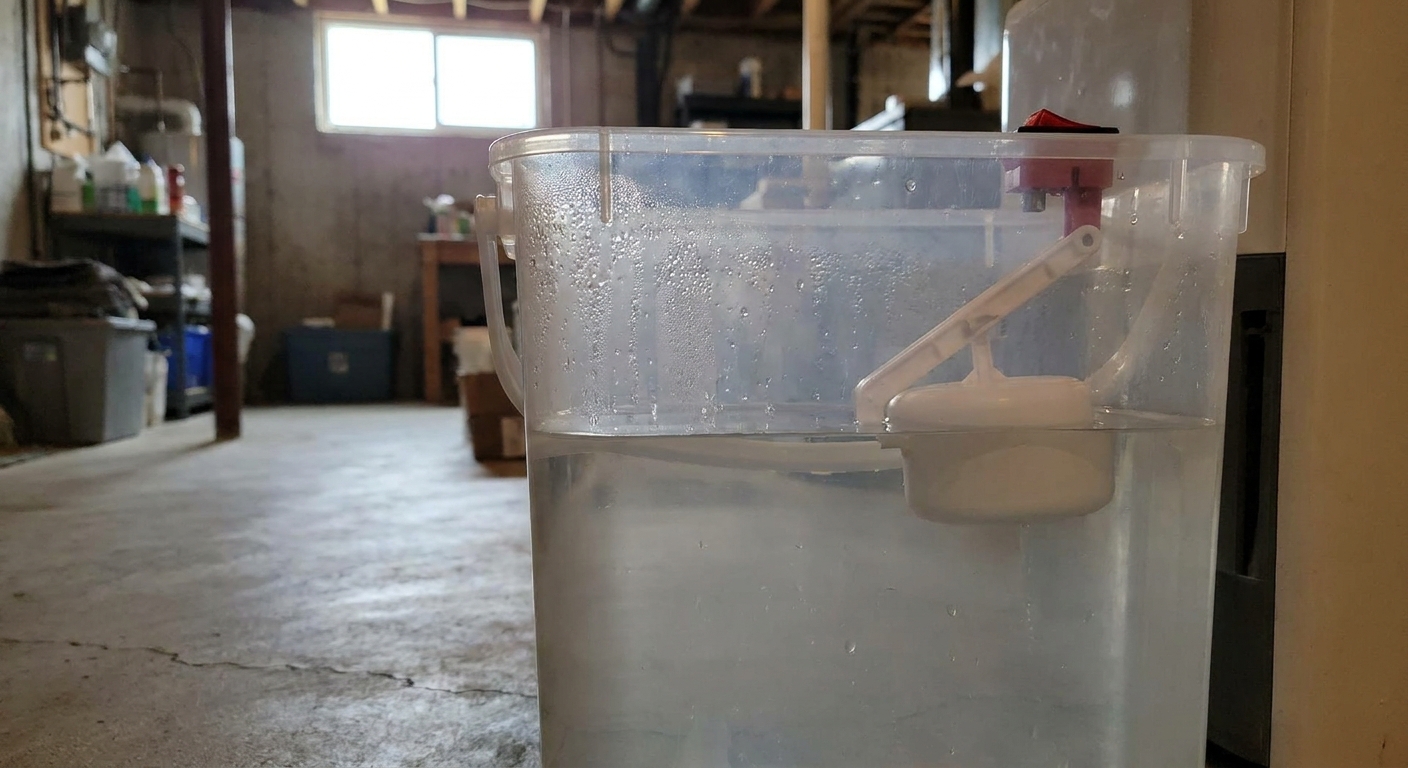
5) Reseat the bucket and free the float
Most dehumidifiers have a safety switch that tells the machine the bucket is in place. If the bucket is not fully seated, the unit may refuse to start, beep, or show a bucket icon or a “FULL” style indicator (wording varies by brand).
- Pull the bucket out, dump it, and slide it back in firmly.
- Check the bucket float. It should move freely and not stick in the “full” position.
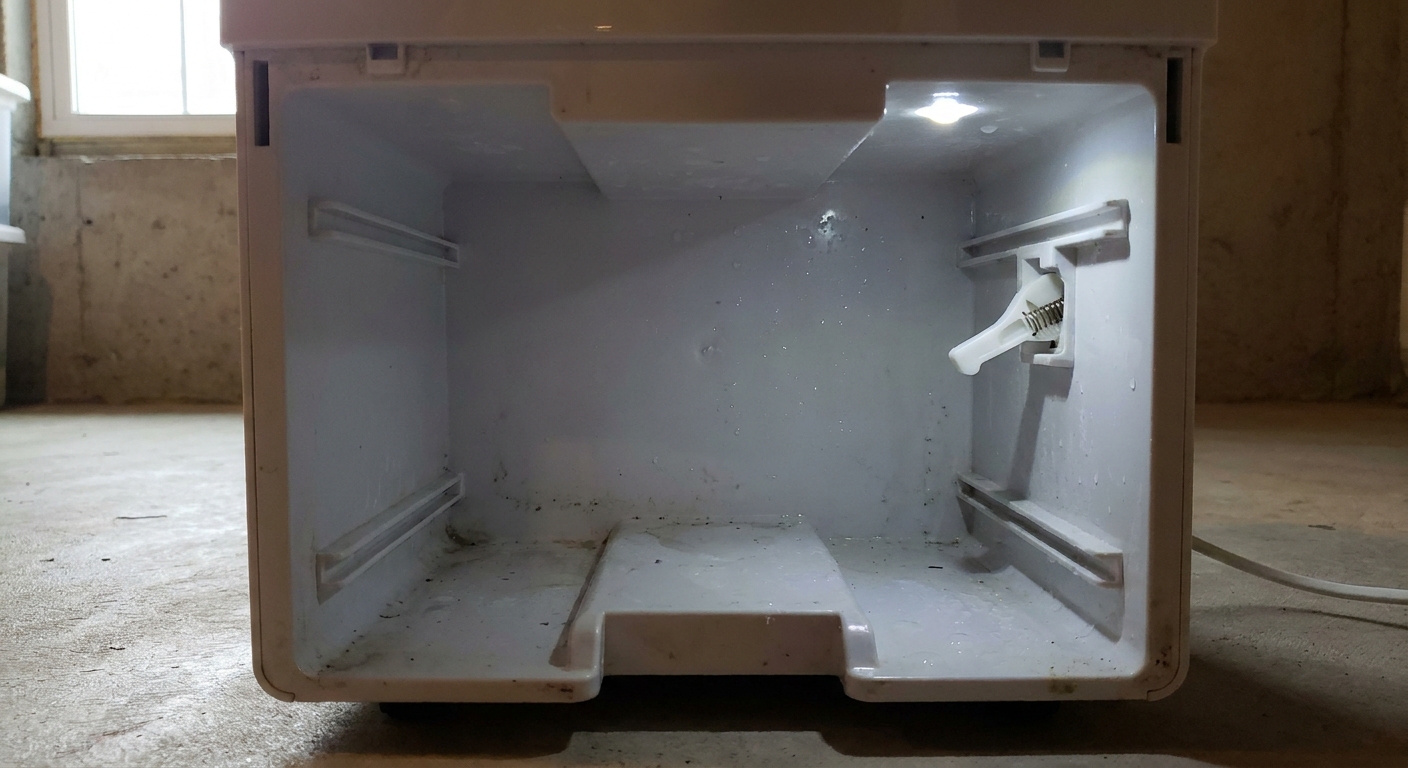
- Look for the switch lever in the bucket cavity. It can get bent or blocked by debris.
- When you reinsert the bucket, listen for a small click as the switch engages.
6) Look for a timer, child lock, or compressor delay
Some settings make it seem like the unit is dead:
- Timer delay: The unit may be set to start in a few hours.
- Child lock: Buttons do nothing or the panel appears unresponsive.
- Compressor delay: Many units intentionally wait a few minutes before the compressor starts after a stop or power loss.
If you can, set the humidity target low (like 35% to 40%) and put the fan on high to force a call for dehumidification.
7) Do a simple reset
This fixes a surprising number of moments when the control panel looks dead.
- Unplug the unit.
- Wait 5 to 10 minutes.
- Plug it directly into a wall outlet.
- Press POWER and set a low humidity target.
Figure out what you actually have
From here, the troubleshooting splits into two lanes. This is the moment to slow down and observe what the machine does when you press POWER.
Lane A: No power
- No lights, no beeps, no fan, no display.
- Nothing changes when you press any button.
Lane B: Powers on, but does not dehumidify
- Display lights up, fan runs, maybe the compressor starts.
- It runs but ices up, or runs but collects no water, or shuts off quickly.
If it has no power at all
Check reset or fuse features (if equipped)
Some dehumidifiers have a reset function on the plug or a small internal fuse. Not all do, and many are not intended to be user-serviceable.
- If the plug has buttons, follow the instructions printed on the plug body.
- If your model manual mentions an internal fuse and you are comfortable opening the case, unplug the unit and inspect it.
If you see a fuse that is visibly blown, that is a clue, but it is also a sign something caused it to blow. Replacing a fuse without addressing the cause can just blow the new one instantly.
Try a different outlet on a different circuit
I like to pick an outlet in a totally different part of the house, ideally one you know is on another breaker. That helps rule out a weak receptacle, loose connection, or overloaded basement circuit.
Inspect the bucket switch
Yes, it belongs in the fast-check list. But if the unit is acting totally dead, a bucket switch stuck open can prevent startup and may look like a no-power issue, sometimes with a bucket light or “FULL” type message depending on the model.
- Look for broken plastic tabs on the bucket that press the switch.
- Check for grime or mineral buildup that blocks the switch lever.
- Make sure the bucket is not warped and sitting slightly out of position.
If it turns on but collects nothing or ices up
This is where people get frustrated because the machine is clearly alive, but the air still feels damp.
Check the basics first
- Humidity setting: If the target is set to 55% and your room is already 52%, the compressor may not run. Try 35% to 40% for testing.
- Airflow: Leave 12 to 18 inches of clearance around the intake and exhaust.
- Windows and doors: Close them. You cannot dehumidify the neighborhood.
Room temperature matters
Performance drops as the room gets cooler, and icing risk goes up. A lot of compressor based units still operate below 65 F, but they can slow down and frost more easily at lower temperatures. Check your manual for your model’s minimum operating temperature and expected performance range.
Clean the air filter and check the coils
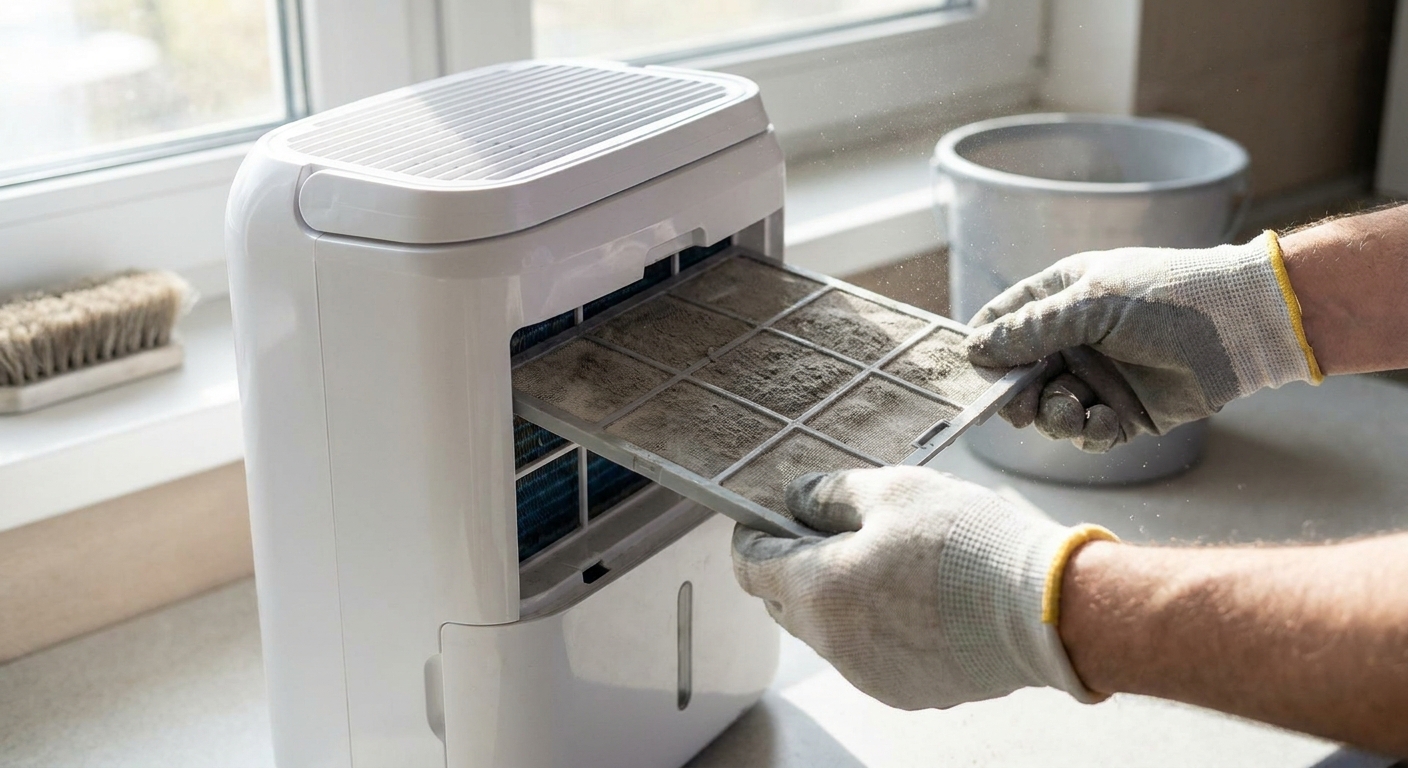
A clogged filter reduces airflow, which can lead to icing and poor water collection.
- Remove the filter and vacuum it.
- If it’s washable, rinse and let it dry completely before reinstalling.
- Use a flashlight through the grille to look for dust buildup on the coils.
Handle icing the right way
If you see frost on the coil or feel the unit blowing cold air but collecting little water, do this:
- If your unit has a FAN-only mode (or a defrost setting), switch to that to help thaw.
- Otherwise, turn the unit off and unplug it, then let it thaw completely. This can take a few hours.
- Clean the filter and improve airflow before restarting.
If it ices up again quickly in a reasonably warm room, that often points to low airflow, a sensor issue, or refrigerant problems. Refrigerant work is not a DIY job.
Confirm the drain path is set up correctly
Sometimes it is collecting water, just not where you think.
- Check for hairline cracks in the bucket.
- If you use a continuous drain hose, make sure it slopes downward with no kinks and the connection is snug.
- On some models you must remove a drain cap or plug fully for continuous drain to work. If it keeps backing up, recheck the fitting and your manual.
- Remember that gravity drain needs the hose outlet lower than the drain port. If the hose runs uphill even a little, water will not leave the unit.
Error codes and indicator lights
If the unit powers on but will not run, look for an on-screen code or a warning light. Common themes across brands include a full bucket indicator, a low temperature or frost protection condition, or a sensor related warning.
- Write down the exact code or symbol you see.
- Check your manual for the code meaning and the reset steps.
- If the code returns immediately after you address the obvious causes (bucket seated, filter clean, room warm enough), you may be looking at a sensor or control board issue.
Compressor vs desiccant units
Most household dehumidifiers are compressor based, and those are the ones that can frost up in cooler basements. A desiccant dehumidifier works differently (it uses a moisture absorbing wheel), and it tends to do better in colder spaces without the same icing behavior. If you are troubleshooting in a cold garage or basement and you keep fighting frost, it might not be you. It might be the type of machine.
Control panel on, but buttons do nothing
If the display is on but the buttons will not respond, you are usually dealing with one of these:
- Child lock enabled (often a long press on a button like TIMER or MODE).
- Stuck membrane button from dirt, moisture, or wear.
- Glitched control board that a full unplug reset may clear.
Try a longer reset:
- Unplug for 15 minutes.
- While unplugged, press and hold the POWER button for 10 seconds (this can help discharge some electronics on certain designs).
- Plug back in and try again.
If your panel lights flicker, shows random characters, or loses settings constantly, that is a common sign the board is failing or power quality is poor at the outlet.
When to stop DIY
I’m all for repairing instead of replacing. But dehumidifiers hit a point where the safe, cost-effective move is to bring in a technician or start shopping.
Call a pro or replace if you see any of these
- Burning smell, melted plug, scorched cord, or visible arcing.
- GFCI trips repeatedly even after you try a different circuit. This can indicate an internal short.
- Compressor hums then clicks off repeatedly after a few seconds. That can be a start component issue or compressor failure.
- Unit runs but never dehumidifies and the coils never get cold. Possible refrigerant leak or sealed-system problem.
- Unit ices up fast in normal room temps after filter cleaning and good airflow.
- Control board symptoms like random resets, dead buttons, or display glitches that return after resets.
Why sealed-system and board problems are different
Once you are dealing with sealed refrigerant systems or electronic control boards, you are outside the typical weekend DIY fix zone. Sealed-system work requires specialized tools and compliant refrigerant handling, and boards can be pricey enough that replacement makes more sense than repair.
Quick recap
- If it seems completely dead, start with outlet power, GFCI reset, and bucket seating.
- If it powers on but does not pull water, focus on humidity settings, filter and airflow, temperature, and drain setup.
- If you get repeat GFCI trips, burning smells, or compressor clicking, stop and get help.
The 30-Second Cheat Sheet
Essential takeaways for: Dehumidifier Won’t Turn On? Fixes to Try First
Do these first (most fixes in 5 minutes)
- Test the outlet with a lamp or charger. Reset the breaker if needed.
- Press RESET on any GFCI outlet on that circuit (common in basements and laundry rooms).
- Unplug 10 minutes, then plug directly into a wall outlet (avoid power strips and extension cords) and try again.
- Reseat the bucket firmly and make sure the float moves freely so the “full” switch is pressed.
- Check for timer delay or child lock. Set target humidity to 35% to 40% for testing.
If it powers on but collects no water
- Clean the air filter and confirm airflow clearance (12 to 18 inches).
- In cooler rooms, performance drops and icing risk rises. Check your manual for the minimum operating temperature.
- If coils ice up, switch to FAN-only or turn it off and let it thaw completely, then restart with a clean filter.
- If you use a drain hose, confirm it slopes down with no kinks and is installed correctly.
Stop DIY and call a pro or replace if
- It smells like burning, plug or cord looks melted, or it keeps tripping a GFCI.
- The compressor hums then clicks off repeatedly.
- It runs but never dehumidifies and the coils never get cold (possible sealed-system issue).
- The control panel glitches, loses settings, or buttons stop responding even after resets.
💡 Tip: Scroll up to read the full article for detailed, step-by-step instructions.
⬆️ Back to top
About Grit
Content Creator @ Grit & Home
Grit is Grit & Home’s little blue clay courier, delivering big questions about the place you call home. Expect practical ideas, a raised eyebrow, and a satchel full of curiosity.