
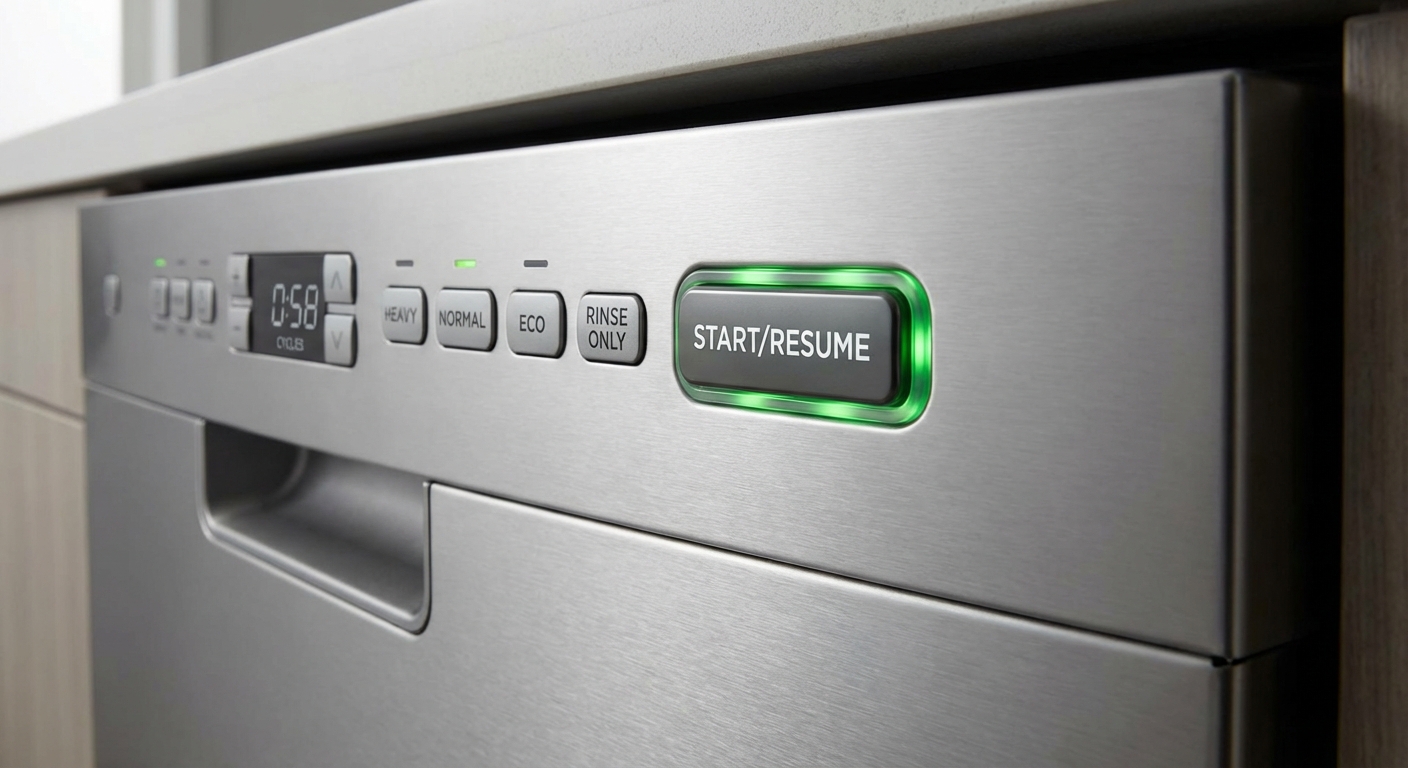
When a dishwasher will not start, it most often comes down to one of a few buckets: it is not getting power, it thinks the door is not safely closed, or a sensor or setting is telling it to wait. The good news is that most of the common causes are quick to check, and a couple of them cost exactly $0 to fix.
I have been the guy who immediately assumed the worst, priced a new appliance, then discovered the door was not fully latched. So let’s save you that headache.
Before you start: 2 quick checks
- Check the basics: Is it plugged in (if your model uses a cord)? Did the breaker trip? If there is a GFCI outlet involved (some installs share GFCI protection with nearby outlets), make sure it is not tripped.
- Look for lights or beeps: If the panel is totally dead, focus on power, wiring connections, and the thermal fuse. If the panel lights up but it will not run, focus on the latch, lock settings, sensor states, and water supply.
Safety note: Any time you remove panels or touch wiring, shut off power at the breaker first.
Fix 1: Make sure the door is latching
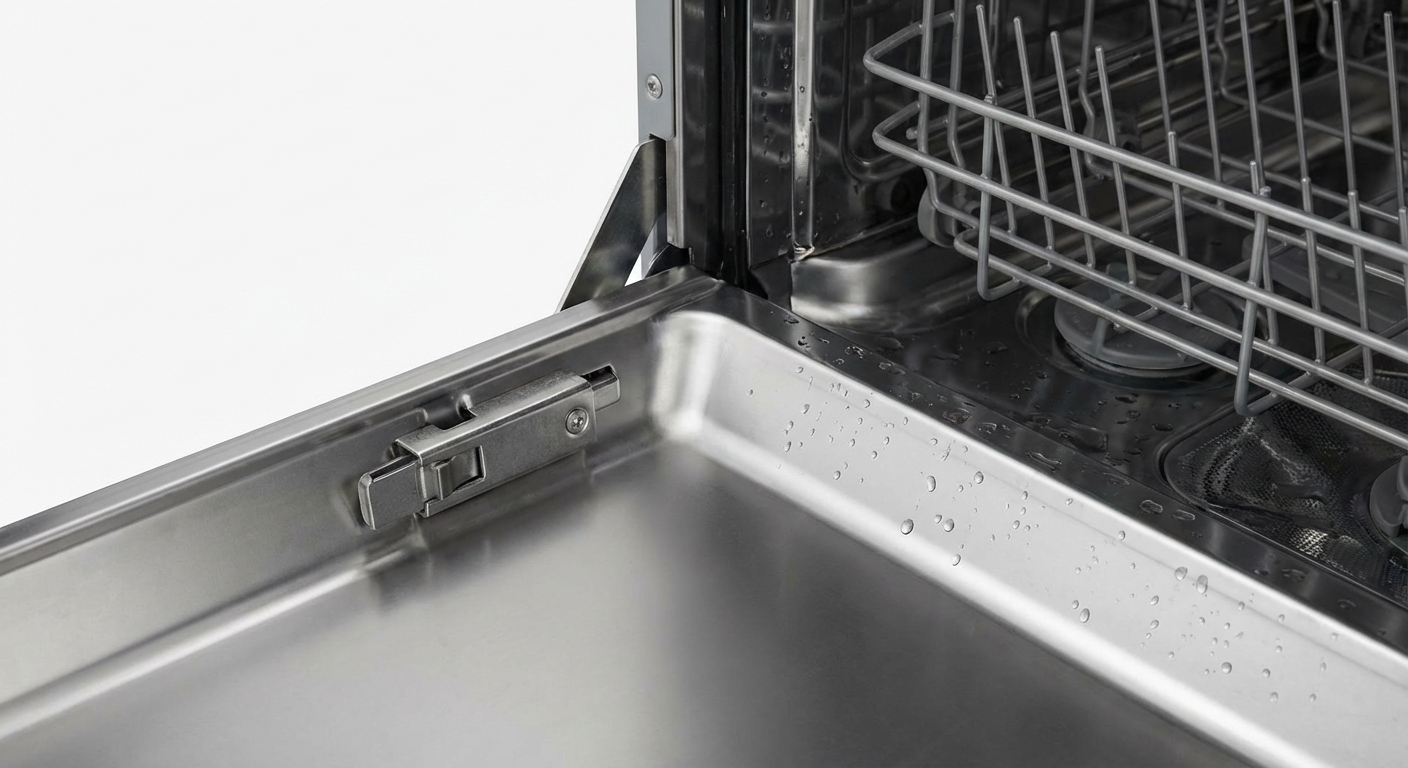
Dishwashers are picky for a reason. If the control board does not see a properly latched door, it will refuse to start to prevent leaks and protect you from moving parts.
What to look for
- Door not fully closed: Push firmly until you hear or feel the latch click.
- Rack or dish interference: A tall cutting board or a pan handle can keep the door from sealing.
- Loose latch strike plate: The small catch on the frame can loosen over time.
- Worn latch assembly: If it feels mushy, does not click, or pops open, the latch may be failing.
- Door switch issue: Some models have a separate door switch that can fail even if the latch looks fine.
Try this
- Remove anything that could block the door, then close it with steady pressure.
- If the strike plate looks crooked, gently tighten its screws (power off is safest if you are using a screwdriver near wiring).
- Start a cycle with the door closed, then apply gentle inward pressure on the door. If it starts only when you push, the latch or door switch is a prime suspect.
What you should notice: If this was the issue, you will usually hear a confirming beep, see a steady cycle light, or hear the drain pump run briefly before filling.
Fix 2: Check the panel settings
If your dishwasher has power but will not respond when you hit Start, a setting might be preventing it from running. Different brands handle Start, Cancel, and Lock a little differently, so treat the steps below as a general guide.
Common culprits
- Control Lock or Child Lock: Often disables buttons until unlocked.
- Delay Start: The dishwasher is waiting, not broken.
- Cycle not fully selected: Some models require you to pick a cycle first, then press Start, then close the door.
Try this
- Unlock: Look for a lock icon. Many models unlock by holding a specific button for 3 to 5 seconds (often Heated Dry, Lock, or Sanitize).
- Cancel a delay: If you see a delay time, press Delay until it clears, or turn the dishwasher off and back on to cancel it.
- Cancel a stuck cycle: Try a Cancel or Cancel/Drain button. On some models you hold Start for a few seconds to cancel instead.
- Clean the buttons: Grease and grime can make touch panels finicky. Use a damp microfiber cloth with a tiny bit of dish soap, then dry.
What you should notice: When a lock or delay is the culprit, an icon or delay number will usually disappear, and the Start light may turn steady (or the unit will beep) when it is ready.
If your panel is glitchy or some buttons do not respond at all, that is a clue you may be dealing with a failing touchpad, ribbon connector, or control board. Those are fixable, but they often move you into call-a-technician territory unless you are comfortable with appliance parts and diagnostics.
Fix 3: Check power wiring (hardwired units)
If the breaker is on but the dishwasher is still dead, do not assume the control board is toast. Many dishwashers are hardwired, and a loose connection can kill power completely.
Where to look
- Behind the toe-kick (the panel at the bottom front), there is often a small junction box where the house wiring connects to the dishwasher wiring.
Try this
- Turn off power at the breaker.
- Remove the toe-kick panel and locate the junction box cover.
- Check for loose wire nuts, a loose ground screw, or heat discoloration on wires or connectors.
What you should notice: If you see melted insulation, scorching, or a burnt smell, stop and call a technician. That is not a “tighten it and hope” situation.
Fix 4: Test the thermal fuse
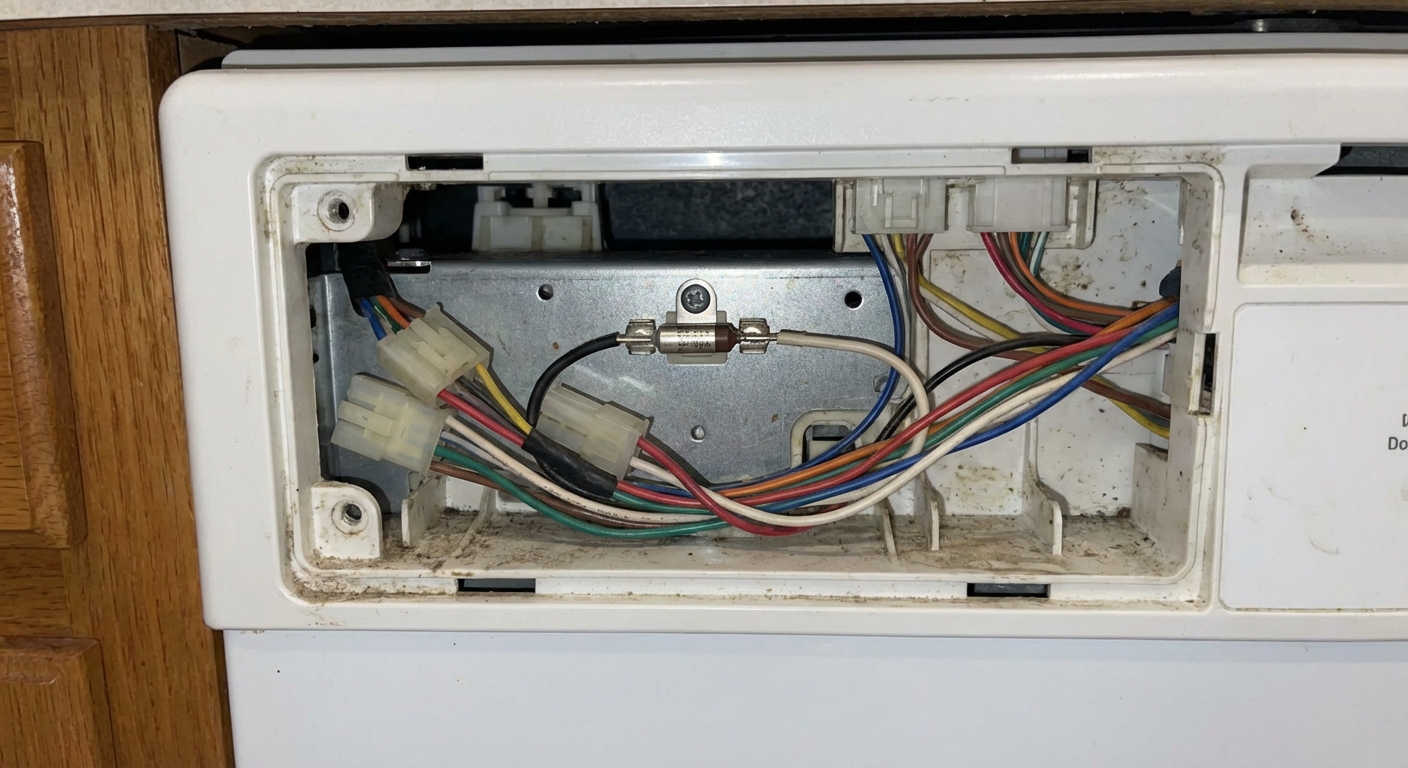
If the dishwasher shows no lights, no sounds, nothing, and you have confirmed the breaker and power source are good, the thermal fuse is a smart next stop. The thermal fuse is a small safety device that cuts power if the unit overheats. It can also open if heat builds up from a loose or high-resistance connection in the control area, and only occasionally due to electrical events.
What you will need
- Phillips screwdriver
- Multimeter with continuity setting
How to check it
- Turn off power at the breaker.
- Open the door and remove the inner door screws (support the outer panel as you work).
- Locate the thermal fuse near the control housing (exact location varies by brand).
- Disconnect the wires and test the fuse for continuity. A good fuse typically reads closed or beeps in continuity mode.
If the fuse is blown: Replace it with the correct part for your model. Many manufacturers recommend replacing the fuse and any included wiring harness, because loose connections can cause heat buildup and repeat failures.
Important: A blown thermal fuse can be a symptom, not just the problem. If it blows again, it is time to bring in a pro to look for overheating, a failing control board, or wiring issues.
Fix 5: Verify the water supply valve is on
Some dishwashers will begin a cycle even with no water, then throw an error. Others may act like they will not start if the fill sequence fails quickly. Either way, it is worth checking the water supply, because it is fast and free.
Where to look
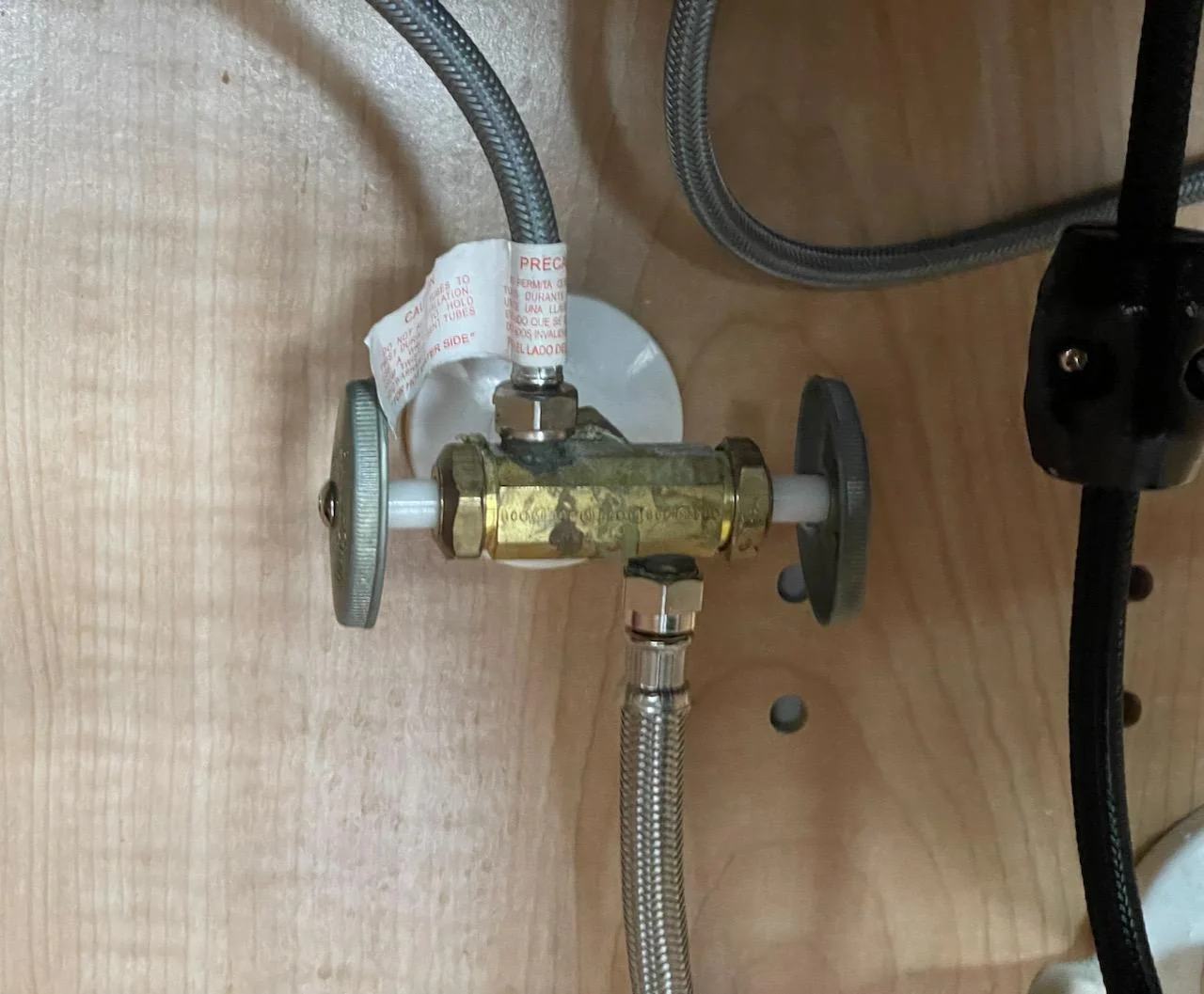
- Under the sink, find the dishwasher shutoff valve (often on a small line branching off the hot water supply).
- If you recently did plumbing work or stored something under the sink, the valve might have been bumped partially closed.
Try this
- Turn the valve fully on. For a lever handle, it is usually on when aligned with the pipe. For a round handle, turn counterclockwise until it stops gently.
- Check the supply line for kinks, especially if the dishwasher was recently pushed back into place.
What you should notice: When you start a cycle, you should typically hear a brief drain, then a fill sound (water rushing in). If you hear a valve buzz but no water enters, the inlet valve could be failing or the line could be blocked.
Fix 6: Check the float
A surprisingly common no-start or no-fill culprit is a float that is stuck in the up position. The dishwasher interprets that as “already full” and will not let water in.
Try this
- Open the door and look for the float inside the tub, usually a small dome or cylinder near the front corner.
- Gently lift it up and let it drop. It should move freely.
- If debris is wedged around it, clean the area and try again.
What you should notice: If a stuck float was the issue, the dishwasher will often fill normally on the next start attempt.
Fix 7: Reset the dishwasher
Modern dishwashers are basically small computers with a pump attached. A proper reset can clear a stuck cycle, a confused control board, or a false error state.
Two reliable reset methods
- Breaker reset: Turn the dishwasher breaker off for 1 to 5 minutes, then turn it back on.
- Button reset: Some models reset by holding Start or Cancel for 3 to 10 seconds. Others use a specific button sequence (often listed on a tech sheet behind the toe-kick panel).
What you should notice: After a reset, lights often cycle briefly, then return to idle. Select a simple cycle and try Start again.
If it starts once and then refuses again later, that points to an intermittent latch switch, failing touchpad, or control board issue.
Error codes: one quick tip
If you see flashing lights or an error code, write it down and search [brand] dishwasher error code [code]. Many manufacturers also hide the tech sheet behind the toe-kick panel or along the side of the tub, and it will spell out what the code means for your exact model.
When to call a technician
I am all for DIY, but I am also all for knowing when a repair is about to become a Saturday-long science experiment. Call a technician if you notice any of the following:
- Burning smell, melted plastic odor, or visible scorch marks.
- Repeatedly tripping breaker or a GFCI that will not reset.
- Water present in the base pan (some models will refuse to start if a leak sensor is triggered).
- Control board diagnosis is needed (random beeping, flashing codes you cannot clear, multiple buttons not responding).
- You are not comfortable working around wiring or testing electrical parts.
A homeowner-safe leak check: If you can remove the toe-kick, look for obvious standing water in the base area and check under the sink for drips. Do not tip or lift the dishwasher unless you are comfortable doing it safely and you have the power off.
If you do call for service, tell them what you already checked: latch behavior, whether the panel lights up, whether the unit fills, whether the float moves freely, and whether a reset changes anything. That little summary often saves time and money.
Quick cheat sheet
- Panel dead: breaker or power source, then hardwire junction box or cord, then thermal fuse, then wiring or control board.
- Panel on, will not start: door latch and door switch, control lock, delay start, then touchpad or control board.
- Starts then stops fast: water supply valve, stuck float, inlet valve, leak sensor state, or an error state that needs a reset.
If you want to go one step further, grab your model number from the sticker on the door frame and look up the tech sheet location for your specific unit. Many are tucked behind the toe-kick panel, and they often include the exact button sequence for diagnostics and reset.

About Marcus Vance
Content Creator @ Grit & Home
Marcus Vance is a lifelong DIY enthusiast and self-taught home renovator who has spent the last decade transforming a dilapidated 1970s ranch into his family's dream home. He specializes in budget-friendly carpentry, room-by-room renovations, and demystifying power tools for beginners. Through his writing, Marcus shares practical tutorials and hard-learned lessons to help homeowners tackle their own projects with confidence.