
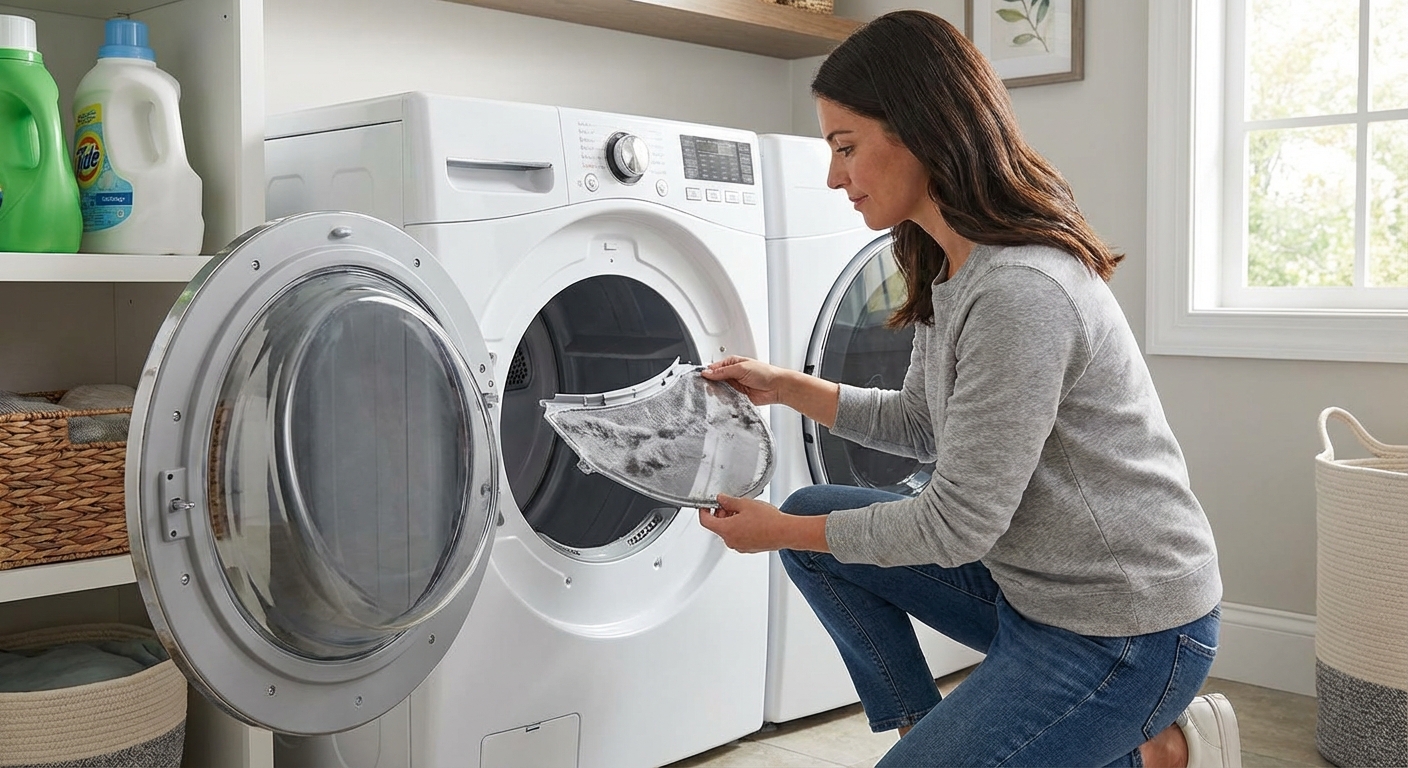
A dryer that shuts off mid-cycle is one of those problems that feels random until you realize a lot of shutdowns are protective. Heat buildup, a safety cutoff opening, or a switch or sensor telling the machine the cycle is “done” can all stop a run. And sometimes, it is not heat at all. It can be a power supply hiccup or a control issue.
Below are the most common causes, how to test each one, and the most realistic DIY fixes. I’ll keep it beginner-friendly and straight to the point.
Safety first (please do this)
- Unplug the dryer before opening any panels.
- If it’s a gas dryer, turn the gas valve off if you’ll be moving the unit around.
- Wear work gloves. Dryer cabinets have plenty of sharp edges.
- If you smell burning or the breaker trips, stop and troubleshoot before running it again.
- During any run-and-check tests, stay nearby. Do not leave an overheating dryer unattended.
Tools that make this easier
- Phillips screwdriver and 1/4-inch nut driver
- Vacuum with hose and a crevice tool
- Dryer vent brush kit
- Multimeter (for continuity checks)
- Phone camera (take photos before removing wires)
Quick diagnosis: what exactly is stopping?
- Stops tumbling (motor off): door switch, thermal fuse, motor overload, broken belt switch, power supply, or controls.
- Tumbles but no heat: airflow restriction, high-limit thermostat cycling, heater circuit issue, or some thermal cutoff designs.
- Ends early on Auto or Sensor Dry, but Timed Dry works: moisture sensor or control logic is likely.
Quick diagnosis: what pattern are you seeing?
- Stops after 5 to 15 minutes, then runs again after cooling: overheating due to restricted airflow is most likely.
- Stops when you bump the door or it feels loose: door switch or latch issue.
- Stops and won’t restart at all: thermal fuse, broken belt switch, motor issue, or power supply.
- Stops early only on “Auto” or “Sensor Dry,” but timed dry works: moisture sensor issue is very likely.
- Seems random with no heat or door pattern: power supply or control board/timer problems move up the list.
Cause #1: Overheating from a clogged vent (most common)
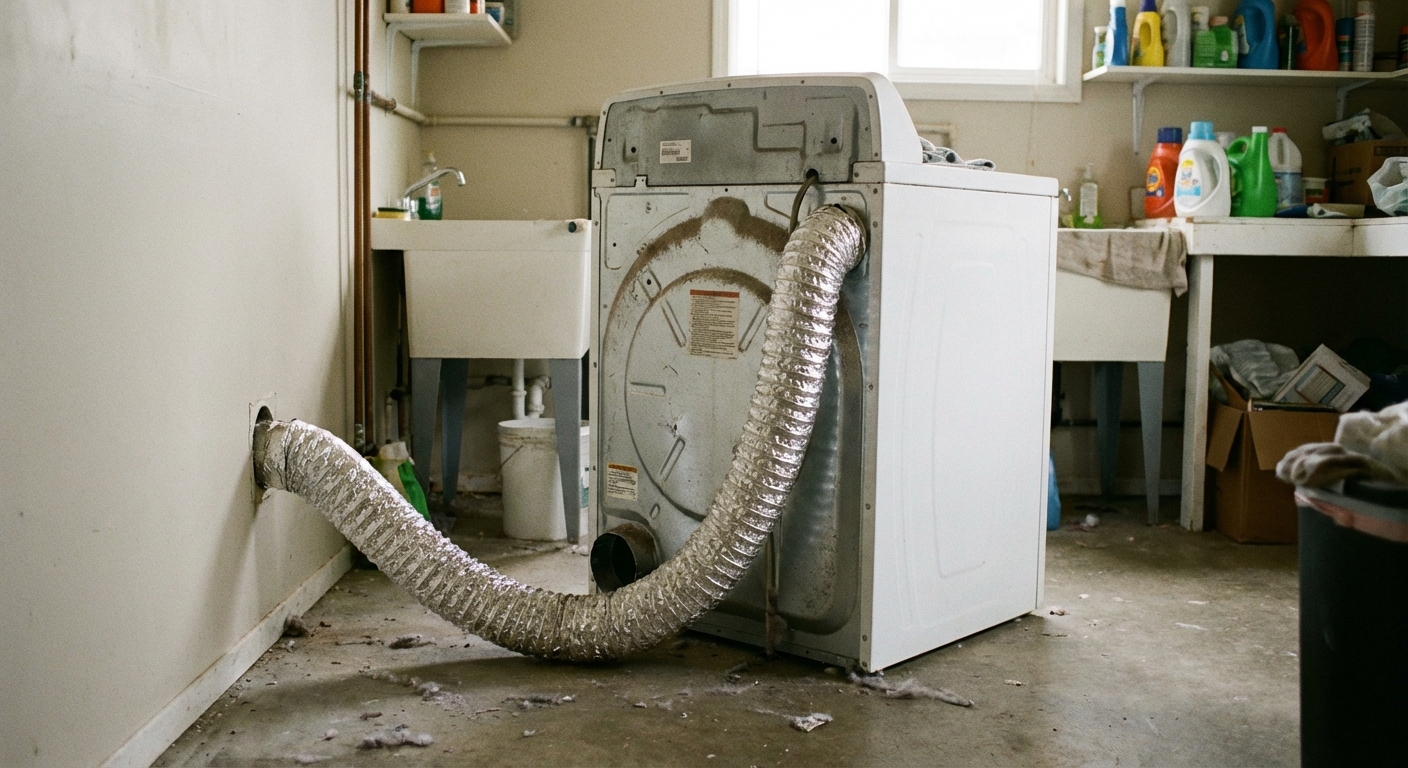
Dryers move a lot of air. If lint builds up in the vent run, the dryer cannot dump heat fast enough. Depending on the model, you might see the dryer stop tumbling, or you might see it keep tumbling while the heat cuts out on a high-limit thermostat. Either way, restricted airflow is bad news and it is the first thing to rule out.
Signs you’re dealing with airflow trouble
- Dryer stops mid-cycle and restarts after a cool-down
- Clothes are hot but still damp
- Lint screen fills quickly, or lint looks “felted”
- Weak airflow at the exterior vent hood
DIY test
- Run the dryer on Timed Dry for 5 minutes.
- Go outside and check the vent hood. You should feel strong, warm airflow.
- If the airflow is weak or the flap barely opens, treat it like a blockage until proven otherwise.
Fix
- Clean the lint screen and wash it with dish soap if it has a waxy film (fabric softener sheets can coat it). Dry it fully.
- Disconnect the vent hose at the back and remove lint with a vacuum.
- Brush out the vent line to the outside using a dryer vent brush kit.
- Check the vent hood flap outside for lint, stuck screens, or a bird nest.
- If you have a long run with multiple elbows, strongly consider a professional vent cleaning.
- Replace crushed foil or plastic vent with rigid or semi-rigid metal ducting.
Also check this: A clogged or loose blower wheel can mimic a vent clog. If airflow is weak but the vent line seems clear, a sock or lint clump may be stuck at the blower housing, or the wheel may be stripped and not moving enough air.
Thrifty tip: A kinked vent hose can act like a full clog. When you push the dryer back, leave a little “S” curve so it does not pinch shut.
Prevention: Keep the vent run short and smooth, avoid plastic and foil ducting, and clean the vent line at least annually (more if you do lots of laundry or have pets).
Cause #2: Faulty door latch or door switch
The door switch is a simple safety device. If it opens for even a moment, the dryer thinks the door is open and stops. A worn latch, loose hinges, or a weak switch can make the problem show up mid-cycle when vibration kicks in.
Signs
- Dryer stops, but the display stays on (or it beeps like the door opened)
- You can restart it by opening and closing the door
- You have to push the door hard to make it start
DIY checks
- With the dryer off, close the door slowly. You should hear a clean click as the latch engages.
- Gently lift up on the door. If it has a lot of play, check hinge screws.
- With the dryer running, do not bypass safety devices, but you can lightly press the door inward. If it keeps running only when pressed, the latch or switch is suspect.
Fix
- Tighten hinge and latch screws.
- Inspect the plastic latch strike. If it is cracked or rounded off, replace it.
- If the latch is fine, test the door switch for continuity with a multimeter. Replace the switch if it reads open when the door is closed.
Most door switches are inexpensive and are designed as a plug-in part with a couple of spade connectors. Take a photo of the wire positions before you pull anything off.
Cause #3: Blown thermal fuse (often caused by poor airflow)
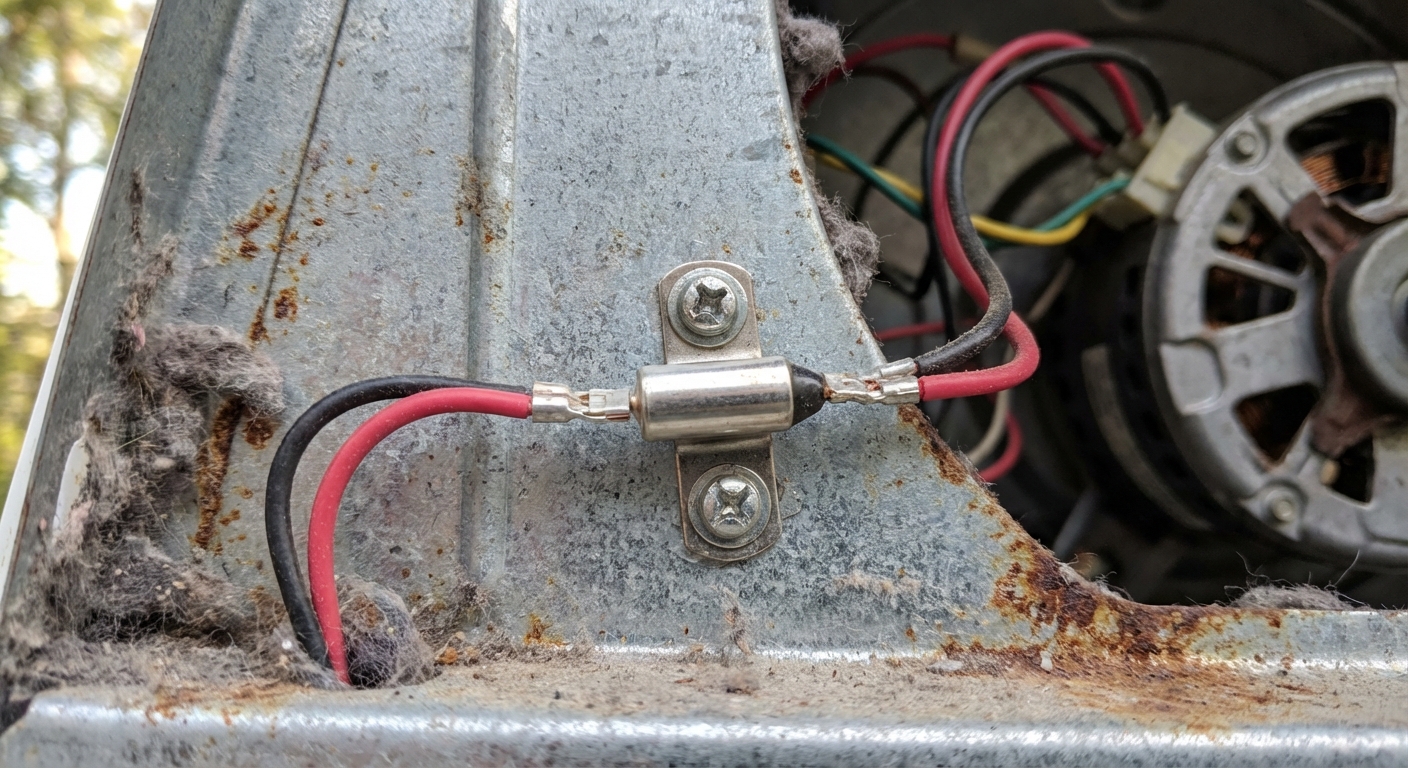
The thermal fuse is a one-time safety cutoff. When the dryer gets too hot, the fuse opens and stops power to the motor or heater circuit depending on the design. Once it blows, it does not reset.
Quick distinction: A thermal fuse usually blows once and kills a circuit until replaced. A high-limit thermostat often resets after cooling and can cause heat to cut out (sometimes while the drum keeps tumbling).
How it typically behaves
- Some dryers will stop mid-cycle and then never start again.
- On some designs, the dryer may tumble but not heat, depending on which circuit is interrupted. If you are seeing “no heat” more than “won’t run,” do not assume it is the fuse until you confirm with a meter.
DIY diagnosis
- Unplug dryer.
- Access the thermal fuse (commonly on the blower housing or exhaust duct inside the cabinet, location varies by brand).
- Pull the two wires off the fuse terminals.
- Test for continuity with a multimeter. A good fuse reads closed (continuity). A blown fuse reads open (no continuity).
Fix
- Replace the thermal fuse with the exact match for your model.
- Do not bypass it. That is a real fire risk.
- Before you run the dryer again, fix the root cause: clean the vent system and confirm strong airflow outside.
If your fuse blew once, odds are it was doing its job. Replacing it without addressing airflow is like putting a new smoke alarm battery in while your kitchen is still on fire.
Cause #4: Defective or dirty moisture sensor (auto cycles end early)
If your dryer shuts off before the cycle ends mostly on “Auto Dry,” the moisture sensor is a top contender. Most dryers use two metal sensor strips inside the drum. As wet clothes tumble, they bridge those strips and the dryer “reads” moisture. If the strips are coated with residue, the dryer can think the load is dry and shut down.
Signs
- Auto cycles end early, but Timed Dry works fine
- Problem started after heavy use of dryer sheets or fabric softener
- Small loads shut off faster than big loads
DIY fix (often all you need)
- Find the sensor bars, typically just inside the drum near the lint filter housing.
- Clean them with rubbing alcohol on a cloth, or lightly scrub with a magic eraser.
- Run a medium load on Auto and see if the run time returns to normal.
If cleaning does not help
- Check the sensor wiring connections (loose spade connectors are common).
- If your model uses a separate control board input, the sensor can test fine but the board may misread it. At that point, you are in “service manual” territory.
Cause #5: Motor overload, drum drag, or a snapped belt
Dryer motors can overheat or struggle under load. Many have internal overload protection that shuts the motor off until it cools. If your dryer stops mid-cycle, feels warm, and then will start again after 20 to 30 minutes, the motor may be overheating. A dragging drum can also make a healthy motor act like a bad one.
Also, if the dryer stops suddenly like someone pulled the plug, check the belt. Many newer models have a broken belt switch that kills the motor instantly when the belt snaps.
Signs
- Stops mid-cycle and will not restart immediately
- Hums but will not spin until cooled
- Burning or hot electrical smell near the dryer
- Drum is hard to turn by hand (with dryer unplugged)
- Drum turns but you hear the motor running and the load is not tumbling (belt issue on some designs)
DIY checks
- Unplug dryer and try to rotate the drum by hand. It should turn with steady, moderate resistance.
- If it feels rough, listen for scraping. Check for a stuck item in the drum seal or blower housing.
- Inspect the belt, idler pulley, and drum rollers. Worn rollers can drag and overload the motor.
Fix
- If rollers or idler pulley are worn, replace them as a kit. This is a very doable DIY job on many models.
- If the belt is broken, replace the belt and confirm the broken belt switch (if equipped) is engaging properly.
- If the motor is truly failing, replacement is a bigger repair. If the dryer is older, compare the motor cost to a new machine.
My honest take: I have replaced rollers and idlers that “mysteriously” fixed mid-cycle shutoffs. The motor was fine. The drum was just dragging enough to overheat it.
Bonus checks: power and controls
If you are not seeing an overheating pattern, and the door is solid, do a quick sanity check on power and controls. These issues can look like “random shutoffs.”
Power supply (especially electric dryers)
- Check the plug fit and outlet. A loose connection can heat up and cause intermittent stops.
- If you are comfortable and qualified to do so, inspect the terminal block where the cord connects to the dryer. Loose screws and heat damage are common. If you see melted plastic or scorched wires, stop and call a pro.
- Check the breaker. Some electric dryers use a 2-pole breaker. A weak breaker or a bad connection can cause odd behavior.
Timer or control board
- If the dryer stops at inconsistent times with no heat pattern, a failing control board, timer, or relay can be in play.
- This is where model-specific diagnostics help. If you suspect it, grab the service manual for your exact model or call a tech.
Step-by-step troubleshooting order (fastest to slowest)
- Clean lint screen and confirm strong airflow at the exterior vent.
- Inspect vent hose behind the dryer for kinks or crushing.
- Check for blower restrictions if airflow is still weak.
- Test door latch and switch for a solid click and continuity.
- Clean moisture sensor bars and re-test Auto dry.
- Check belt and broken belt switch if the stop was sudden.
- Check thermal fuse with a multimeter if the dryer will not restart.
- Check drum drag and listen for motor overheating symptoms.
- Do quick power checks (outlet, cord fit, breaker), then consider control issues.
When to call a pro
- You have a gas dryer and smell gas, or you are not comfortable moving the unit around.
- The vent run disappears into walls or a roof and you cannot verify it is clear.
- You find scorched wiring, melted connectors, a hot outlet, or repeated fuse failures.
- The repair involves the control board and you do not have the service manual.
FAQ
Why does my dryer shut off after a few minutes but the breaker is not tripping?
That pattern often points to overheating protection or motor overload. Start with vent cleaning, lint screen washing, and checking for a kinked vent hose. After that, look at drum drag, the motor overheating, and the thermal fuse. If none of that fits, move on to power supply and control checks.
Will a clogged lint trap really shut a dryer off?
It can. A restricted lint screen or vent reduces airflow, which makes heat build up. That can trigger high-limit protection, motor overload, or in some cases a thermal fuse. More commonly, you will first notice long dry times or heat cutting in and out, so treat it as an early warning either way.
My dryer only shuts off on sensor dry. Is it still an airflow problem?
Sometimes, but the first thing I’d do is clean the moisture sensor bars. If Timed Dry runs normally and airflow outside is strong, the sensor is the better bet.
Parts you might need (so you can plan one trip)
- Thermal fuse (model-specific)
- Door switch or latch strike (model-specific)
- Dryer vent brush kit
- Semi-rigid metal vent duct and clamps
- Drum support roller and idler pulley kit (model-specific)
- Drive belt (model-specific)
If you want to keep costs down, diagnose first, then buy parts. The only thing I buy “just in case” is vent cleaning gear, because it pays for itself quickly.

About Marcus Vance
Content Creator @ Grit & Home
Marcus Vance is a lifelong DIY enthusiast and self-taught home renovator who has spent the last decade transforming a dilapidated 1970s ranch into his family's dream home. He specializes in budget-friendly carpentry, room-by-room renovations, and demystifying power tools for beginners. Through his writing, Marcus shares practical tutorials and hard-learned lessons to help homeowners tackle their own projects with confidence.