
First, a quick safety check
Microwave door problems feel simple, and a lot of them are. But the door is tied into the microwave’s safety interlock system. That system is designed to prevent the unit from running with the door open. If your door is not latching consistently, do not ignore it, and do not bypass anything.
- Unplug the microwave before you inspect, clean, or tighten anything.
- Do not remove the outer cover unless you are trained. Microwaves contain a high-voltage capacitor that can hold a dangerous charge even when unplugged.
- If the door issue is paired with blown fuses, burning smell, arcing, or the unit runs with the door open, stop and call a pro. (A fuse can blow for multiple reasons, but interlock and internal electrical faults are on that list.)
Symptom-based troubleshooting
When I’m troubleshooting anything in my house, I start by naming the symptom. With microwaves, that helps you separate simple latch and alignment problems from interlock switch or control-board faults.
Door won’t latch
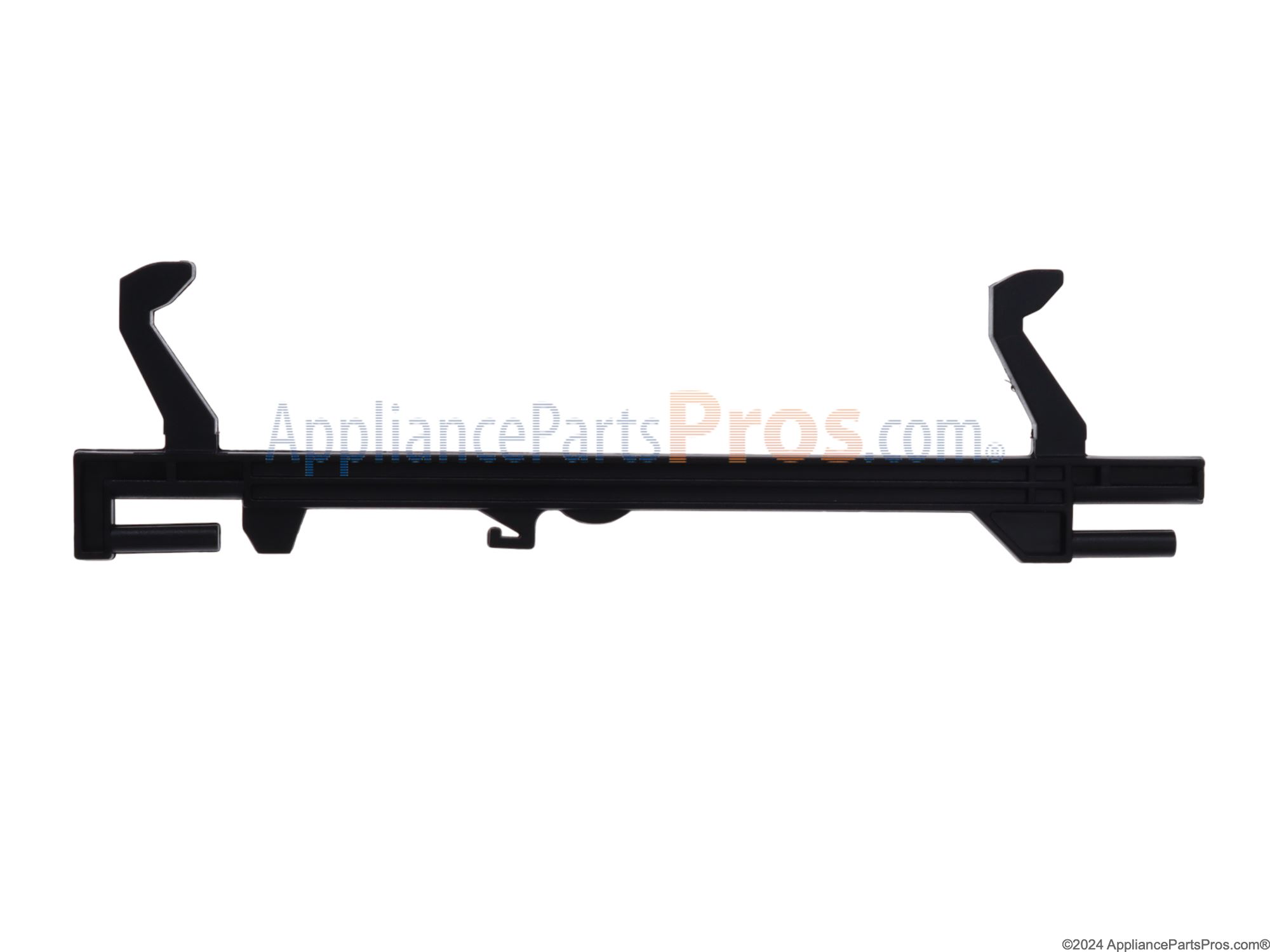
- Dirty or greasy latch receiver
- Worn or cracked latch hook on the door
- Loose hinge screws or a sagging door
- Warped door or damaged choke seal area (the metal sealing area around the door that helps contain microwaves)
Door latches, but you have to slam it
- Misalignment from a door sag
- Food debris stuck in the catch
- Worn latch head or springy latch parts
Door won’t open
- Broken door-open lever behind the button (an internal plastic lever that pushes the latch mechanism)
- Stuck latch hook or catch
- Interlock switch mount shifted or broken
It says “door” or won’t start
- Interlock switch not being pressed by the latch
- Failed interlock switch
- Broken switch bracket or door alignment issue
- In rarer cases, a control-board fault
Fixes without opening the cabinet
Most homeowner-friendly microwave door fixes are really about cleaning, tightening, and checking alignment. Here’s how I’d walk a neighbor through it.
1) Clean the latch receiver and door edge
Grease is sneaky. It builds up around the latch receiver slots and turns into a sticky grit that keeps the hooks from seating fully.
- Unplug the microwave.
- Use a damp microfiber cloth with a drop of dish soap to wipe the door edge and the frame area where the hooks enter.
- Use a cotton swab or soft toothbrush to clean inside the latch receiver openings.
- Dry everything thoroughly. Moisture can mix with grease and residue and make things gummy again.
Avoid: soaking, harsh solvents, or scraping with metal tools. You want clean plastic parts, not chewed-up ones.
2) Inspect the latch hooks for damage
Open the door and look at the plastic hooks or latch heads on the door edge. If they look rounded over, cracked, or loose, the door may never “click” consistently.
- If the hook is visibly cracked or wobbly, plan on a replacement part.
- If it looks intact but sticky, clean first and retest.
My rule: if you have to slam it to get it to catch, something is already wearing out.
3) Check alignment, sag, and looseness
Even a small door sag can keep the latch from fully engaging the interlocks. It does not take much misalignment to cause “won’t start” problems.
- With the unit unplugged, gently lift up on the open door. If you feel play, suspect hinge or mount looseness.
- Check any accessible screws around the hinge area and handle area. Tighten snug, not gorilla-tight.
- Re-test the latch action. You are aiming for a smooth close with a distinct latch click.
Quick sanity check: make sure the microwave is sitting level and the door closes squarely. On an over-the-range unit, a mounting tilt can show up as a “mysterious” latching problem.
Over-the-range note: If the whole microwave feels loose or tilted, the mounting could be contributing. That becomes a stability and safety issue, not just a latch issue.
4) Check for obstructions, seal issues, and window mesh damage
If the door is hitting something before it fully closes, you will chase your tail.
- Remove any stuck-on food on the frame lip.
- Inspect the door perimeter for cracks, bent areas, or sections that look “puffed” out.
- Look closely at the metal mesh screen on the window (the Faraday shield). If it is punctured, peeling, badly dented, or otherwise damaged, stop using the microwave and replace the door or the unit. That is not a “maybe.”
If the door looks warped or the seal area is damaged, replacement is often the safer call.
5) If you have a drop-down door model
Most microwaves are side-swing doors, but some built-in and convection models use a drop-down door. If yours drops unevenly, feels heavy, or will not stay supported, broken hinge springs or hinge hardware can cause latching and alignment failures. That is usually a service or replacement-parts situation, not a cleaning fix.
Clean or replace?
Here’s the simple decision tree I use at home.
- Clean first if the problem is intermittent, you see grease buildup, or the latch feels sticky but parts look intact.
- Replace the latch hook or catch if plastic is cracked, the hook is rounded off, or the door must be slammed to latch.
- Stop and call a pro if the microwave runs with the door open, trips breakers, blows fuses, or the door area shows heat damage.
Replacement parts are usually model-specific. Search using the model number from the label inside the door frame. Order the exact latch hook, latch head, or door-open lever for your unit.
Latch problems vs. interlock problems
This is where a lot of DIYers get stuck. The door can look fine, but the microwave still acts like it is open. That often comes down to the interlock system.
What the interlock does
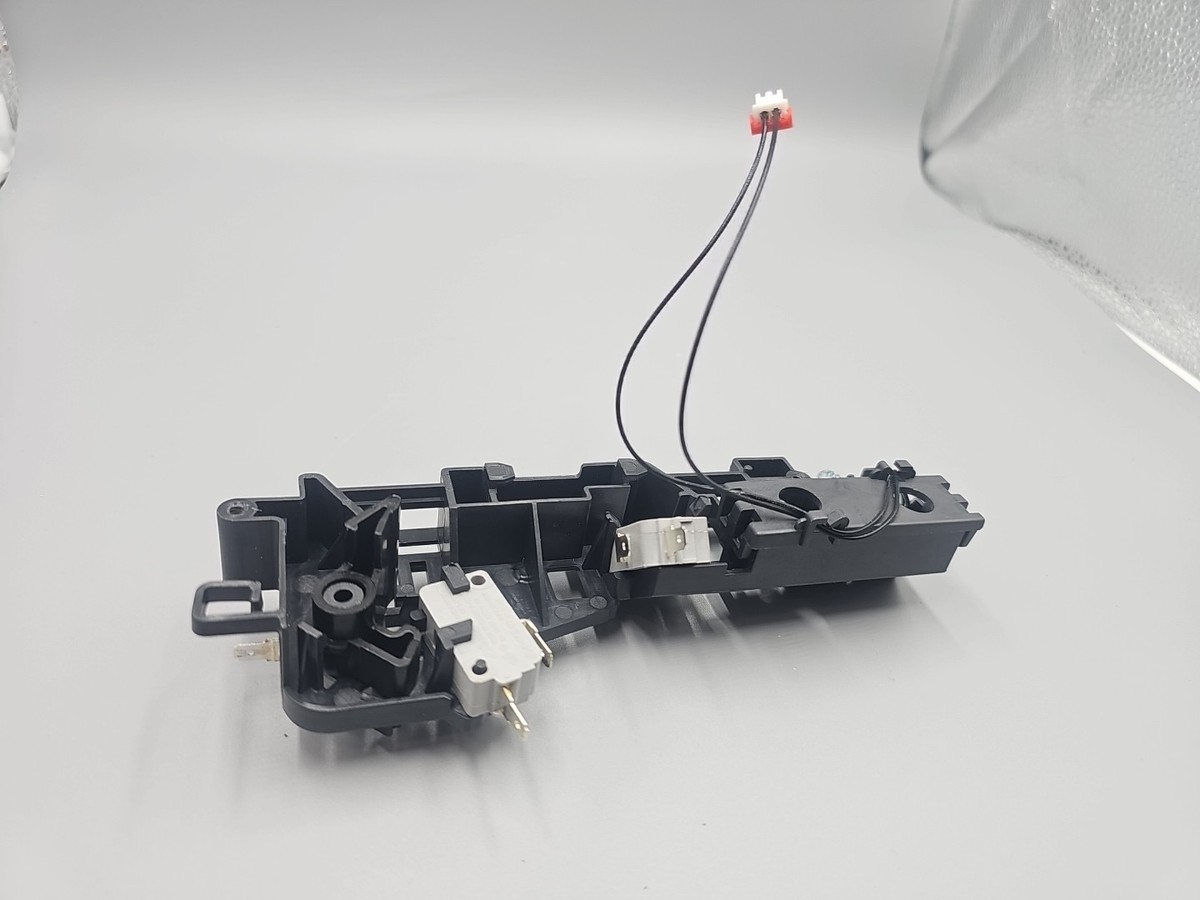
Most microwaves use multiple door interlock switches that must be pressed in the right arrangement when the door closes. The latch hooks physically push on levers that click those switches.
Signs it is probably latch or alignment
- The door feels loose, droops, or needs upward pressure to start
- You do not hear a consistent “click” when closing
- It works if you close it slowly and firmly, but not if you close it normally
Signs it is probably interlock switches or mounts
- The door closes normally but the display says “door” or it will not start
- The problem is sudden and consistent, not gradually getting worse
- The door-open button feels normal, but the door sometimes stays stuck (a broken internal lever or switch bracket can do this)
When the control board is a suspect
Control boards can fail, but they are not the first thing I blame. If you have confirmed the door is aligning and latching correctly and a qualified tech has verified the interlock switches and mounts are good, then the control circuit becomes more likely.
Important: Confirming interlock switch function typically requires opening the cabinet and testing with a meter. Because of the high-voltage capacitor risk, that crosses the line from “homeowner-friendly” to “service work.”
If the door won’t open
A stuck door is frustrating, especially when dinner is trapped inside. Try these in order.
- Unplug the microwave and wait 60 seconds. Some units behave oddly after a power glitch.
- Press the door-open button gently and firmly. If it feels mushy or doesn’t spring back, the door-open lever may be broken.
- Lightly push in on the door while pressing the button. Sometimes the latch is under tension and needs a tiny “reset.”
- Do not pry aggressively with a screwdriver. You can crack the door, damage the choke seal area, and turn a small repair into a replacement.
If it is truly stuck and you cannot open it without force, schedule service. Forcing it can break the latch or misalign the interlocks.
Do not do these
- Do not tape the door shut to make it run.
- Do not bypass or bend interlock parts to trick the switches, even “just for a quick test.”
- Do not run it with the door partially latched to see if it will start.
- Do not keep using it if it runs with the door open or if the door pops open during operation.
- Do not remove the outer shell to “take a look” unless you understand proper capacitor discharge and microwave service procedures.
When to replace the microwave
I love repairing things, but I also love not throwing good money after bad.
- If the door is warped, the hinge area is cracked, the window mesh is damaged, or the frame is bent, replacement is often the sensible option.
- If parts plus service will approach the cost of a new unit, consider upgrading, especially for older over-the-range models.
- If you see scorching, melting plastic near the latch area, or repeated fuse issues, stop using it and get it evaluated.
Checklist before buying parts
Before you order anything, take five minutes and verify these. It can save you the classic DIY mistake of buying the right part for the wrong problem.
- Model number confirmed from the label inside the door frame
- Latch receiver cleaned and dried
- Latch hooks inspected for cracks and wear
- Door closes smoothly without slamming
- Door closes squarely and the microwave is level
- Hinge area checked for looseness or sag
- Window mesh screen checked for damage
- Error or “door” message noted (if present) so you can describe it accurately if you call for service
If you do all that and it still will not recognize the door as closed, you are likely in interlock switch territory. That is a good moment to bring in a pro.

About Marcus Vance
Content Creator @ Grit & Home
Marcus Vance is a lifelong DIY enthusiast and self-taught home renovator who has spent the last decade transforming a dilapidated 1970s ranch into his family's dream home. He specializes in budget-friendly carpentry, room-by-room renovations, and demystifying power tools for beginners. Through his writing, Marcus shares practical tutorials and hard-learned lessons to help homeowners tackle their own projects with confidence.