
🚨 In a DIY emergency or rush?
Skip the details and jump straight to our 30-second cheat sheet for the most crucial info.
The first time my microwave light died, I assumed the whole unit was on its last legs. Then I heated leftovers just fine and realized something important: if the food is getting hot, your “microwave” problem is usually a “light” problem.
Many microwaves have a cavity light (inside), and many over-the-range models also have a hood light (underneath) to light the cooktop. Some have two hood lamps. Some use an LED array. The point is the same: if it still heats, you are typically looking at a burned-out bulb, a loose connection, a failed light socket, or occasionally a door switch issue that keeps the cavity light from turning on.
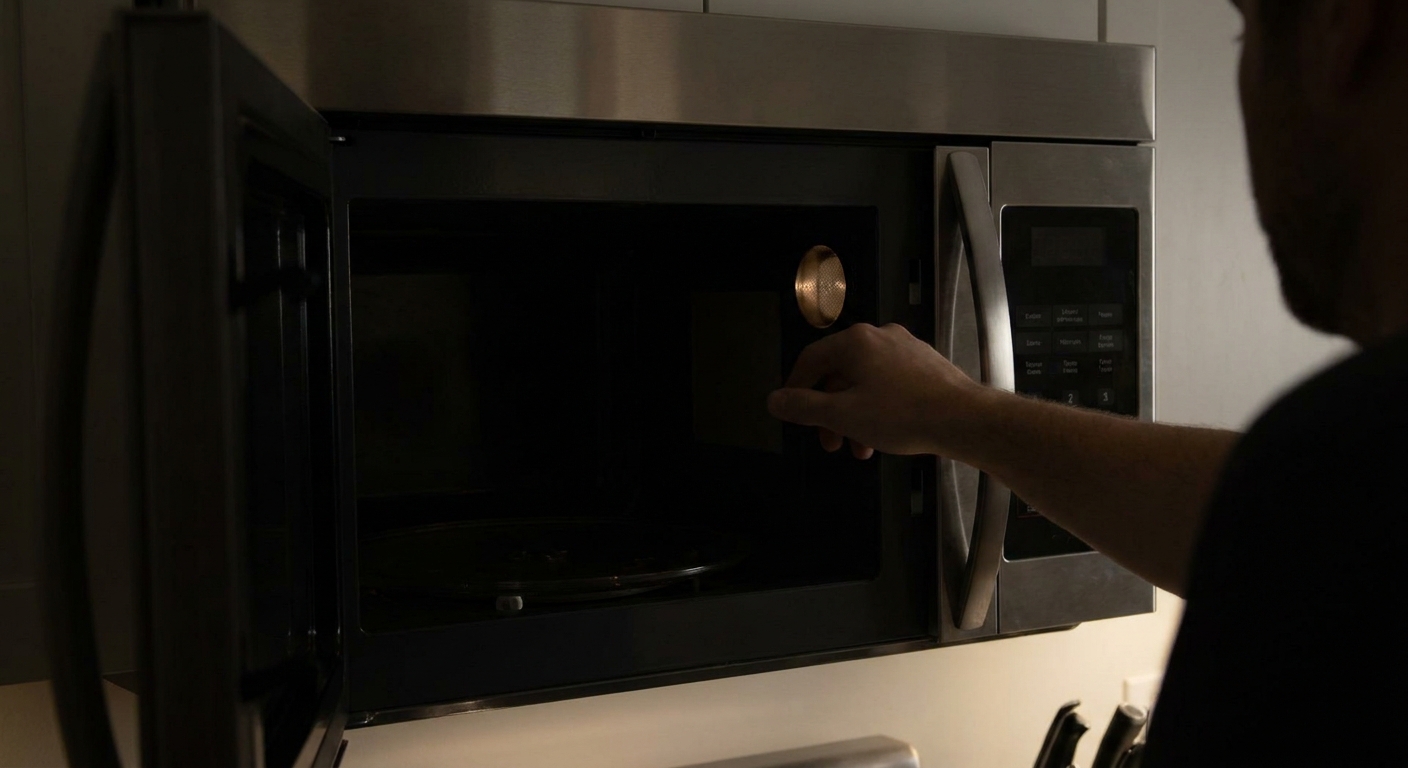
Quick safety check
Microwaves are one of those appliances where a simple job can sit right next to dangerous components. The good news: replacing a bulb is generally safe for a DIYer as long as you stay in the bulb access area and do not open the outer cabinet.
- Unplug the microwave before you do anything, and confirm the display goes dark.
- If it is an over-the-range unit, consider turning off the breaker too so nobody accidentally powers it.
- If your unit is hardwired, turn off the correct breaker and verify it is actually dead before putting your hands anywhere near wiring.
- Do not remove the metal outer shell. The high-voltage capacitor can store a dangerous charge even when unplugged.
- Even when you stay in the safe zone, expect sharp sheet-metal edges around grilles and light housings.
If you smell burning, see smoke, hear arcing, or notice sparking inside the cavity, stop using it and have it serviced. This guide is only for the situation where it still heats normally but the light is out.
Which light is out?
Signs it is the cavity light
- The inside stays dark when you open the door.
- The inside stays dark during cooking, but the turntable and fan work.
Signs it is the hood light
- The lights underneath do not turn on when you press the “Light” or “Lamp” button.
- The microwave works normally otherwise.
Before you buy anything, do one easy sanity check for hood lights: press the Light button a few times. A lot of over-the-range units cycle Off, Low, High. It is surprisingly easy to bump it into a setting you did not mean to.
Also, some models use an LED module instead of a standard bulb. That changes the repair, so the first step is always: identify what type of light you have.
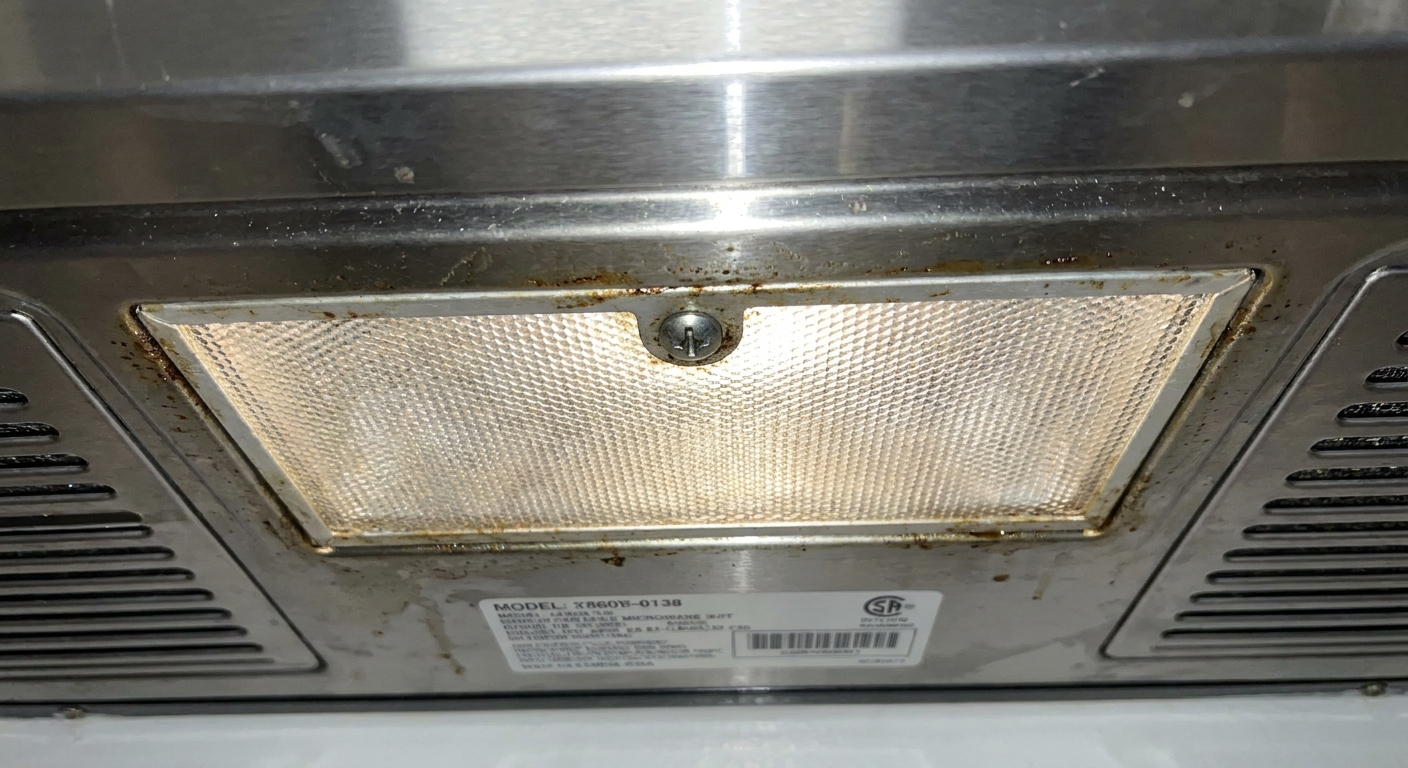
Before you buy parts
Microwave lights are not one-size-fits-all. The most common setups I run into are:
- Screw-in appliance bulb (often an intermediate base like E17, but some models use other sizes)
- Bi-pin halogen capsule (common in hood lights on some older units)
- LED module (a small replaceable assembly, or sometimes an integrated board)
To avoid buying the wrong thing:
- Find your model number, usually on a label inside the door frame or on the cavity edge.
- Use that model number to confirm the exact lamp or LED module part number in the manual or a parts diagram.
- If you can, pull the old bulb first and match it exactly by base type and wattage.
Thrifty tip: Bring the old bulb with you. Matching the base is more important than guessing what “seems right.”
One more thing for hood lights: use appliance-rated bulbs designed for heat. A random bulb that “fits” can overheat and melt a lens, cook a socket, or both.
Replace the cavity bulb
Interior light access depends on model. Some have a small access panel inside the cavity. Others require removing the grille across the top front, and sometimes swinging the control panel out. Either way, your goal is the same: reach the bulb without removing the microwave’s outer shell.
Tools you might need
- Phillips screwdriver
- Small flathead screwdriver (for a clip-style cover)
- Work gloves or a paper towel (especially for halogen bulbs)
- Step stool (over-the-range units)
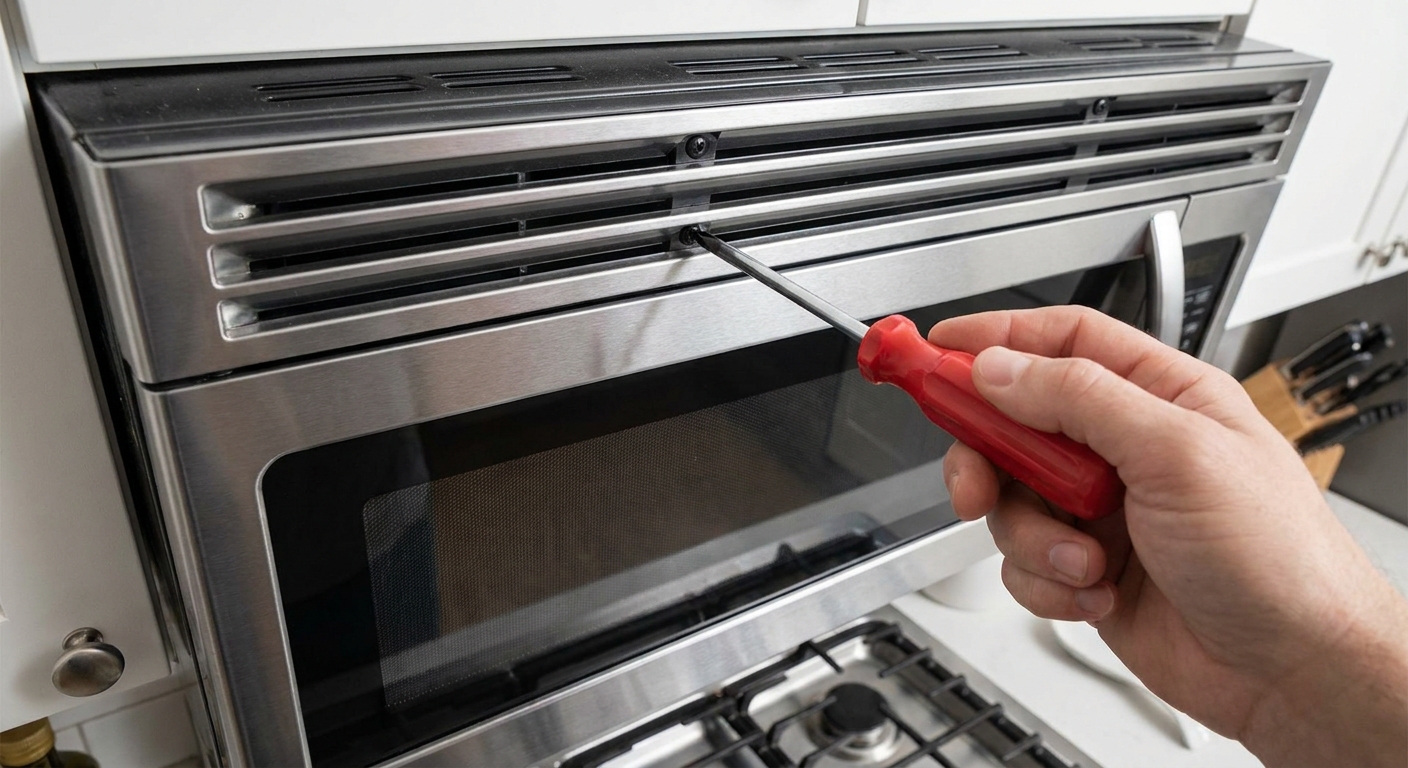
Step-by-step
Unplug the microwave. Confirm the display goes dark.
Let the area cool. If you were just cooking, bulbs and surrounding metal can be surprisingly hot.
Locate the light access. Look for a small cover inside the cavity or a light housing behind the top grille.
Remove the cover. Keep screws in a cup so they do not vanish into the kitchen void.
Remove the old bulb. For screw-base bulbs, turn counterclockwise. For push-in bulbs, pull straight out gently.
Install the new bulb. Match wattage and base type. Tighten screw-in bulbs snug, not gorilla-tight.
Reinstall the cover and restore power. Open the door to test the light, then run a short heat test with a cup of water.
Halogen note: If your microwave uses a halogen capsule bulb, do not touch the glass with bare fingers. Oils can shorten bulb life. Use gloves or hold it with a clean paper towel.
Replace the hood bulb
Hood lights are usually the easiest because the access is from the bottom. You will typically see a lens cover held by a screw or a tab.
Step-by-step
Unplug the microwave or switch off the breaker.
Remove the lens cover underneath. Support it so it does not drop.
Remove the bulb and match it exactly. Many hood lights use appliance-rated bulbs or halogens designed for heat.
Reinstall the lens and test the light button (and cycle through Low and High if your model has both).
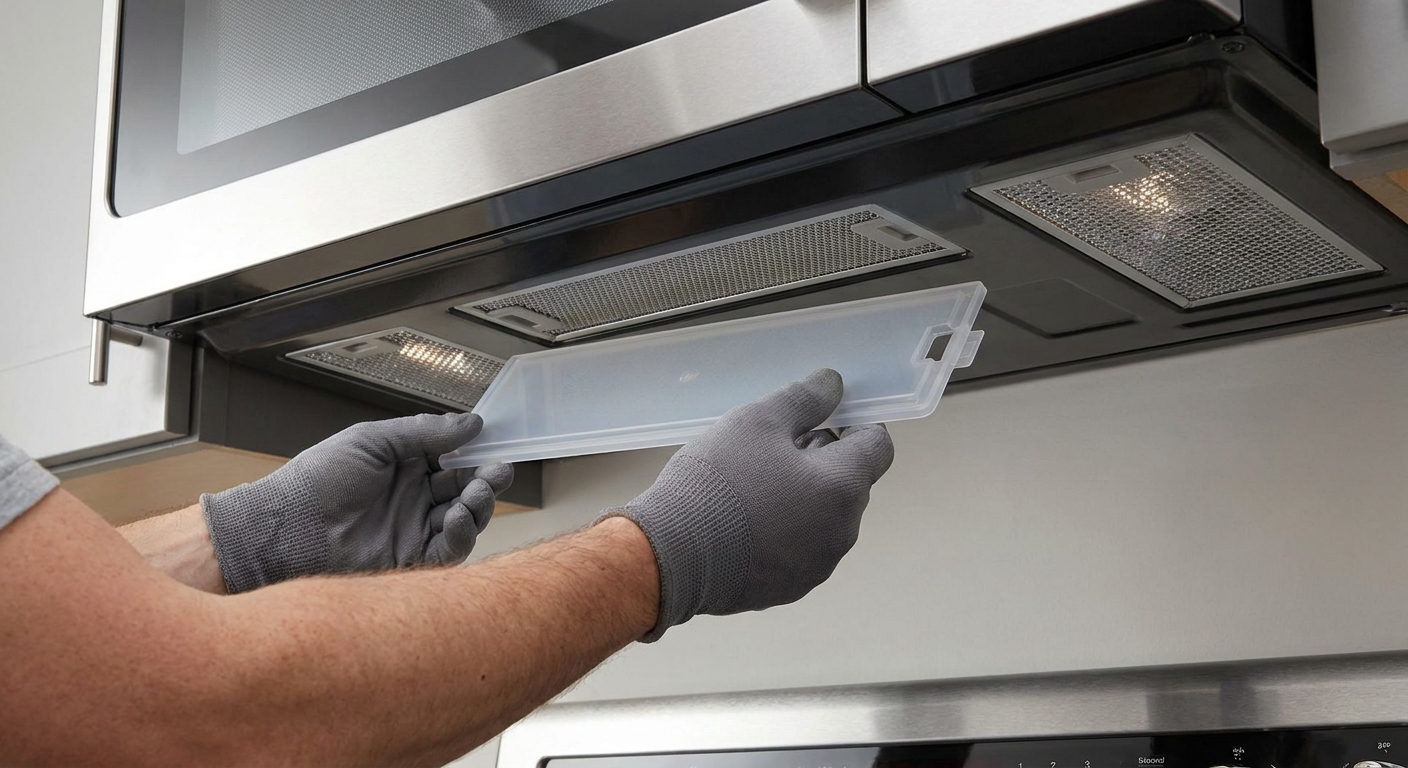
If the new bulb still does not work
If you installed a known-good bulb and the light is still dead, you have narrowed it down to a handful of likely causes.
1) Wrong bulb or not seated
- Double-check the base type and wattage.
- Make sure it is fully seated in the socket.
- If it is a halogen capsule, confirm both pins are aligned and fully inserted.
2) A setting is blocking the light
This is not the most common culprit, but it is quick to rule out:
- For hood lights, confirm it is not simply set to Off and that the button is actually toggling Low and High.
- Some microwaves have a mode like demo mode or an energy saver setting that can change display and lighting behavior. If the timing feels suspicious, check your manual by model number.
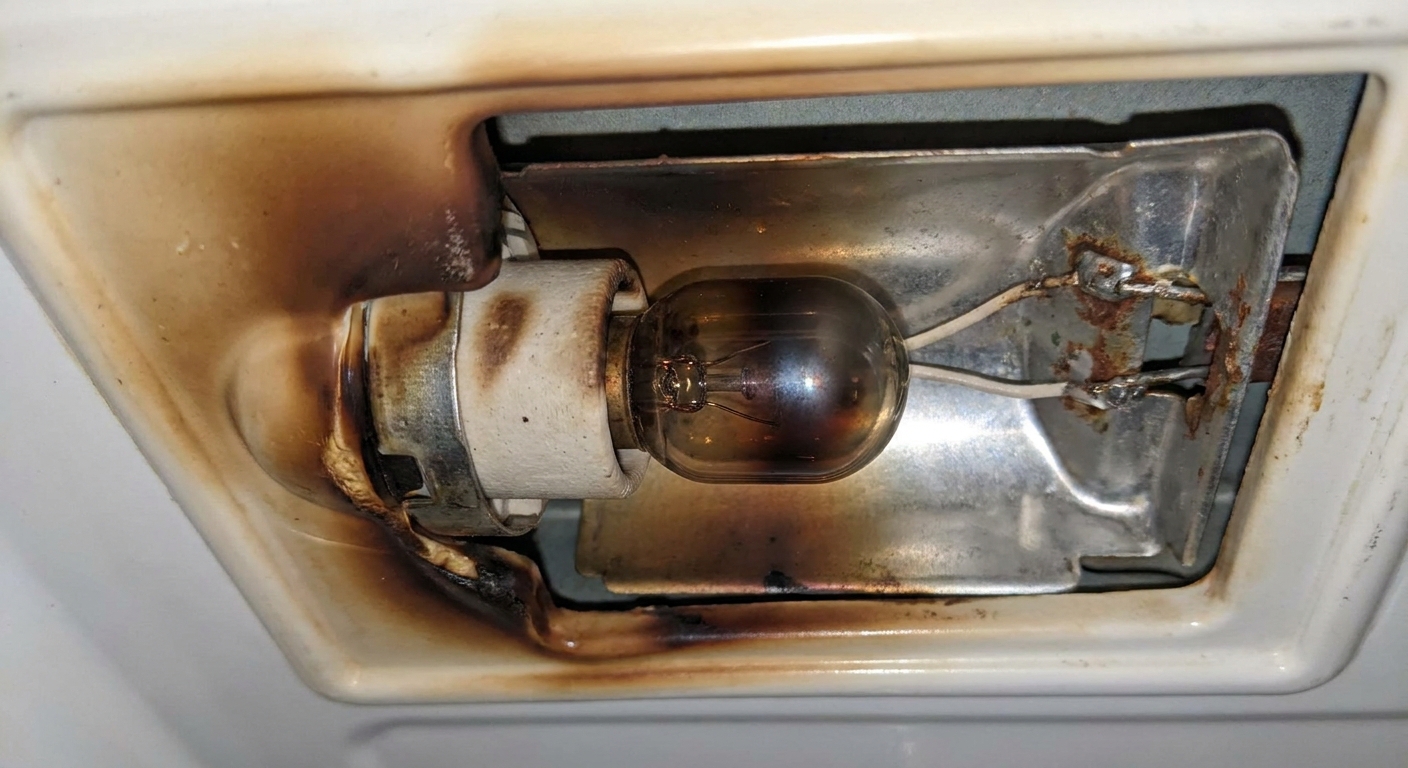
3) The light socket is burned or loose
A socket can fail from heat over time, especially in hood-light locations that run hot. With power disconnected, inspect the socket area:
- Brown or black discoloration
- Melted plastic
- A wobbly socket that does not hold the bulb firmly
If you see damage, the best fix is typically replacing the socket assembly or light housing, not “tightening something and hoping.”
4) A door switch is not signaling “door open”
This is mainly for the interior cavity light. Many microwaves use door interlock switches to tell the control board when the door is open and when it is safe to run. If the switch that controls the light is failing, you might see:
- No interior light when the door opens
- The fan and turntable behave oddly when the door is opened or closed
- The door needs to be lifted, pressed, or re-latched to trigger the light
Door switch diagnosis is doable, but it is beyond a simple bulb swap. If the door feels loose, misaligned, or inconsistent, it is worth calling for service.
5) Wiring or control board issue
If both hood lights fail right after a surge, or the light works intermittently, you could have a wiring connection issue or a control board fault. In plain English, that is the electronics that switch the lamp on and off. At that point, I usually weigh the cost of parts and labor against the age of the unit.
Common questions
Can I keep using the microwave if the light is out?
If it heats normally and there is no sparking, burning smell, or unusual noise, a dead light by itself is usually not dangerous. It is just inconvenient. Still, if you notice any symptoms beyond “no light,” pause and address those specifically.
Why did my microwave light burn out so fast?
Most often it is heat and vibration, especially for hood lights. Using the wrong wattage bulb can shorten life or overheat the socket and lens. I also see early failure when a halogen bulb is touched with bare fingers.
My microwave has an LED light. Can I replace it?
Many models use an LED module instead of a screw-in bulb. Sometimes it is a replaceable plug-in assembly. Other times it is integrated into a board and replacement can be pricier. The manual or model-specific parts diagram is the best way to confirm what you have.
The hood light works, but the inside light does not. Is that normal?
No. They are separate circuits and separate bulbs, so one can fail while the other works. The interior light should turn on when the door opens on most models. If yours never has, check your manual by model number to confirm normal behavior.
When to call for help
I am all for sweat equity, but I also like people keeping their eyebrows. Call a pro or replace the unit if:
- You need to remove the outer metal cover to reach the light circuitry
- You see melted wiring, heavy scorching, or repeated bulb failures that happen quickly
- The door does not latch cleanly or the switches feel inconsistent
- There is sparking, burning smell, or strange loud humming that was not there before
A microwave that heats fine with a dead light is usually a small fix. The trick is keeping it a small fix by staying in the bulb-access lane and not wandering into high-voltage territory.
The 30-Second Cheat Sheet
Essential takeaways for: Microwave Light Not Working but It Still Heats?
Most likely cause
If your microwave still heats food but the interior or hood light is out, it is usually a burned-out bulb, not a heating failure.
Fast fix
- Unplug the microwave (and shut off the breaker for over-the-range units if possible). If it is hardwired, turn off the correct breaker and confirm the display is dark.
- Identify which light is out: cavity (inside) or hood (underneath). For hood lights, make sure it is not simply set to Hi/Lo/Off.
- Remove the light cover or lens, pull the old bulb, and match the base type and wattage. Use appliance-rated bulbs for hood locations.
- Install the new bulb, reassemble, restore power, and test.
If the new bulb does not work
- Make sure the bulb is the correct type and fully seated.
- Check for a setting like demo mode or energy saver that may affect lighting (varies by model).
- Inspect for a burned or melted socket (discoloration, looseness, heat damage).
- If the interior light does not come on with the door, suspect a door switch or latch alignment.
- Less common: wiring connection or control board issue.
Safety rule
Do not remove the outer microwave cabinet for a light issue. High-voltage components can be dangerous even when unplugged.
Call for service if
- You see scorching, melted wiring, or repeated bulb failures
- The door latch is loose or inconsistent
- You notice sparking, burning smell, or new loud humming
💡 Tip: Scroll up to read the full article for detailed, step-by-step instructions.
⬆️ Back to top
About Grit
Content Creator @ Grit & Home
Grit is Grit & Home’s little blue clay courier, delivering big questions about the place you call home. Expect practical ideas, a raised eyebrow, and a satchel full of curiosity.