
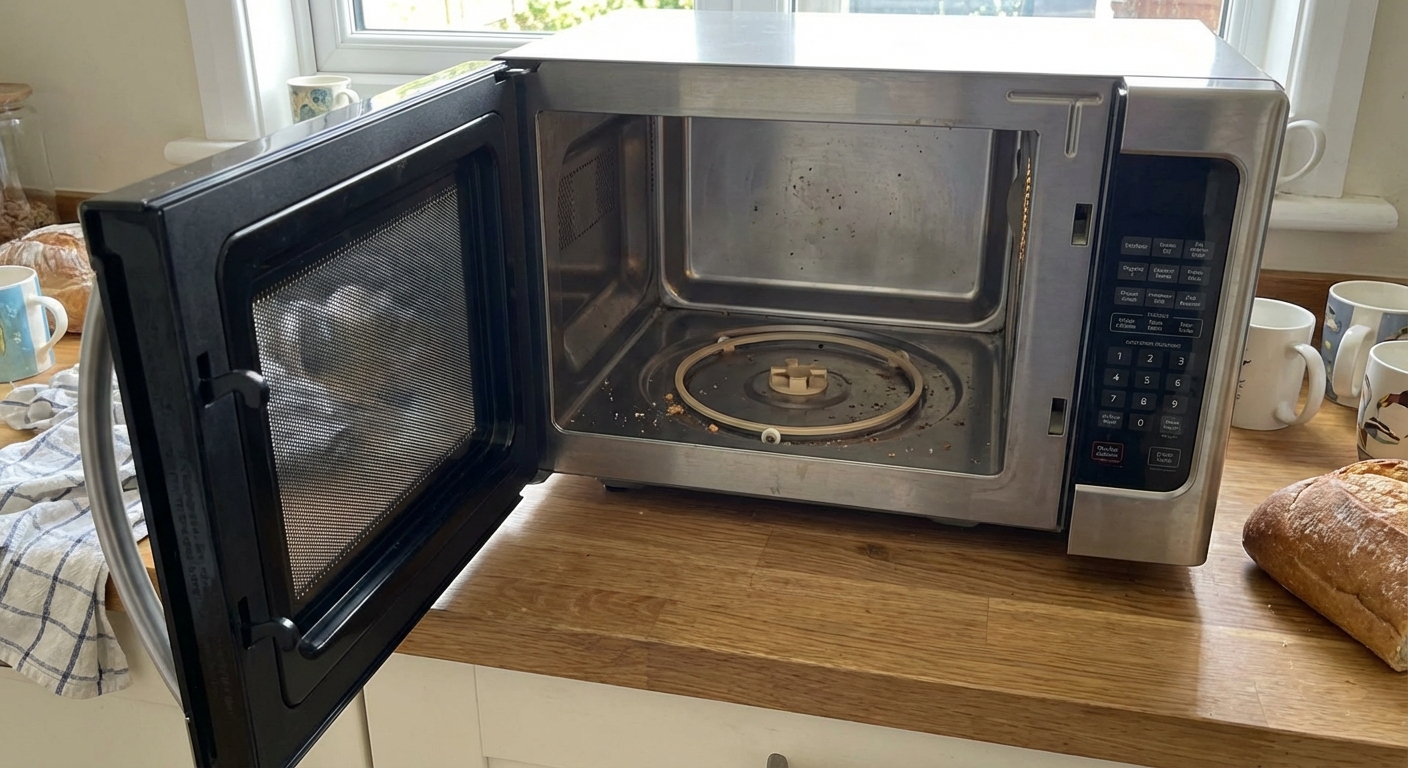
If your microwave heats but the plate just sits there like it’s on strike, you’re not alone. Turntable problems are one of the most common microwave complaints, and most of the time the fix is simple, affordable, and totally DIY-friendly.
In this guide I’ll walk you through the usual suspects: a stripped coupler, a misaligned roller ring, a tired turntable motor, and in rarer cases a wiring or control issue. I’ll also show you how to diagnose the problem without guessing and swapping parts blindly.
Safety first (seriously)
A microwave is not like a toaster. Even unplugged, certain internal components can store dangerous voltage. The good news is that many turntable checks and fixes can be done from inside the cavity or from an underside access panel without going anywhere near high-voltage parts.
- Unplug the microwave before you remove any panels.
- Do not remove the outer cover unless you know how to safely discharge a capacitor. Most turntable jobs do not require it, but some models do for motor or wiring access.
- Stop and unplug immediately if you notice a burning smell, smoke, arcing/sparking, or loud electrical buzzing. Those are not “turntable only” symptoms.
- Wear cut-resistant gloves if you work around sheet metal.
- If this is an over-the-range or built-in unit and you need underside access, make sure it is stable and you have clear working room. Some installs make access more involved than countertop models.
Quick diagnosis
Before you grab tools, take 60 seconds to observe. These clues point you to the right part.
First check: Look for a Turntable button or setting that disables rotation (some models stop spinning for rectangular dishes). Flip it back on and test.
Symptoms and likely causes
- Turntable never moves, but microwave heats normally: coupler stripped, motor failed, the turntable setting is off, or (less commonly) a wiring/control issue.
- Turntable starts, then stalls or jerks: roller ring misaligned, debris under the ring, warped tray, tray not seated into the coupler, or a weak motor.
- Grinding or clicking under the tray: broken coupler teeth, roller ring damage, or something stuck under the ring.
- Turntable works sometimes: loose motor connector, failing motor, door-switch/door alignment issue on some models, or a control problem.
One normal behavior that looks like a problem: some microwaves pause briefly, reverse direction, or only rotate part of the time. A short stop or direction change during cooking can be totally normal. A consistent non-spin is the real issue.
How it works
Most microwaves use the same simple setup:
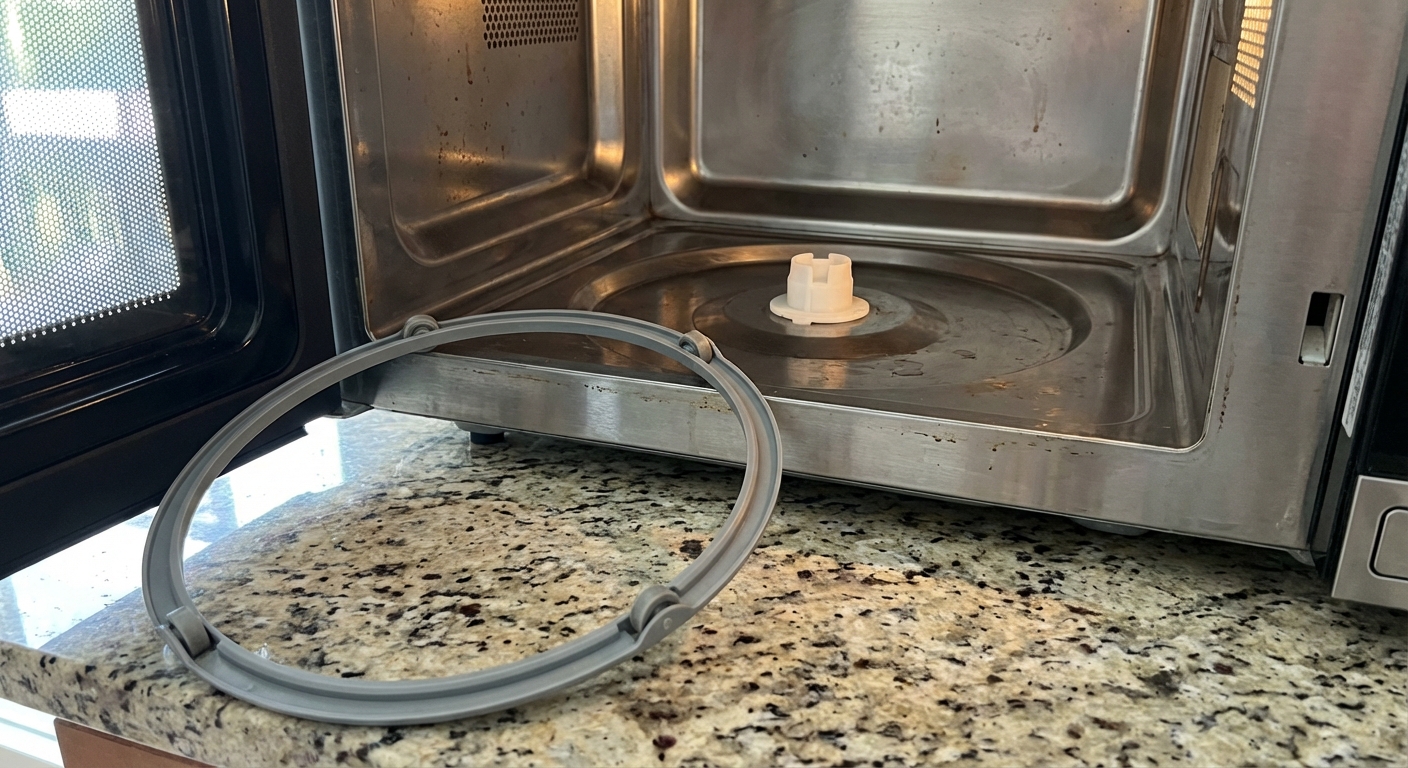
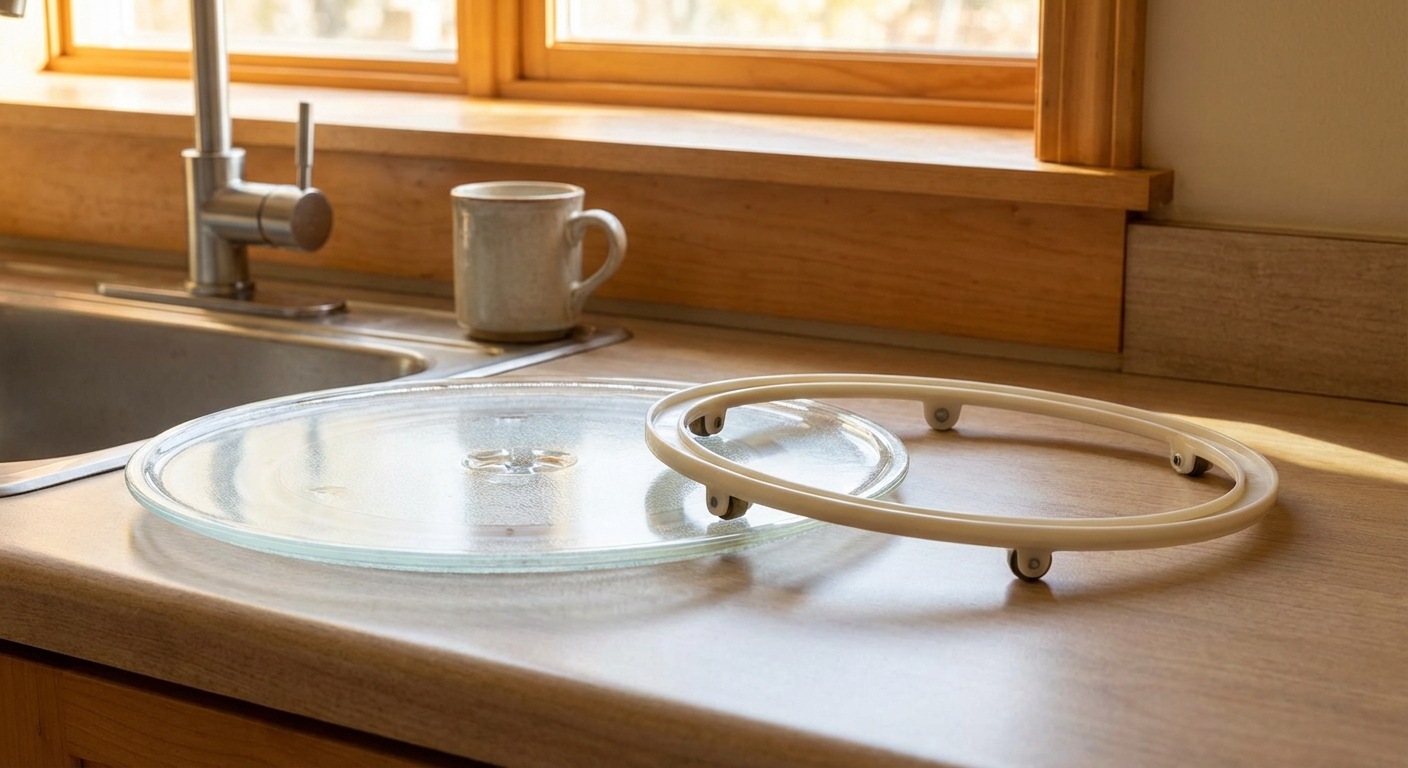
- Glass tray sits on a roller ring (also called a roller guide).
- A plastic coupler (drive hub) in the center locks into the bottom of the tray.
- Below the microwave floor, a small turntable motor spins the coupler.
- The control board sends power to that motor during cooking (unless turned off by a setting).
Step-by-step troubleshooting
1) Clean and reseat the roller ring and tray
This sounds too simple, but I’ve “fixed” more stuck turntables with a cleaning and reseat than I care to admit.
- Remove the glass tray and roller ring.
- Wash both, then wipe the microwave floor clean, especially the ring track.
- Check for food grit, a twist tie, or a chunk of hardened sauce under a wheel.
- Place the roller ring back in its track, then set the tray down so it fully engages the coupler.
What you’re looking for: the tray should sit flat and feel stable. If it rocks, the ring may be warped or the tray may be upside down or not seated into the coupler.
2) Inspect the coupler for stripped or cracked teeth
The coupler is a small plastic part, and it is designed to be the weak link. When something binds up, the coupler often strips before the motor burns out.
- Pull the coupler straight up (most lift off by hand).
- Look for rounded-off tabs, cracks, or a melted look.
- Inspect the underside of the glass tray where it mates to the coupler.
If it’s damaged: replace the coupler first. It’s usually the cheapest part and the easiest repair.
3) Check whether the coupler turns normally
With the microwave unplugged and the tray removed, gently rotate the coupler by hand.
- Turns smoothly: good sign. On some models you may feel a little “cogging” because you are turning the motor gears. That can be normal.
- Feels gritty, binds, or wobbles badly: check for debris and inspect the coupler fit on the motor shaft. A wobble can indicate coupler damage or a motor shaft issue.
4) Listen for the motor during a short test
Avoid running a microwave empty. Put a cup of water in the microwave, start a 15 to 30 second cook, and listen.
- Quiet with no movement: motor not running or not getting power.
- Low hum but no movement: motor may be seized or too weak to turn under load, or something is binding.
- Clicking/grinding: likely coupler or roller ring issues.
Common causes and fixes
Cause 1: Broken or stripped coupler
Why it happens: heavy dishes, the tray not seated properly, or the roller ring binding. Plastic tabs wear down over time.
DIY fix: Replace the coupler.
- Unplug microwave.
- Remove glass tray and roller ring.
- Pull old coupler straight up.
- Press new coupler onto the motor shaft (snug fit, no forcing).
- Reinstall ring and tray, making sure the tray locks into the coupler.
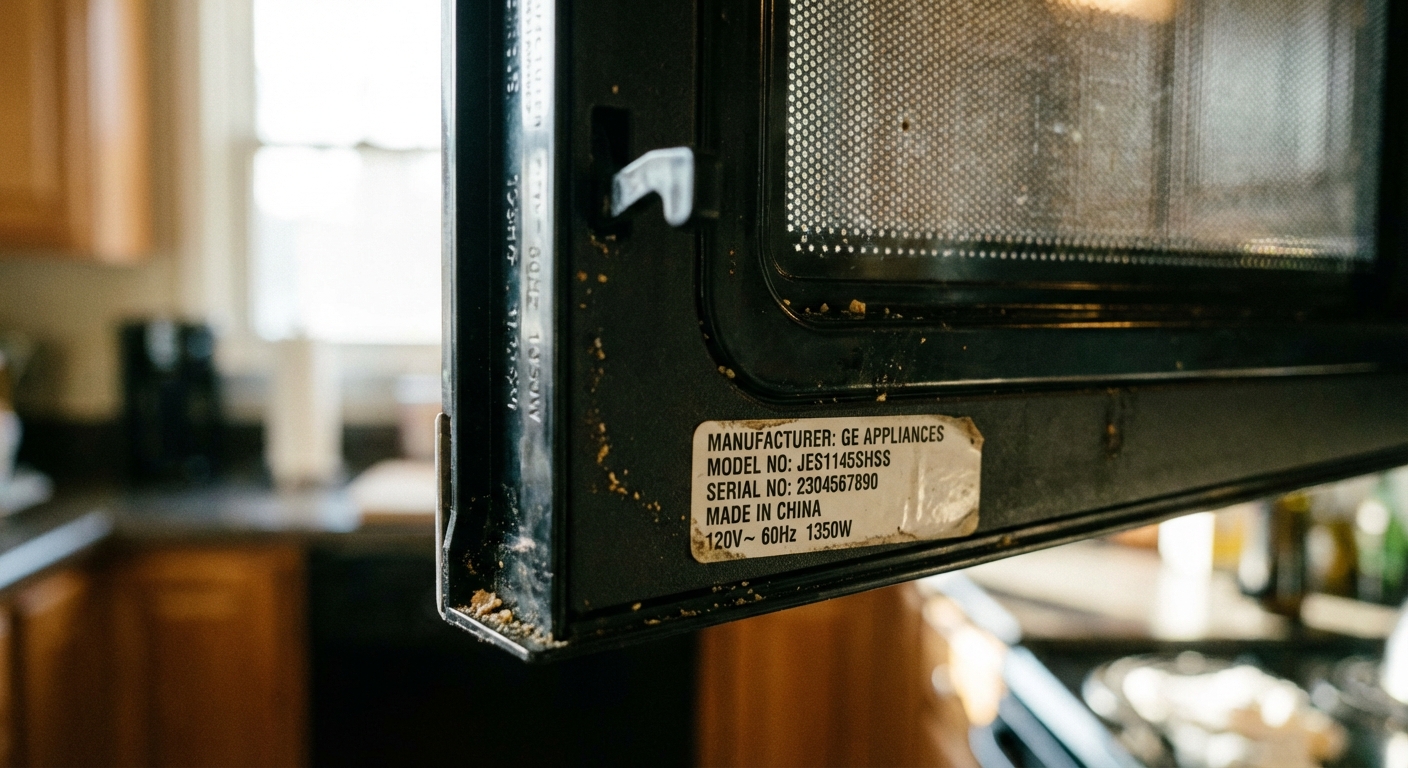
Pro tip: Couplers are model-specific. Use your microwave model number (usually inside the door frame) to order the correct one.
Cause 2: Misaligned or damaged roller ring
Why it happens: wheels crack, grease builds up, or the ring gets put back slightly off its track after cleaning.
DIY fix: Clean or replace the roller ring.
- Confirm every wheel spins freely.
- Replace the ring if a wheel is flat-spotted, missing, or stiff.
- Make sure the ring sits in the intended groove and does not ride up on a bump of stuck-on food.
Cause 3: Worn or failed drive motor
Why it happens: motors wear out, especially if the tray binds or gets overloaded. A failing motor may hum, move intermittently, or stop under weight.
DIY fix: Replace the turntable motor. On many countertop models it is accessible from the bottom, but some over-the-range and built-in units may require different access.
What you’ll need
- Phillips screwdriver (sometimes Torx)
- Work gloves
- Correct replacement turntable motor (match by model number)
Replacement steps (typical countertop microwave)
- Unplug the microwave and move it to a work surface.
- Carefully tip it on its side or back (pad the surface so you do not scratch it).
- Remove the bottom cover plate screws.
- Locate the small round motor centered under the turntable area.
- Take a quick photo of the wiring connector, then unplug it.
- Remove the motor mounting screws and swap in the new motor.
- Reinstall the bottom cover, set the microwave upright, then reinstall coupler, ring, and tray.
Two things I learned the hard way: do not overtighten sheet metal screws (they strip fast), and make sure the motor shaft lines up cleanly with the coupler opening.
Cause 4: Wiring, door switch, or control issue
Why it happens: a connector loosens, wiring to the motor gets damaged, a door switch is flaky or misaligned, or a relay on the control board fails. This is not the first thing I suspect, but it does happen.
How to diagnose without guesswork:
- If the coupler and roller ring are good and a known-good motor still does not run, suspect power delivery.
- If the motor works only when the door is pressed or the unit is bumped, suspect a loose connector or a door switch/door alignment issue.
DIY reality check: Confirming live voltage at the motor requires testing while the unit is powered, which I am not going to walk you through here. Control board and door-switch work can involve removing the outer cover and getting close to components that can store high voltage. If you are not experienced with appliance repair, this is a good time to call a pro or consider replacement, especially on older units.
Confirm the right part
I’m thrifty by nature, and the cheapest repair is the one you only do once. Here’s how to avoid ordering the wrong thing.
- Find the model number on the sticker inside the door frame or on the back.
- Search that model number plus the part name: “turntable motor”, “coupler”, or “roller ring”.
- Match the motor’s voltage and RPM. Common examples include 120V AC (North America), 220 to 240V AC (many other regions), and low-voltage designs around 21 to 24V AC in some models. Do not assume they are interchangeable.
- Compare the coupler shape and shaft style to your old one.
Typical part costs
Prices vary by brand and where you buy, but these ballparks help you decide if it’s worth it:
- Coupler: often $5 to $15
- Roller ring: often $10 to $25
- Turntable motor: often $15 to $60
When it’s not worth fixing
Most turntable repairs are budget-friendly, but here are a few times I’d pause:
- The microwave is 10+ years old and shows other issues (door problems, intermittent power, burning smell).
- The fix points to a control board and the board cost is a big chunk of a new unit.
- It’s an over-the-range microwave and removal plus repair time outweighs the cost of replacement.
Checklist
- Confirm the turntable setting is ON.
- Clean microwave floor, roller ring, and tray.
- Verify the tray seats into the coupler.
- Inspect coupler for stripped tabs or cracks.
- Check roller ring wheels for binding or breaks.
- Listen for motor hum during a short run with a cup of water.
- If needed, replace the turntable motor (often via bottom access on countertop models).
- If a known-good motor does not run, suspect wiring, door switches, or control board and consider professional service.
FAQ
Can I use my microwave if the turntable doesn’t spin?
Usually yes, but your food may heat unevenly. You can manually rotate the dish halfway through heating. If you hear grinding or see arcing/sparking or smell something burning, stop and troubleshoot before using it again.
Why does the turntable work with an empty tray but stop with food?
That often points to a weak motor, a binding roller ring, or a tray that is not seated correctly. Weight makes a borderline problem show up fast.
How much do parts usually cost?
Couplers and roller rings are often inexpensive, and turntable motors usually cost more but still tend to be far less than replacing the whole microwave. Prices vary by model and region, so use the ranges above as a rough guide.

About Marcus Vance
Content Creator @ Grit & Home
Marcus Vance is a lifelong DIY enthusiast and self-taught home renovator who has spent the last decade transforming a dilapidated 1970s ranch into his family's dream home. He specializes in budget-friendly carpentry, room-by-room renovations, and demystifying power tools for beginners. Through his writing, Marcus shares practical tutorials and hard-learned lessons to help homeowners tackle their own projects with confidence.