
🚨 In a DIY emergency or rush?
Skip the details and jump straight to our 30-second cheat sheet for the most crucial info.
Motion-sensor lights are one of those simple upgrades that feel like magic when they work and feel like a prank when they do not. I have chased every version of this problem around my own house: the “always on” spotlight that ruins the night sky, the flicker that makes the siding look haunted, and the porch light that refuses to come on unless you do a little dance in the driveway.
The good news is most issues come down to five things: settings, aiming, the photocell being confused, bulb and sensor compatibility, or a basic wiring problem. We are going to troubleshoot in an order that saves time and keeps you safe.
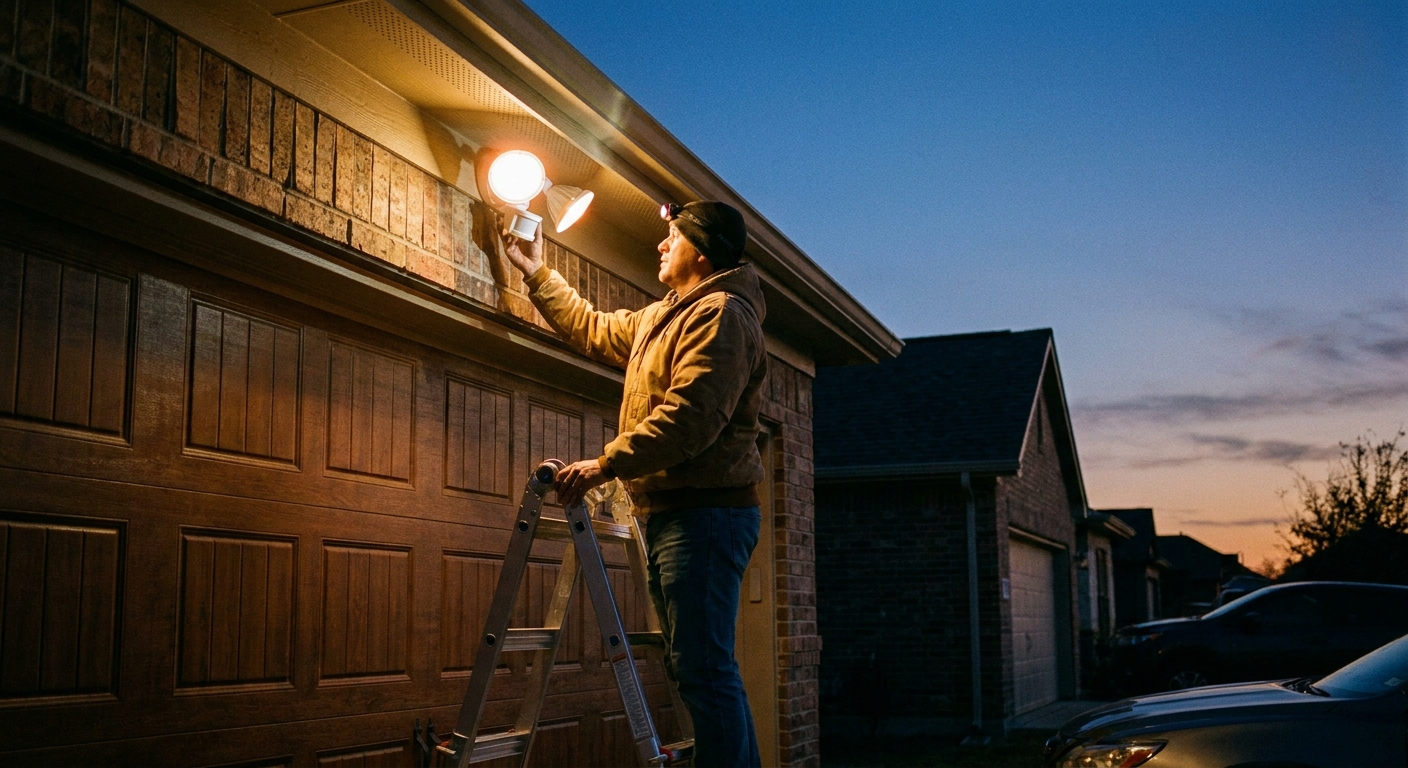
Safety first: simple rules
Any time you are opening the fixture, touching wires, or even tightening wire nuts, shut off power at the breaker. Flipping the wall switch is not enough for safe work.
- Turn off the breaker that feeds the light.
- Confirm it is off with a non-contact voltage tester at the fixture and at the switch box.
- If you have one and know how to use it, verify with a multimeter too. Non-contact testers are handy, but they can be fooled by some wiring layouts.
- Work in dry conditions. If the fixture is wet, wait until it is dry.
- Use ladder common sense: solid footing, no overreaching, and a helper if you can.
- Call a pro if you see melted insulation, scorch marks, buzzing, or a breaker that will not stay set.
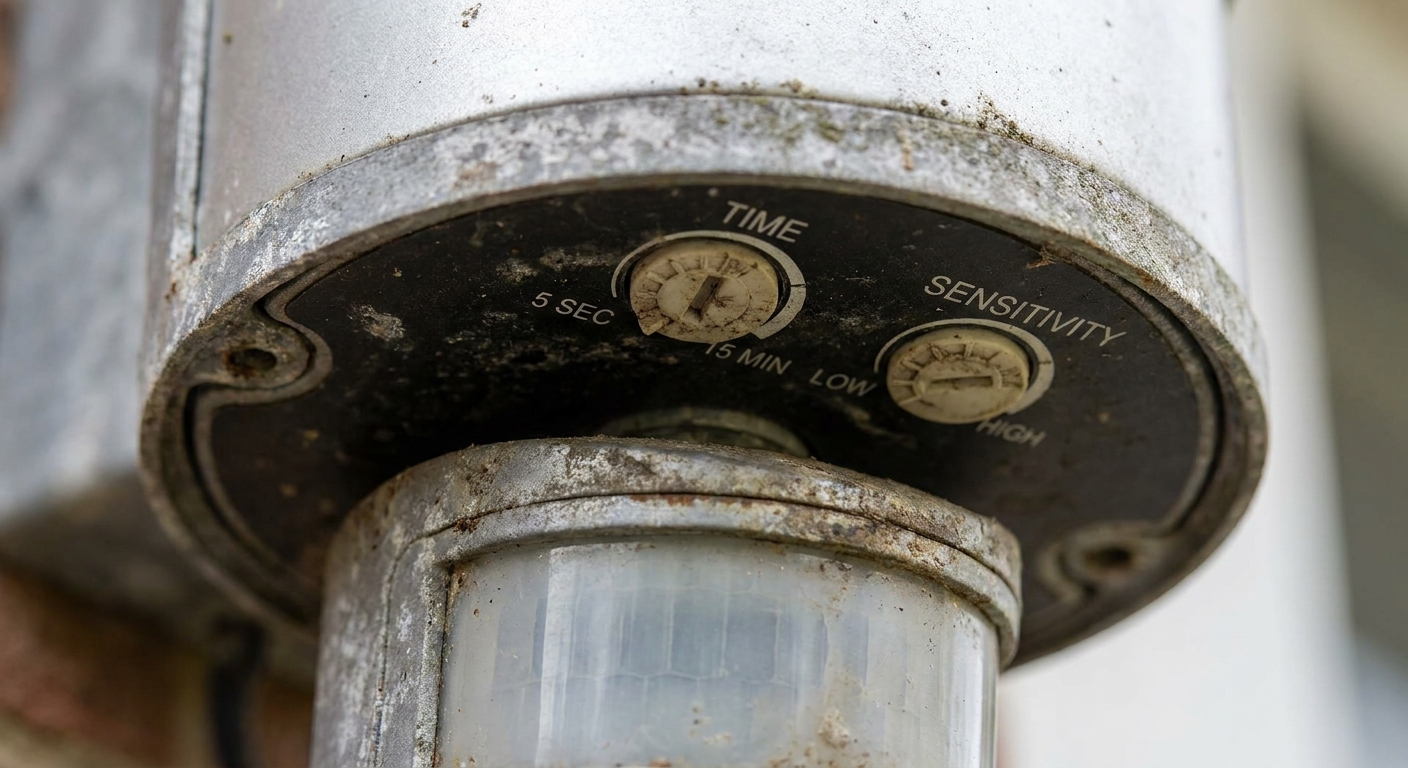
Know your controls: TIME, SENS, LUX
Most outdoor motion lights have some combination of these adjustments. They are tiny, and the labels are not always friendly, but understanding them solves a lot of “it’s broken” situations.
TIME (duration)
This is how long the light stays on after motion stops. If it is set to maximum, it can feel like the light is stuck on. Start at a middle setting like 1–3 minutes while testing.
SENS (sensitivity or range)
This controls how easily the sensor triggers. Too high and it will pick up movement you did not intend. Too low and you will be waving your arms like an airport ground crew.
- Light stays on: lower SENS and retest.
- Light will not trigger: raise SENS and retest.
LUX, DUSK-DAWN, or a sun icon (daylight threshold)
This tells the light how dark it must be before motion activation is allowed. If LUX is set wrong, the light may never come on at night or may come on during the day.
- If it never turns on at night, set LUX toward the darker end and test again after dusk.
- If it turns on in daylight, set LUX toward the brighter end.
Quick note on warm-up: many sensors need a short warm-up after power is restored (often 30–60 seconds). During that window they can act odd, ignore motion, or stay on.
Problem 1: Light stays on
When a light will not shut off, the sensor usually thinks it keeps seeing motion or it is set to an always-on mode.
Step 1: Exit manual override
Many motion lights have a manual override that forces the light on, usually triggered by flipping the wall switch off and on quickly. It is handy when you want steady light, but it is easy to activate by accident. Reset timing varies by brand, so check the manual if you have it.
- Turn the wall switch off for 20–60 seconds, then back on.
- Allow a 30–60 second warm-up before judging the results.
Step 2: Lower SENS and shorten TIME
Set TIME to about 1 minute and SENS to the low or mid range. This makes it easier to tell if the sensor is behaving.
Step 3: Re-aim the sensor and light heads
PIR motion sensors detect changes in heat moving across their field of view. If the sensor is aimed at the street, a moving tree line, or your neighbor’s porch traffic, it will do its job very enthusiastically.
- Aim the sensor slightly downward and away from busy areas.
- If your unit has two flood heads, aim them where you want light, not where you want detection. Detection is the sensor’s job.
- Keep the sensor from “seeing” big bright or reflective surfaces up close, like glossy siding, a white garage door, or a shiny downspout. The issue is usually not light glare. It is that these surfaces can reflect sunlight or heat and create shifting thermal patterns the sensor reads as motion.
Step 4: Eliminate heat and false triggers
This is the sneaky one. Anything that creates moving heat patterns can trip a PIR sensor.
- Dryer vent or bath fan exhaust blowing warm air.
- HVAC condenser cycling on and off nearby.
- Sun-heated surfaces cooling quickly after sunset, especially metal.
- Pets and wildlife. If your light is low and aimed across a path, a raccoon can “win” that argument every night.
- Occasionally: other warm equipment near the sensor (location dependent).
If you suspect a heat source, temporarily change the sensor direction to prove it. A 10-degree tweak can be the whole fix.
Step 5: Clean the sensor lens and check for water
Dust, pollen, spider webs, and water droplets can scatter the sensor’s view and cause weird behavior.
- Wipe the sensor lens gently with a soft cloth and mild soap and water.
- Look for condensation inside the sensor or fixture. If you see water, check gaskets and mounting tightness, and replace cracked seals.
Problem 2: Flicker or strobe
Flickering can mean a simple bulb issue, a compatibility mismatch, or a loose connection. The goal is to separate “light source problem” from “power delivery problem.”
Step 1: Check bulb and sensor compatibility
A very common issue is putting LED bulbs on an older motion sensor designed around incandescent loads. In some designs, the sensor electronics draw a tiny amount of current even when “off.” Incandescent bulbs ignore that, but some LEDs can flicker, glow, or strobe.
Other common culprits include illuminated switches, long cable runs that allow a little capacitive coupling, certain smart switches, and shared or loose neutrals. In other words, it is not always “the bulb,” but it is a good place to start.
- If your fixture is older and you installed LEDs recently, try a different LED brand rated for motion sensors, or use the manufacturer’s recommended bulb.
- Check the fixture label for LED compatibility and max wattage.
- If the fixture is a built-in LED unit (no replaceable bulbs), flicker can point to the driver or the sensor electronics.
Step 2: Reseat the bulb
This sounds silly until you have been on a ladder twice for the same “mystery flicker.” With power off, remove the bulb, check for corrosion, and reinstall snugly.
Step 3: Reduce sensitivity to stop rapid retriggering
Sometimes flicker is not electrical at all. It is the sensor quickly turning on and off because it is seeing motion at the edge of its range or being triggered by swaying branches and shadows. Lower SENS and aim the sensor away from moving foliage.
Step 4: Quick wiring sanity check (breaker off)
If bulbs and aiming do not fix it, check the basics in the fixture box.
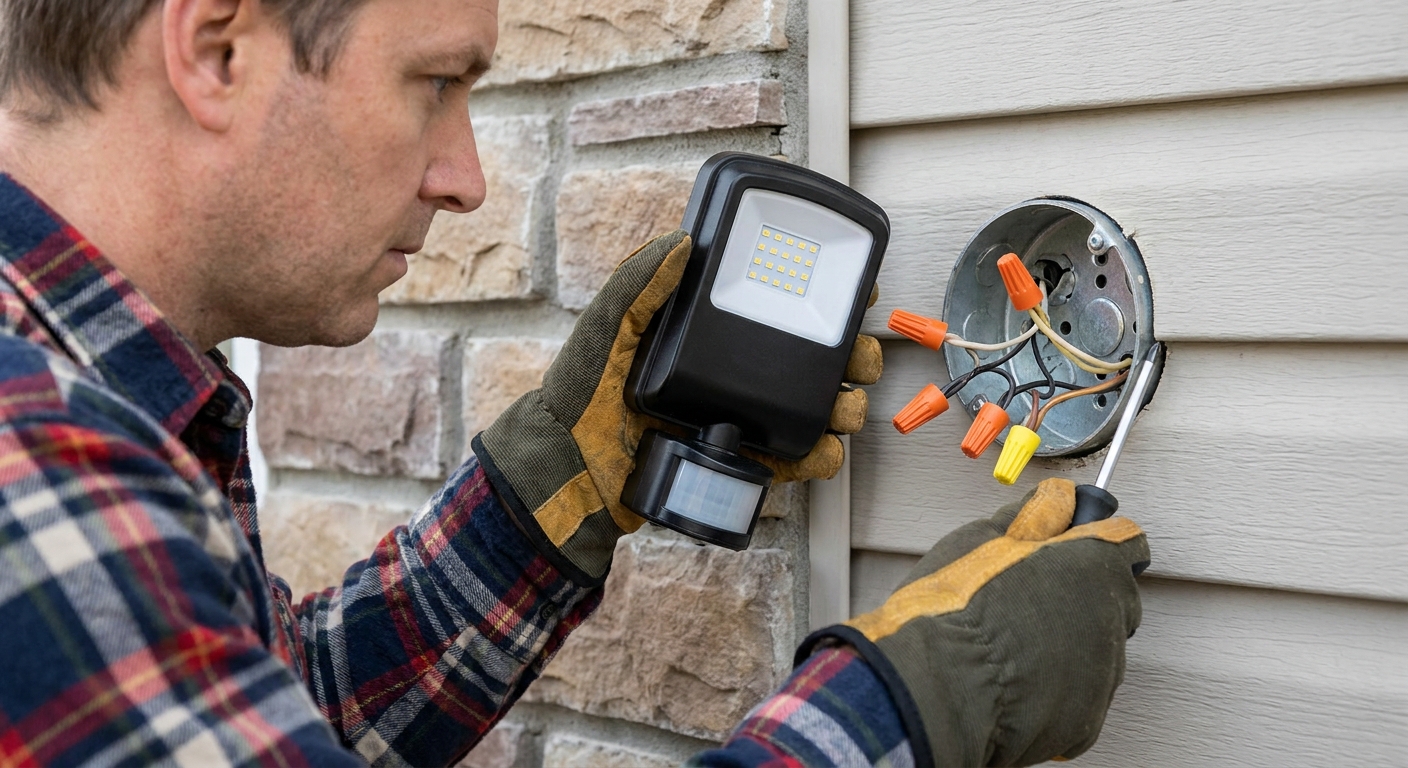
- With the breaker off, remove the fixture and ensure wire nuts are tight and conductors are fully seated.
- Look for burnt copper, brittle insulation, or a loose ground connection.
- If your fixture uses push-in connectors, re-strip and re-seat if any copper looks nicked or too short.
Step 5: Remove dimmers and smart switches
Motion lights typically want a plain on-off switch. Dimmers and some smart switches can cause flicker or strange behavior because they do not provide clean, constant power. If your motion light is on a dimmer, swap to a standard switch for testing.
Problem 3: Won’t turn on
Work from the easiest checks to the more involved ones. Most “dead” motion lights are a setting issue, a photocell issue, or a power problem upstream.
Step 1: Make sure it is dark enough
If your unit has a dusk-to-dawn feature or a photocell, it may be intentionally refusing to turn on because it thinks it is daytime. Turn the LUX setting toward the darker side, then wait until dusk for a true test.
Step 2: Clean the photocell and stop stray light
The photocell is usually a small window or lens on the sensor housing. Dirt and spider webs can make it read incorrectly.
- Wipe the photocell area clean.
- Make sure another light is not shining directly on it, including a nearby porch light or the motion light’s own beam reflecting off a surface.
Step 3: Swap in a known good bulb
If the fixture uses replaceable bulbs, test with a bulb you know works. For LED bulbs, use one rated for outdoor and enclosed fixtures if applicable.
Step 4: Confirm power at switch and fixture
This is where a tester (and ideally a meter) earns its keep.
- Check the breaker is on and has not tripped.
- At the switch box, confirm you have power on the line side.
- If you are comfortable with a meter, verify voltage at the fixture box with the switch on.
If there is no power at the fixture but the breaker is on, you may have a failed switch, a loose neutral in a box upstream, or a GFCI that is tripped and feeding the circuit.
Step 5: Reset upstream GFCIs
Outdoor lighting is often protected by a GFCI receptacle in a garage, basement, or exterior outlet. If that GFCI trips, your motion light can go dead.
- Press Reset on nearby GFCI outlets, especially in the garage.
- If it will not reset, leave it alone and investigate moisture or a wiring fault.
Step 6: Check fixture wiring (breaker off)
Most modern hardwired motion lights require a neutral to power the sensor, but a few older or specific 2-wire designs exist. Also confirm you did not accidentally swap hot and neutral during installation.
- Hot (line) from the house typically connects to the fixture’s black lead.
- Neutral from the house typically connects to the fixture’s white lead.
- Ground to green or bare copper.
If you open the box and see multiple cables, stop and take a photo before disconnecting anything. If you are unsure, this is a good time to call an electrician. A wrong neutral or misidentified hot can create bigger problems than a dark porch.
Problem 4: On in daytime
If your motion light is triggering in broad daylight, it is usually a LUX or photocell issue, or the photocell is getting fooled by where it is mounted.
- Turn LUX toward the brighter end so it requires less darkness to activate.
- Clean the photocell and make sure it is not being hit by another light or a strong reflection.
- If it still acts like it is “always night,” the photocell may be failing. At that point, replacement is often the simplest fix.
Extra quirks
Cold weather and condensation
Some sensors get finicky with heavy condensation or frost. If the lens fogs, the sensor can misread. Make sure the fixture is properly sealed to the wall and that the gasket is intact.
Smart bulbs
If you are using smart bulbs in a motion fixture, they can act unpredictably because the sensor is cutting power. Smart bulbs typically want constant power. Use a standard bulb, or use a smart motion sensor system designed for that purpose.
Mounting height and aiming
Most sensors work best when people move across the sensor’s view, not directly toward it. Also, mounting height matters. Many fixtures are happiest somewhere around 6–10 feet, but check your manual for the recommended height and aiming range for your model.
When to replace
I love repairing things, but I also love not burning Saturdays on a $20 problem. Consider replacing the fixture if:
- The sensor lens is cracked or the housing is full of water.
- It is a built-in LED unit and flicker persists after verifying wiring and power quality.
- The fixture is an older incandescent-era sensor that constantly fights LED bulbs.
If you do replace it, look for an outdoor-rated motion light with adjustable TIME, SENS, and LUX, and confirm it is LED compatible.
Quick troubleshooting order
- Reset manual override at the wall switch (check the manual, many are 20–60 seconds off).
- Allow a 30–60 second warm-up after restoring power.
- Set TIME to 1–3 minutes and SENS to mid.
- Adjust LUX so it will activate after dusk.
- Clean sensor lens and photocell.
- Re-aim away from streets, trees, vents, and bright or reflective surfaces.
- Swap in a known good compatible bulb.
- Check GFCI and breaker.
- Breaker off, inspect and tighten wiring connections.
The 30-Second Cheat Sheet
Essential takeaways for: Motion-Sensor Light Stays On, Flickers, or Won’t Turn On
Fast fixes for a motion light that stays on
- Exit manual override: check your manual. Many models reset by turning the wall switch off for 20 to 60 seconds, then on. Allow a short warm-up (often 30 to 60 seconds).
- Set TIME to about 1 minute and lower SENS while testing.
- Re-aim the sensor down and away from street traffic, trees, and bright or reflective surfaces.
- Watch for heat triggers: dryer vent, bath fan exhaust, HVAC equipment, pets (and occasionally other warm equipment nearby).
- Clean the sensor lens and check for condensation or water in the housing.
Fast fixes for flickering or strobing
- LED mismatch is common: try a different LED rated for motion sensors, or replace an older sensor with an LED-compatible model.
- Reseat the bulb and inspect for corrosion.
- Lower SENS to prevent rapid retriggering from moving branches.
- Breaker off: tighten wire nuts and check for loose, burnt, or wet connections.
- Avoid dimmers and some smart switches on motion lights. Test with a plain on-off switch.
Fast fixes when it won’t turn on
- LUX too high: adjust toward darker and test after dusk.
- Clean the photocell and make sure another light is not shining on it.
- Swap in a known good bulb (outdoor rated, compatible).
- Check breaker and reset GFCI outlets (often in garage or exterior).
- Breaker off: confirm correct hot, neutral, and ground connections. Most modern hardwired motion sensors require a neutral.
Shutoff safety in one line
Any time you open the fixture or touch wiring: turn off the breaker and verify power is off with a tester.
💡 Tip: Scroll up to read the full article for detailed, step-by-step instructions.
⬆️ Back to top
About Marcus Vance
Content Creator @ Grit & Home
Marcus Vance is a lifelong DIY enthusiast and self-taught home renovator who has spent the last decade transforming a dilapidated 1970s ranch into his family's dream home. He specializes in budget-friendly carpentry, room-by-room renovations, and demystifying power tools for beginners. Through his writing, Marcus shares practical tutorials and hard-learned lessons to help homeowners tackle their own projects with confidence.