
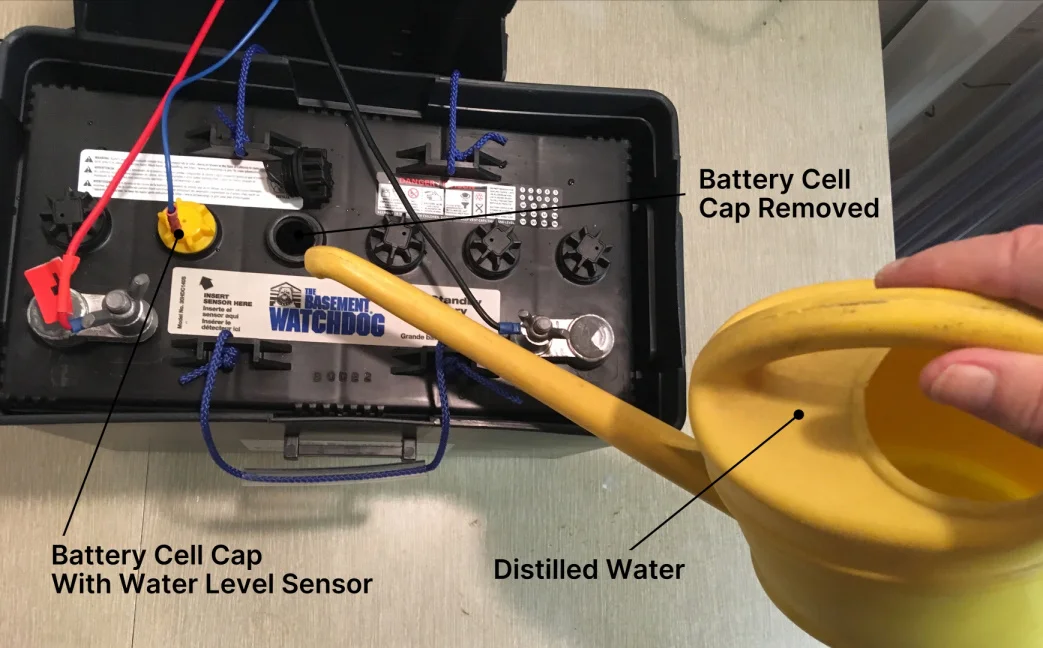
That sump pump alarm beep hits a special part of the brain. It is not quite a smoke alarm panic, but close. The good news is: a beeping alarm is often doing its job, and a few quick checks can tell you whether you are dealing with high water, a backup battery issue, or a charger or power problem.
This page is focused on alarms and beeping. If your pump is not running or the pit is staying full, that is a related but separate troubleshooting path. Here, we are assuming the alarm is what got your attention.
Quick note: a lot of basements have more than one “alarm.” You might have an alarm built into a battery backup controller, a separate high-water alarm float, or even a standalone 9V floor leak alarm (often called a “water bug”) sitting near the pit. If the beeping is not coming from the sump system itself, the fix may be as simple as a dying 9V battery.
First: keep it calm and keep it safe
Before you start pressing buttons, do two quick safety checks:
- Look for water on the floor around the pit or near electrical outlets. If you see standing water near electrical cords, do not wade in to “just unplug it.” If anything is wet around power, shut off the breaker first and call for help if you are unsure.
- Listen and look: is the pump running continuously, cycling normally, or totally silent? A loud alarm with a silent pump is a different urgency level than an alarm while the pump is actively moving water. Also, some alarms are independent of pump power and can beep even if the pump is unplugged.
If the water level is rising fast or you are already getting seepage, skip to the “High water alarm” section below and treat it like damage-control mode.
If you have a sealed radon sump cover, do not leave it off longer than necessary. Open it carefully, avoid damaging gaskets, and reseal it after checks.
What the beeping usually means
Many homeowner sump alarm systems fall into a few very common alert types. The exact light pattern varies by brand, but the root causes are pretty consistent. Some controllers also beep for pump failure, overload, “replace pump,” or system-disabled conditions, so if your panel has a code readout, grab the model number and look up the specific code after things are under control.
1) High water alarm (water level too high)
This is the one that matters most in the moment. A float switch for the alarm has detected water higher than it should be. That can happen because the pump did not run, could not keep up, or the discharge could not get the water out.
2) Battery weak (backup battery needs attention)
If you have a battery backup sump system, the controller monitors battery voltage. A “weak battery” beep often shows up after a power outage, after years of aging, or when the charger is not actually charging.
3) Charger fault or AC power issue
This is the system telling you it is not receiving proper AC power or the charger circuitry is unhappy. Sometimes it is as simple as a tripped GFCI outlet. Other times it is a failed charger or a dead battery that is confusing the controller.
How to silence the alarm safely
Most alarm panels have a “Silence,” “Mute,” or “Reset” button. Use it, but treat it as a temporary hush so you can work, not as a solution.
- Mute first so you can think and hear the pump.
- Do not unplug the alarm if you can avoid it. If the water rises while you are troubleshooting, you want that alarm working.
- Note the lights or display message before you reset it. That clue can disappear after a reset.
If your system uses a separate alarm float and pump float, muting the alarm does not stop the pump. That is usually what you want.
High water alarm: first 5 minutes
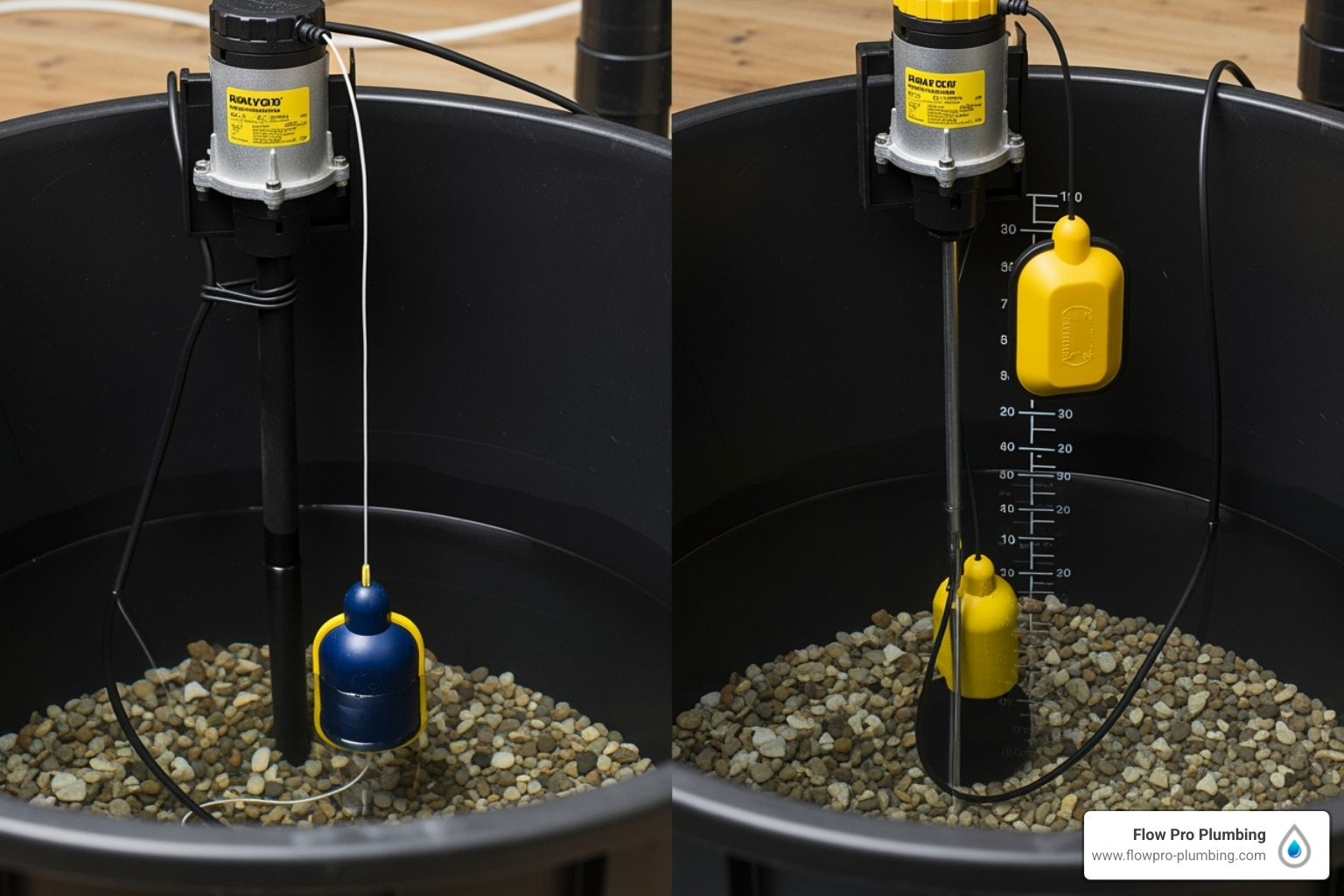
If the alarm indicates high water, start with checks that take seconds and can reveal a simple failure.
Step 1: Confirm the water level
- If the level is near the top of the pit, treat it as urgent.
- If the level is high but steady and the pump is cycling, you may simply be in a heavy-rain “pump keeping up” situation.
Step 2: Make sure the pump has power
- Check the outlet the pump is plugged into. Many are on a GFCI that can trip.
- Check your breaker panel for a tripped breaker.
- If there is a plug-in connection above the pit, make sure it is firmly seated.
Step 3: Check the pump float
This is one of the most common real-world issues I see in older pits: a float wedged against the pit wall, tangled in a cord, or blocked by a chunk of debris.
- With the pit cover off, look for cords wrapping around the float arm.
- Look for the float rubbing the pit liner or a pipe.
- If safe, gently move the float up and down to see if it clicks freely.
Step 4: Check the discharge line
If the pump runs but water does not go anywhere, the discharge may be blocked, the check valve may be stuck, or the line may be frozen in winter.
- Listen for the pump running with a strained sound and little water movement.
- Feel the discharge pipe (carefully) for vibration when the pump runs.
- Outside, confirm the discharge point is not buried in mud, snow, or a clogged pop-up emitter.
Also note: a failed check valve can cause rapid cycling or water falling back into the pit. Some systems interpret that as trouble even if the pump still runs.
Step 5: Quick functional test
If you can do it safely, a basic test is to add water to the pit and watch what happens. Go slowly, and be ready to stop if the water level approaches the top of the pit.
- Use a bucket and add water until the pump turns on.
- Watch for a strong discharge and the water level dropping quickly.
- After the pump shuts off, listen for a brief “thunk” at the check valve. That can be normal. A loud bang can point to water hammer, a loose check valve, or a discharge line that needs better support.
If the pump does not turn on during this test, your alarm was not lying. At that point you are in “pump not running” territory and you may need deeper troubleshooting or a replacement.
Battery backup beeping
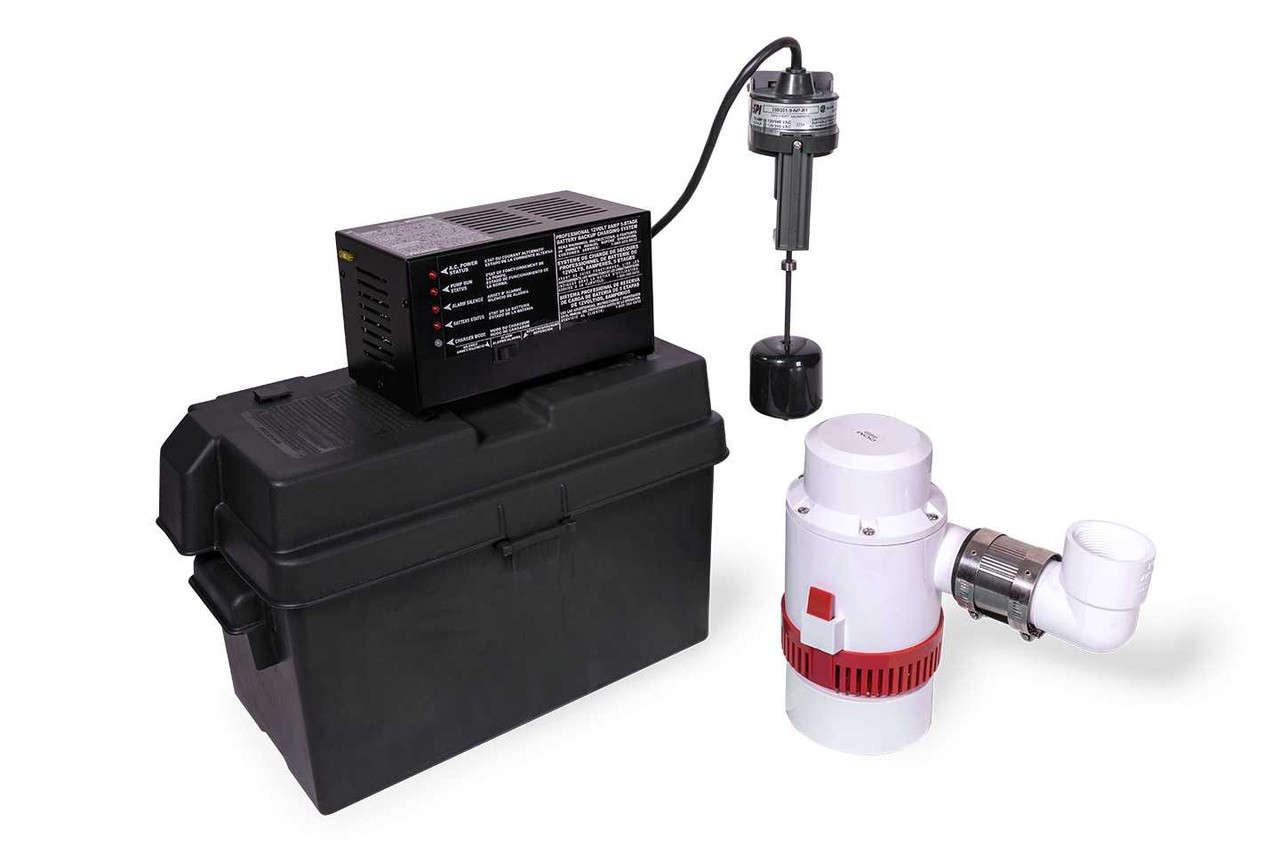
A battery backup sump system has three main parts: the battery, the charger/controller, and a backup pump (usually a 12V pump). When you hear battery-related beeping, you are usually dealing with one of these scenarios:
- The battery is aging: backup batteries often last around 3 to 5 years, but heat and frequent deep discharges can shorten that, while ideal conditions can stretch it longer.
- The battery was heavily used during an outage and has not fully recharged yet.
- The charger is not charging due to a tripped outlet, loose plug, failed charger, or corrosion at terminals.
Important distinction: a water-powered backup pump is a different type of backup system. It uses municipal water pressure, not a 12V battery. If your “backup” is water-powered, battery troubleshooting does not apply, and any alarms will be tied to that unit’s sensor or controller.
What to check first
- Confirm the controller has AC power. If the outlet is off, the battery will slowly die and then complain about it.
- Look for corrosion on battery terminals. White or bluish buildup increases resistance and causes charging trouble.
- Check the battery type: many systems want a deep-cycle AGM or a specific marine deep-cycle battery. A random car battery is a common “it worked for a while” mistake.
How to test the backup
- When conditions are calm, simulate an outage by unplugging the charger/controller from the wall (do not unplug the pump itself unless your manual tells you to).
- Add water to the pit or lift the backup float to confirm the backup pump runs.
- Plug the charger/controller back in and confirm it returns to normal status.
Charger fault or power loss beeping
This alert can be confusing because it often overlaps with battery alerts. If the charger cannot see good incoming power, it cannot keep the battery topped off.
Quick checks
- Reset the GFCI that feeds the backup controller or pump, if present.
- Check for a switched outlet. I have seen sump accessories plugged into an outlet controlled by a nearby switch. Not common, but it happens in older finished basements.
- Inspect the plug and cord for damage or a loose connection.
- Look for error codes on digital controllers. Search the model number and the code when things calm down.
Test the pump vs test the alarm
This is a big point: a sump system can have a working pump but a cranky alarm, or a working alarm that is correctly warning you about a failing pump.
Test the pump
- Slowly add water to the pit until the pump float rises and the pump turns on.
- Confirm the pump discharges water and the pit level drops.
- Repeat once more to confirm the float is not sticking.
Test the alarm
- If your alarm uses a separate float, lift that alarm float by hand. It should trigger the alarm.
- If it is a moisture sensor alarm, touch the sensor contacts with a damp cloth to trigger it.
- Use the mute button to confirm you can silence and restore it.
If the alarm will not trigger during a test, replace or repair the alarm. An alarm that never screams is basically decor.
Battery replacement basics
If the controller indicates a weak battery and the battery is a few years old, replacement is often the most reliable fix. Here is the simple, safe approach.
- Match the recommended battery type in your manual (often AGM deep-cycle). Using the wrong type can shorten life or cause repeated alerts.
- Take a photo of the wiring before you remove anything. This one habit has saved me from my own “wait, which terminal was which?” moments.
- Disconnect negative first, then positive. Reconnect in reverse: positive first, then negative.
- Clean terminals if needed and ensure connections are snug. Loose connections cause false alarms and poor charging.
- Dispose of the old battery properly. Most auto parts stores will take it for recycling.
After replacement, many controllers need a reset or a few minutes to recognize the new battery. If the alarm returns immediately, you may have a charger fault, a wiring issue, or a controller problem.
Common false alarms
Not every beep means the basement is about to flood. Here are the sneaky ones:
- Alarm float hung up on the pit wall, lid, or cords.
- Condensation dripping onto a moisture sensor alarm.
- Loose battery terminal that intermittently disconnects.
- Shared outlet overload where another appliance trips the GFCI feeding the sump accessories.
- Controller end-of-life beeps on some models that alert after a certain age or number of events.
- A standalone 9V floor leak alarm with a dying battery. These are great little devices, but they get blamed on the sump pump all the time.
When to call for help
I am all for DIY, but water has a way of turning small delays into big damage. Call a pro or an emergency plumber if:
- The pit water is at the top and still rising.
- The pump hums but does not move water (possible jam or failed impeller).
- You reset power and the breaker or GFCI trips again immediately.
- You smell burning, see melted plastic, or notice sparking.
- The discharge line appears frozen and you cannot safely thaw or reroute.
- There is water anywhere near energized cords or outlets and you cannot safely shut off power.
Quick recap checklist
- Mute the alarm so you can troubleshoot, but keep it powered.
- Identify the alert: high water, weak battery, charger/power fault, or a controller code.
- For high water: check power, check floats, check discharge, then do a careful bucket test.
- For battery beeps: confirm AC power to charger, inspect terminals, consider battery age and correct type, then test backup operation when calm.
- For charger faults: reset GFCI, check plugs, and watch for recurring error codes.
If you want a next step after you get the beeping under control, put a reminder on your calendar to test both the pump and the alarm every few months. It is one of the cheapest forms of basement insurance I know.

About Marcus Vance
Content Creator @ Grit & Home
Marcus Vance is a lifelong DIY enthusiast and self-taught home renovator who has spent the last decade transforming a dilapidated 1970s ranch into his family's dream home. He specializes in budget-friendly carpentry, room-by-room renovations, and demystifying power tools for beginners. Through his writing, Marcus shares practical tutorials and hard-learned lessons to help homeowners tackle their own projects with confidence.