
Whole-house attic fans are wonderfully simple when they work and maddening when they do not. Mine has saved us real money on shoulder-season cooling, but I have also spent more than one evening standing under the grille wondering why it either refused to start or sounded like it was trying to run through peanut butter.
This guide walks you through the most common causes in a safe, logical order. Start with the quick stuff, then move into electrical and mechanical checks. If you get to a point where you feel out of your depth, that is a good moment to call an HVAC tech or electrician and tell them exactly what you already tested.
Important note before we begin: This article is about whole-house fans, the kind that pull air from the living space into the attic and out through attic vents. They are not the same as a powered attic ventilator (also called an attic exhaust fan), which moves air from the attic to the outdoors. The controls, safety risks, and troubleshooting overlap in places, but they are not interchangeable.
Safety first (seriously)
A whole-house fan can move a lot of air fast. It also depends on open windows for makeup air. Treat it like a tool you run on purpose, not a background appliance.
- Open windows before you run it. Without makeup air, the fan can create strong negative pressure.
- Combustion appliance warning: If you have a gas water heater, furnace, boiler, or fireplace, negative pressure can backdraft carbon monoxide into the house. If you ever smell exhaust, feel dizzy, or have a CO alarm, turn the fan off and ventilate safely.
- Do not run it unattended by default. Many setups are strictly manual for good reason. Some modern systems can run safely with automation, but only when they are designed for it and installed correctly (examples: window sensors that prevent operation with everything closed, motorized dampers that prove open before the fan starts, a dedicated makeup-air intake, or other verified interlocks and safety logic). Do not DIY an auto-start setup unless you fully understand makeup air and backdraft risk.
- Kill power at the breaker before opening covers, touching wiring, or reaching near the fan blades.
- Confirm power is off with a non-contact voltage tester.
- Support the grille if it hinges down. Some are heavier than they look.
- Do not bypass safety switches as a permanent “fix.” They exist to prevent overheating and fires.
If your fan is hardwired, shows melted insulation, trips the breaker, or you discover aluminum branch-circuit wiring or questionable splices, stop and bring in a qualified electrician. Aluminum can be safe when terminated correctly, but bad connections are a real fire risk.
Quick checks
1) Is it being told to run?
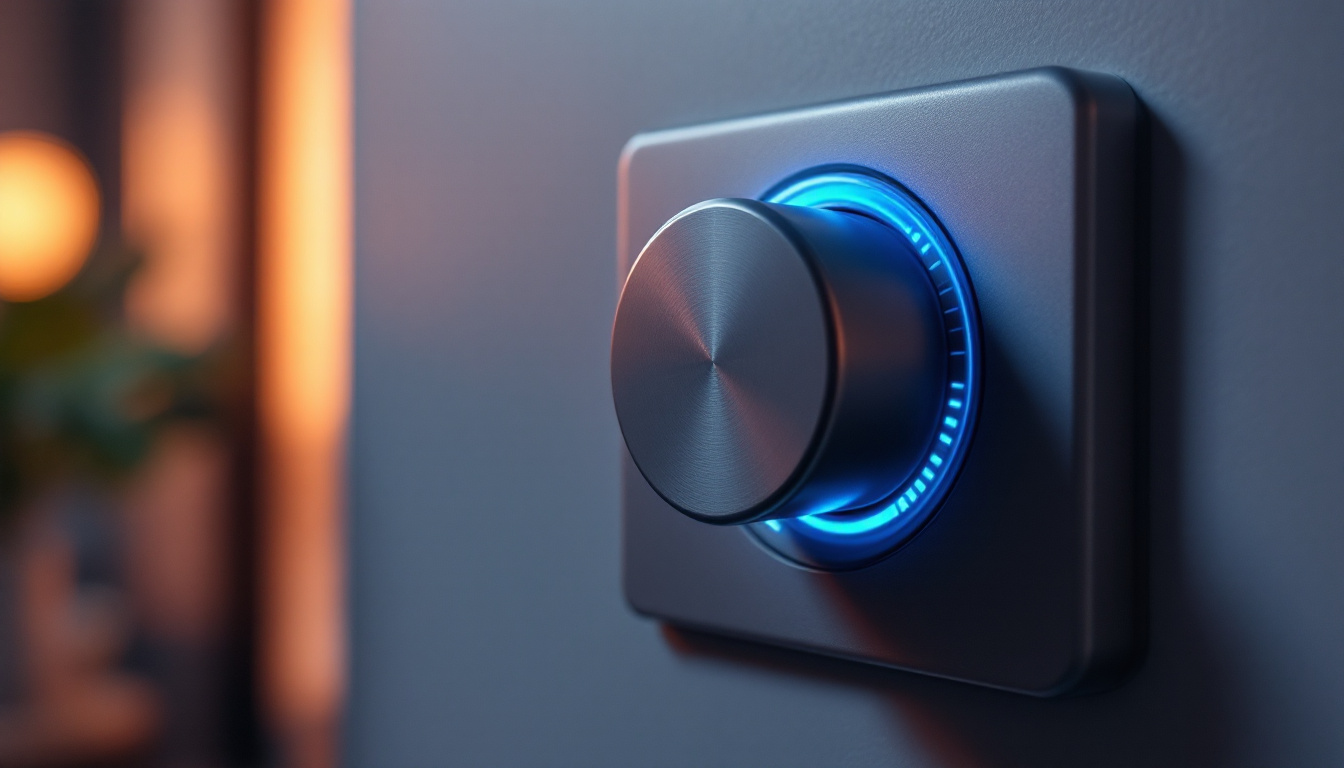
Most whole-house fans are controlled by one or more of these: a wall switch, a timer, a multi-speed control, or a smart controller.
- Wall switch: confirm it is on. Sounds silly, but it is common.
- Timer switch: make sure it is clicked on and not sitting at “0.” Some timers fail internally and feel “on” but do nothing.
- Speed control: test a different speed. A failing switch can drop a speed or fail entirely.
- Smart controllers: check schedules, lockouts, and “quiet hours.” Make sure it is not waiting on a window, damper, or safety sensor.
Not for whole-house fans: If your control is a humidistat or an attic temperature switch, double-check what equipment it actually controls. Those are common on powered attic ventilators, not on whole-house fans.
2) Check the obvious airflow blockers
A whole-house fan can technically run and still feel weak if it cannot breathe.
- Windows not open enough: you need makeup air. A common rule of thumb is a few windows open several inches each, spread out across the house. Better still, check your manufacturer’s required net free opening area for your fan’s CFM.
- Interior doors closed: closed bedroom doors can starve rooms and reduce overall flow.
- Attic exhaust blocked: if soffit, gable, or ridge vents are limited, the fan will fight backpressure. That can make it loud, weak, and hard on the motor.
- Insulation blocking the unit: after air sealing or adding attic insulation, it is surprisingly common for insulation to drift into the fan opening or jam shutters from above.
If your fan hums but does not spin, jump to the capacitor section below.
Controls and switches
Controls are common failure points because they live in the real world with dust, heat, and sometimes questionable wiring from decades past.
Timer and wall switch checks
- Loose terminals: with power off, pull the switch cover and look for loose connections or overheated terminals.
- Failing timer motor or electronics: if it ticks but does not energize the fan, it may be worn out.
- Multi-speed switch issues: if one speed works and others do not, the switch can be the culprit.
Smart controls and dampers
- Damper not opening: some modern whole-house fans use motorized dampers. If the damper sticks closed, the fan may refuse to run, or it may run strained.
- Window or door sensors: if installed, a misaligned sensor can prevent operation.
Good homeowner test (power off): remove the control cover and look for loose connections, heat damage, or anything that looks scorched or brittle.
More definitive test (live voltage): a multimeter check of whether the control is passing voltage to the fan can pinpoint the problem quickly, but only do this if you are comfortable working around live circuits. Otherwise, this is electrician territory.
High-limit and safety switches
Many whole-house fans include a high-limit switch (a thermal cutoff) designed to stop the fan if the motor or housing overheats. Some also have door or grille interlocks that keep the fan from running when the grille is open. These parts are often mounted on the unit in the attic, not at the wall control, so do not be surprised if you have to inspect the fan housing to find them.
What to look for
- High-limit tripped: some are automatic reset, some are manual reset. If yours has a small reset button, it may need to be pressed after the unit cools.
- Repeated tripping: this is not the switch “being annoying.” It is a symptom of restricted airflow, failing motor bearings, wrong capacitor, or a dirty shutter system forcing the motor to work too hard.
- Loose spade connectors: vibration can work them loose over years.
If you reset a high-limit and it trips again quickly, stop and diagnose the cause before continuing to run it.
Motor capacitor
If your fan hums, starts slowly, needs a push (do not do this), or runs weakly and overheats, a bad capacitor is high on the suspect list. Capacitors give the motor the extra kick it needs to start and run efficiently.
Symptoms of a failing capacitor
- Fan hums but blades do not spin
- Fan starts, then stalls
- Fan runs but has noticeably less airflow and the motor gets hot
- Capacitor looks bulged, leaking, or corroded
How to approach it
- Turn off breaker and confirm power is dead.
- Discharge the capacitor safely as recommended by the manufacturer or with an insulated resistor method. If you are not comfortable, let a pro handle this.
- Match specifications exactly: microfarads (µF) should match the old one. Voltage rating can be equal or higher, never lower.
- Secure it firmly: a loose capacitor can vibrate and damage wires.
Capacitors are inexpensive. The expensive mistake is installing the wrong value and cooking the motor.
Belt drive issues
Some whole-house fans are direct drive, others are belt drive. Belt drive models can be quieter, but the belt adds a few more failure points.
Signs of belt trouble
- Squealing on startup or when the fan loads up
- Weak airflow even though the motor sounds normal
- Visible belt glazing, cracking, or slack
- Black rubber dust around pulleys
What to check
- Belt tension: too loose slips, too tight stresses bearings. Follow the manufacturer’s deflection spec if available.
- Pulley alignment: misalignment eats belts and robs power.
- Motor mount bolts: loosened mounts let the belt slacken over time.
Pro tip from my own mistakes: when you replace a belt, vacuum out the housing. Rubber dust and attic grime are not your motor’s best friends.
Shutter problems
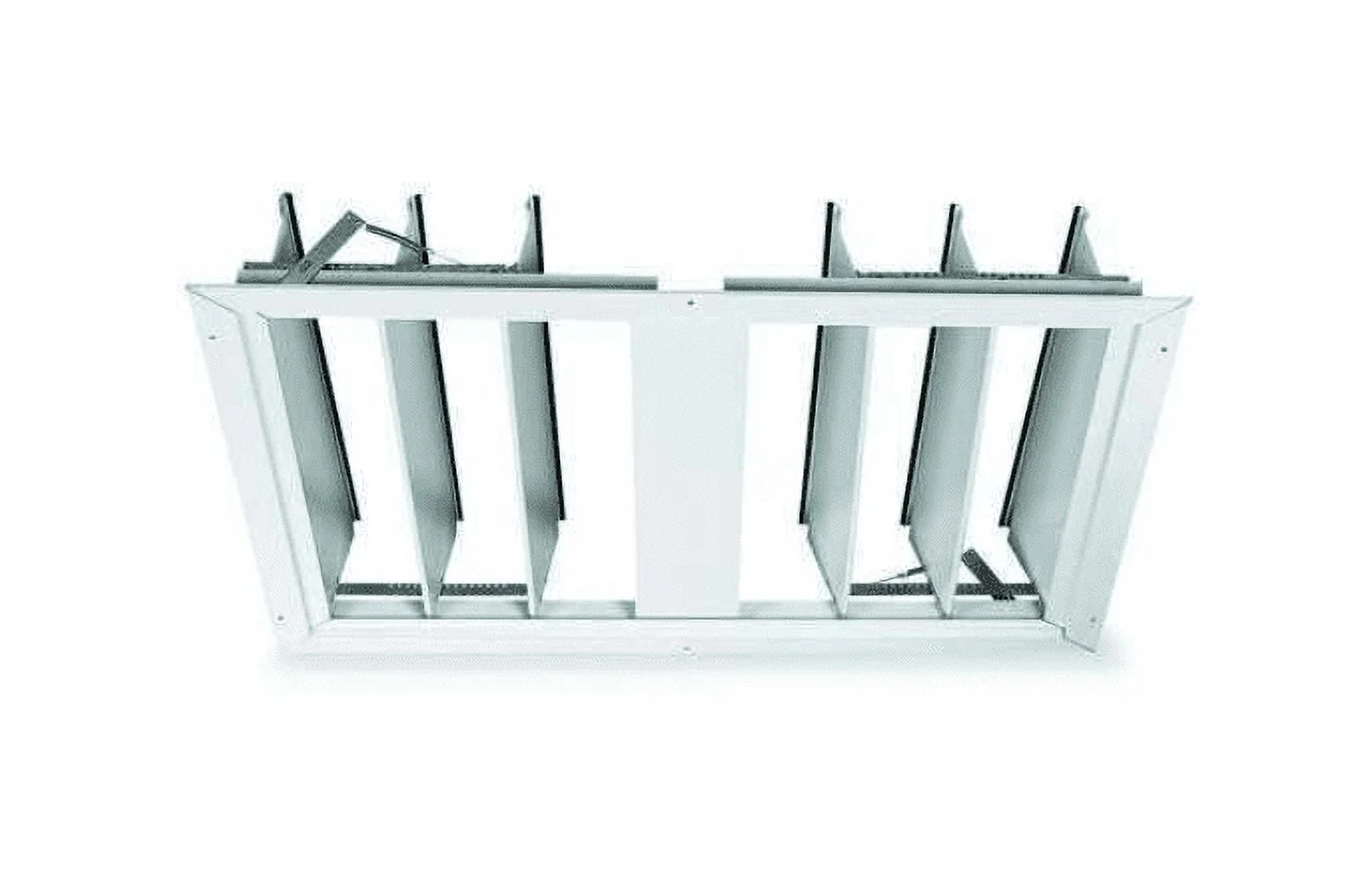
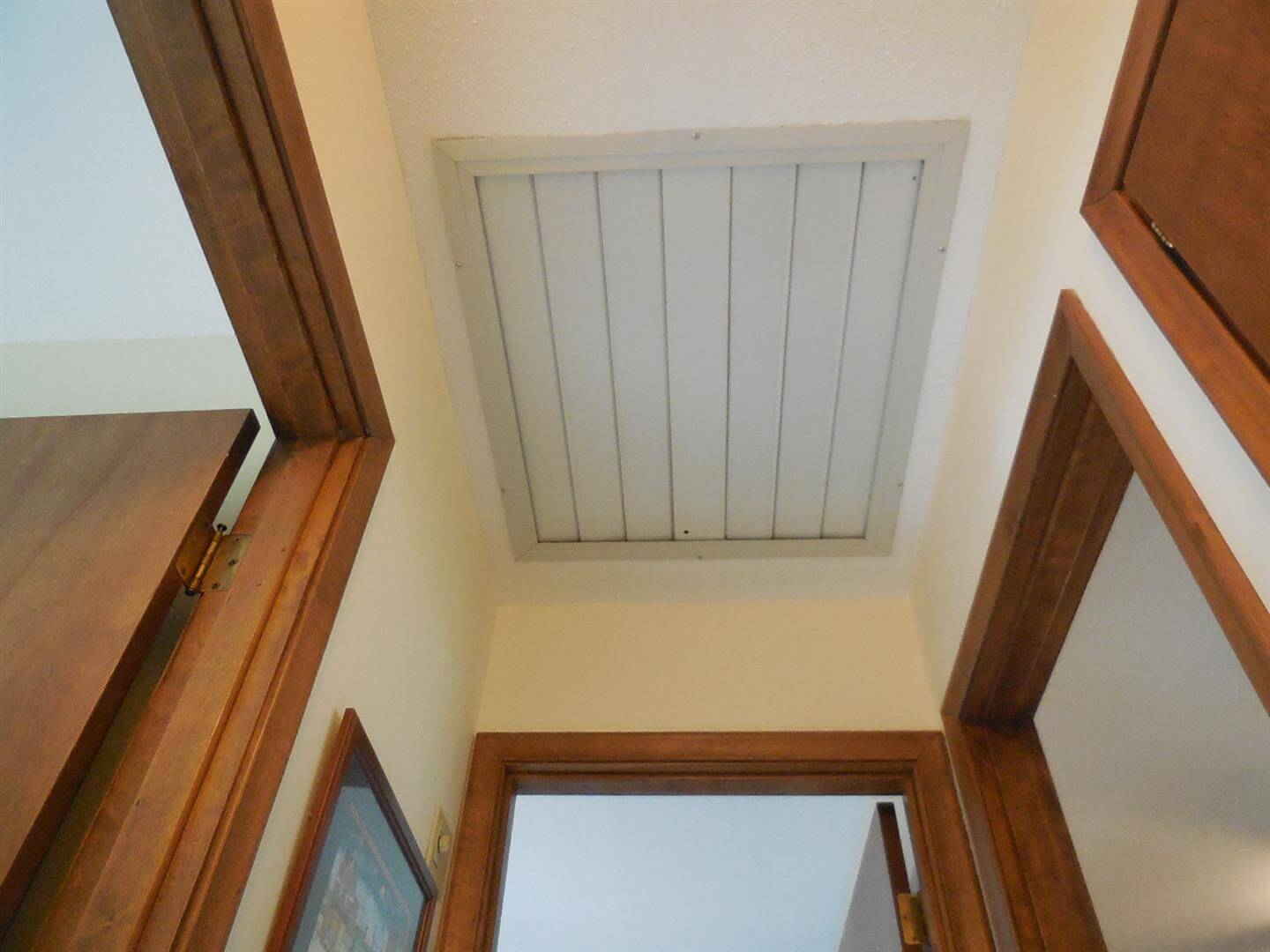
The shutters or louvers at the ceiling grille are supposed to open freely when the fan runs. If they stick closed or only crack open, airflow will feel anemic and the fan can sound strained.
Common causes
- Paint: homeowners paint the ceiling and accidentally glue the shutters shut at the edges.
- Warped grille frame: humidity or overtightened screws can twist the frame.
- Dust and insulation fibers: buildup increases friction at pivot points.
- Spring fatigue: some designs use springs or gravity balancing that can go out of whack.
- Insulation interference: insulation above the grille can snag shutters or block their travel.
Fixes that usually work
- With power off, open and close shutters by hand to feel where they bind.
- Clean hinge points with a dry brush and vacuum.
- Remove paint bridges carefully with a utility knife along the shutter edges.
- Do not oil everything indiscriminately. In dusty attics, oil can become glue. If lubrication is recommended, use it sparingly and choose a dry lubricant.
Venting and sizing
This is the hidden “why is it loud and weak?” category. A whole-house fan is not just a fan, it is a system: intake (open windows) plus exhaust (attic venting). If the attic cannot exhaust the air the fan is pushing up there, you get backpressure, noise, heat, and sometimes overheating or nuisance trips.
- Check manufacturer requirements: many brands specify a minimum net free vent area for a given fan CFM. Use that number if you can find it.
- Don’t guess at vent area: a ridge vent and soffit vents can look generous but still be restricted by baffles, insulation, or blocked soffits.
- Symptoms of not enough attic venting: loud “roar,” shutters fluttering, weak airflow, hot motor housing, and high-limit trips.
If you suspect venting is the bottleneck, this is a good place to stop troubleshooting and start measuring or call someone who can.
Wiring and power
If your fan is totally dead, intermittent, or only runs weakly sometimes, wiring and power issues deserve a careful look.
Start at the breaker (safe version)
- Tripped breaker: reset once. If it trips again, stop. Repeated trips point to a short, failing motor, wrong capacitor, or wiring damage.
- Panel or breaker issues: if you suspect a bad breaker, loose connection, or heat at the panel, do not remove the panel cover. That is an electrician item.
Voltage drop and weak performance
A motor that is not getting full voltage can run hot, run weakly, or fail to start. Causes include:
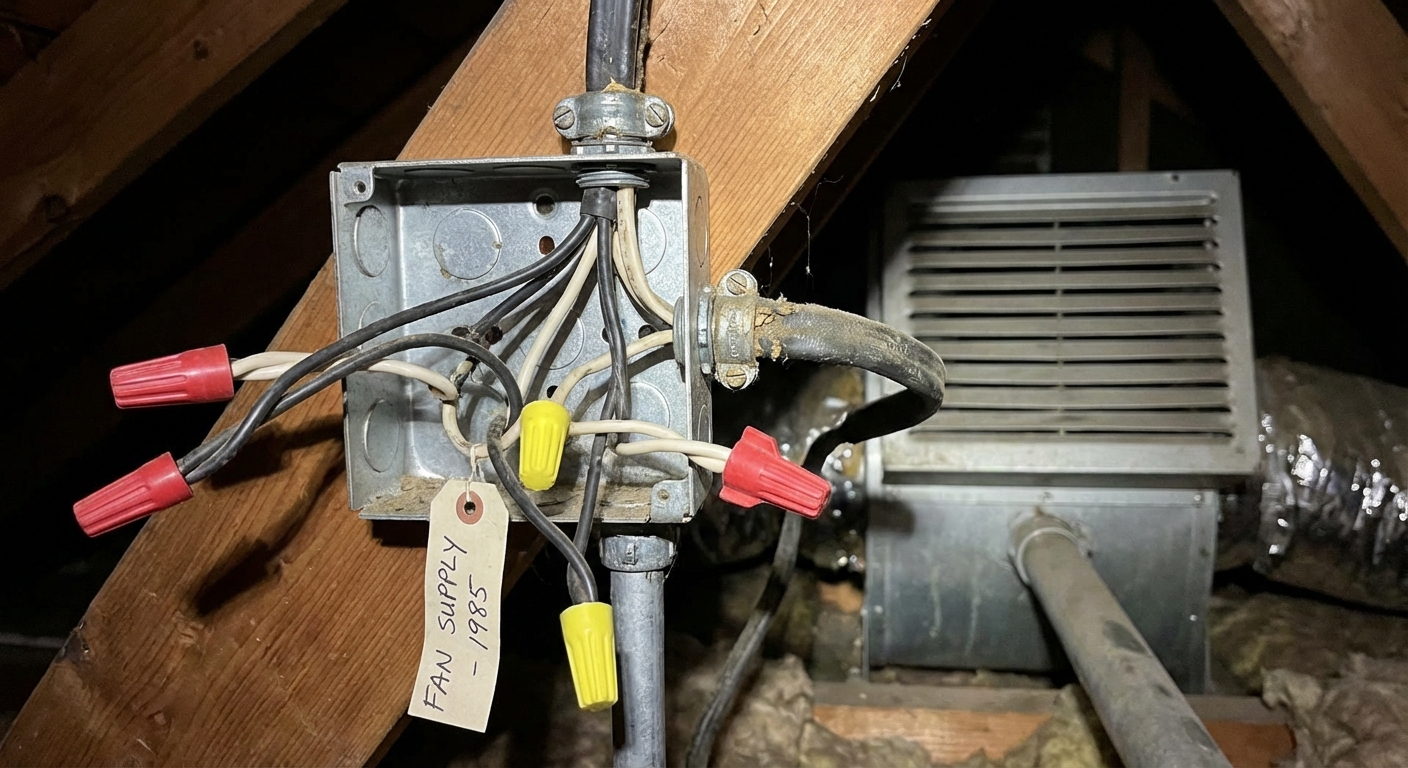
- Loose wirenuts or backstabbed connections in a junction box
- Undersized wiring on a long run
- Corroded connections in damp attic spaces
Powered attic ventilators and interlocks
If your home also has a powered attic ventilator (a fan that exhausts attic air outdoors), make sure you are not mixing up the two systems.
- Shared circuits: sometimes a previous owner ties things together in a way that causes weird symptoms.
- Interlock relay failure: if your whole-house fan is designed to interlock with a damper or another device, a failed relay can prevent the fan from energizing at all.
- Backdraft risks: any miswired or misused setup that depressurizes the home can pull combustion gases from water heaters or furnaces. If you have any atmospheric combustion appliances, be extra cautious.
If you suspect interlock wiring is involved, the cleanest move is to locate the wiring diagram for your fan and any connected vent system, then verify operation step-by-step. When in doubt, call an electrician. This is not a good place to guess.
Motor problems
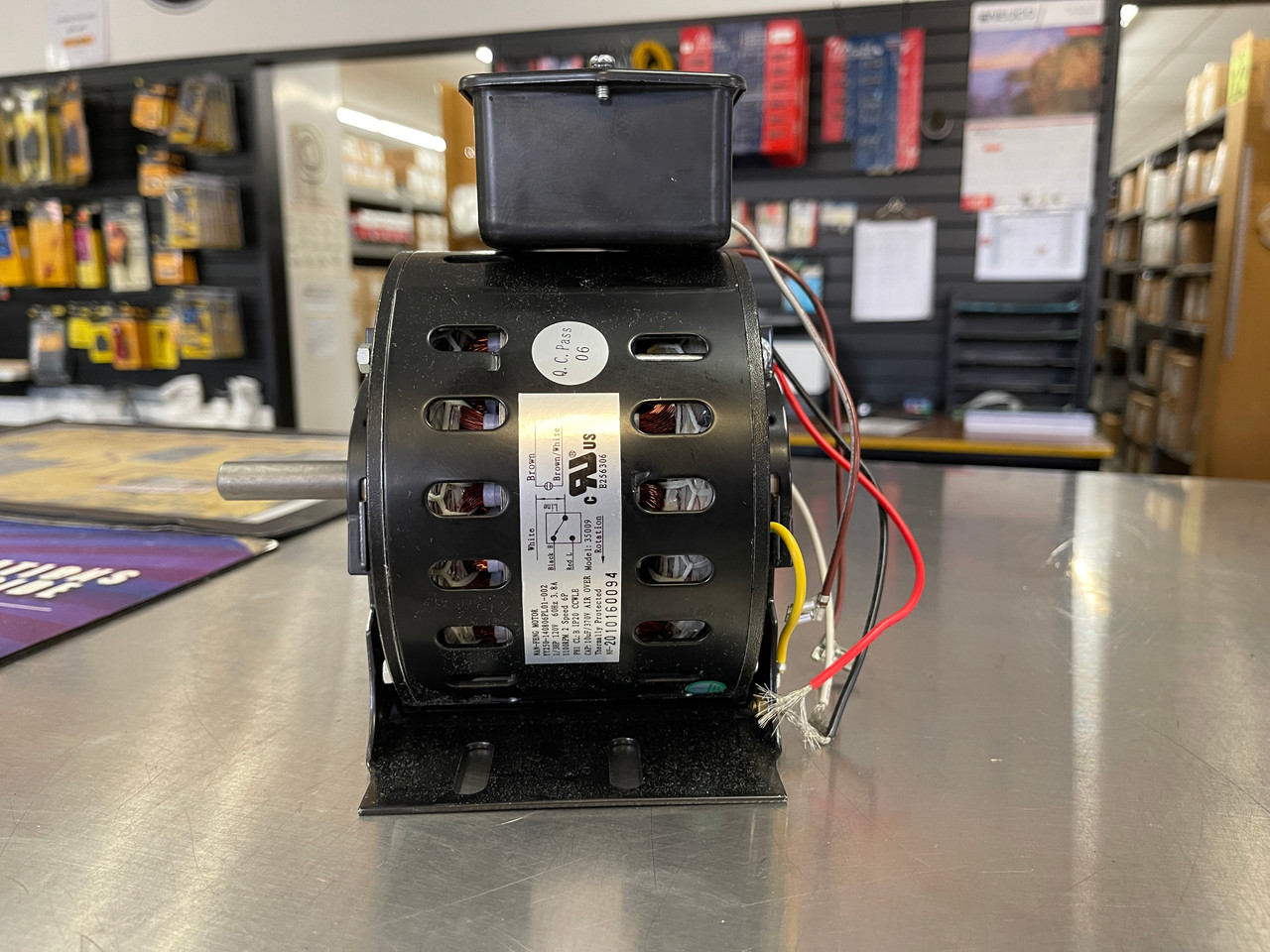
Motors do wear out, especially in hot attics. Bearings dry up, windings weaken, and a motor can lose torque even if it still spins.
Motor red flags
- Burning smell or discolored wiring insulation
- Loud grinding or squealing from the motor housing
- Overheating quickly even with shutters opening freely and good attic venting
- Repeated high-limit trips after you corrected airflow issues
At that point, you are weighing motor replacement versus full fan replacement. If your unit is older and noisy, a modern whole-house fan can be dramatically quieter and more efficient.
It runs but doesn’t cool
This one is less “broken fan” and more “wrong moment.” Whole-house fans are amazing when the outdoor air is cooler than your indoor air, and pretty underwhelming when it is not.
- Outside air is hotter or more humid: if you pull in 90°F air, the house will feel worse, not better. Use the fan when outdoor temps drop (often evening through morning).
- Window placement: for the best flow, open windows where you want fresh air to enter and keep at least one open on the leeward side to reduce short-circuiting.
- Forgetting to close up afterward: after you cool the house down, close windows and doors so you are not reheating the house as the day warms up.
My troubleshooting order
If you want the shortest path to an answer, here is the sequence I use:
- Open windows and make sure doors are not choking airflow
- Verify wall switch and timer are on
- If you have a smart control, verify it is not locked out by a sensor or schedule
- Check breaker (reset once only) and any service switch near the unit
- Inspect shutters for binding, paint sealing, or insulation interference
- Look for a tripped high-limit on the unit and reset only after cooling
- Listen: hum with no spin points to capacitor
- If belt drive, check belt condition, tension, and pulley alignment
- Inspect attic junction boxes for loose, overheated connections
- Consider interlock issues with dampers or other ventilation equipment
- Evaluate motor condition if everything else checks out
When to call a pro
I am all for DIY, but I also like sleeping in a house that is not one wiring mistake away from a bad night.
- Breaker trips repeatedly
- You see melted insulation, scorched terminals, or arcing
- You suspect interlock wiring with other ventilation equipment
- You are not comfortable testing live voltage or handling capacitors
- Your home has combustion appliances and you notice odors, backdrafting, or any CO alarm activity
- You discover aluminum wiring, odd splices, or heat-damaged connections
When you call, tell them your symptoms and the steps you already took. It saves time, and it often saves money.

About Marcus Vance
Content Creator @ Grit & Home
Marcus Vance is a lifelong DIY enthusiast and self-taught home renovator who has spent the last decade transforming a dilapidated 1970s ranch into his family's dream home. He specializes in budget-friendly carpentry, room-by-room renovations, and demystifying power tools for beginners. Through his writing, Marcus shares practical tutorials and hard-learned lessons to help homeowners tackle their own projects with confidence.