
🚨 In a DIY emergency or rush?
Skip the details and jump straight to our 30-second cheat sheet for the most crucial info.
The first time my microwave keypad went on strike, I assumed the whole unit was toast. Turns out, it was a simple “control lock” setting my kid activated while mashing buttons like a tiny DJ. Other times, though, a dead keypad is a real parts problem.
This guide walks you through the most common causes of microwave buttons not responding, in the same order I troubleshoot at home: quick resets, control lock, moisture and gunk, door switch problems, and finally keypad or control board failure. I’ll also help you sort out two very different scenarios: a microwave that never starts versus one that runs but does not heat.
Safety first (microwaves are different)
I am all for DIY, but microwaves deserve a little extra respect. Even unplugged, internal components can store dangerous high voltage. The steps below stick to external checks and safe access areas like the control panel trim on many models. If a step requires opening the main metal cabinet, I will say so plainly.
Do this before any troubleshooting
- Unplug the microwave or switch off the breaker if it is hardwired or an over-the-range unit on a dedicated circuit.
- Wait at least 60 seconds for a true power cycle before you start testing buttons. Waiting longer does not make it electrically safe inside the cabinet, it just helps the electronics fully reset.
- Never remove the outer metal cover unless you are trained for high-voltage appliance work.
Tools that help
- Microfiber cloth
- Mild dish soap and warm water
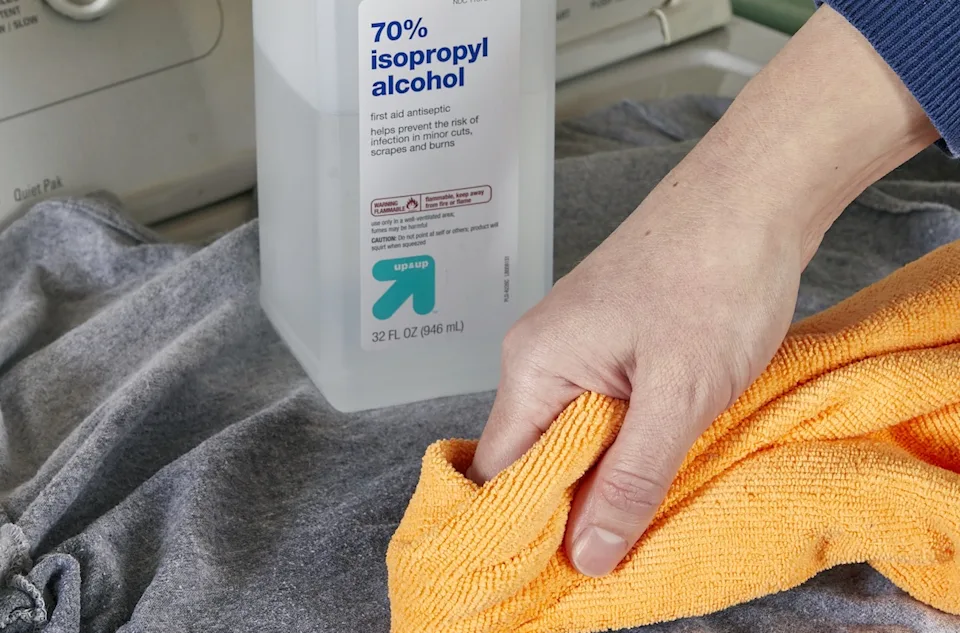
- Isopropyl alcohol (70% or higher) for a final wipe
- Plastic putty knife or old gift card (for gently lifting trim if needed)
- Flashlight
- Optional: multimeter (only for door switch tests if you are comfortable and can access the latch area without removing the outer cabinet)
Quick triage: what exactly is your microwave doing?
Before you clean or order parts, figure out which bucket you are in. This changes the likely cause.
A) The microwave will not start a cycle
- Keypad does nothing, or only a few keys respond
- You cannot enter time or press Start
- Display might be normal, dim, flickering, or blank
This points to control lock, keypad failure, a bad door switch, a failing control board, or (on some models) a loose keypad ribbon connector inside the control panel area.
B) The microwave starts, runs, but does not heat
- Interior light and fan run
- Turntable may spin
- Food stays cold
If the keypad works well enough to start cooking but the food stays cold, that is usually a heating circuit issue (like magnetron, diode, capacitor, or transformer) and is often not worth DIY because it requires opening the cabinet. I still include a couple keypad-adjacent checks, but this is typically the point where I recommend professional service or replacement.
Step 1: Try the reset that actually fixes things
Modern microwaves are small computers. A full power reset clears glitches that can make the keypad appear dead.
How to hard reset
Unplug the microwave or turn off the breaker.
Wait at least 60 seconds. I usually wait 2 minutes while I wipe the counter.
Plug it back in.
Set the clock (if required) and test several buttons: numbers, Power Level, Stop or Cancel, and Start.
If it works for a day and then the keypad gets flaky again, that often hints at moisture, a developing keypad crack, or a failing control board.
Step 2: Check for Control Lock (child lock)
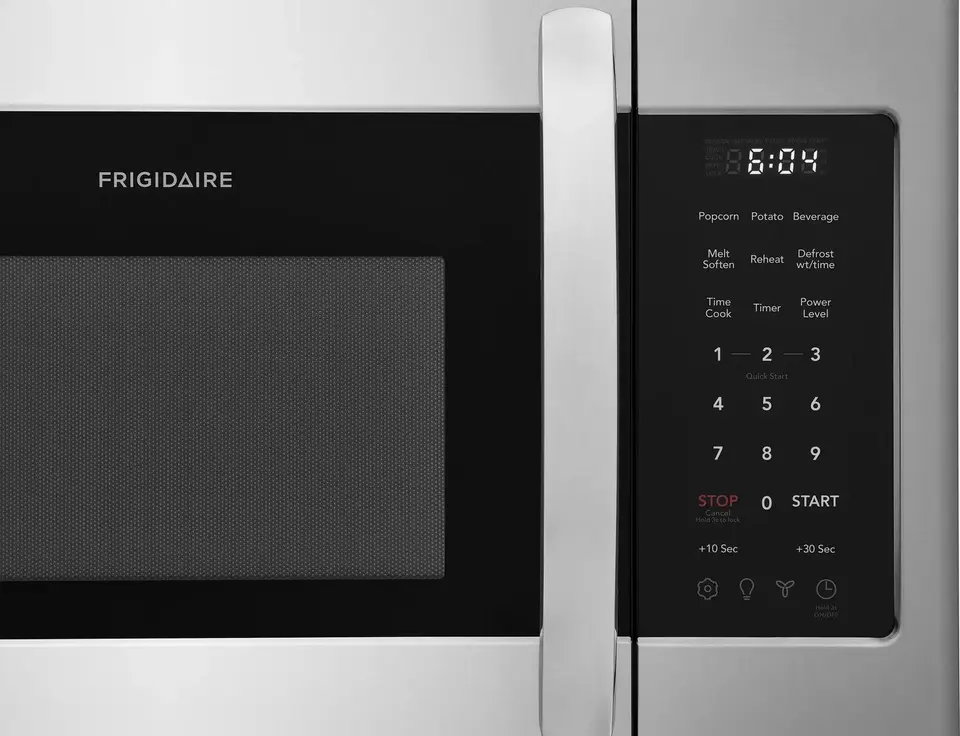
Control lock is the easiest “dead keypad” fix and the most overlooked. Some models show LOCK or a small padlock icon. Others show nothing obvious, and the buttons just refuse to cooperate.
Common ways to toggle lock
- Press and hold Stop or Cancel for 3 to 5 seconds
- Press and hold Start for 3 to 5 seconds
- Press and hold a dedicated Lock button if your panel has one
- Some models use 0 or 1 held down for a few seconds
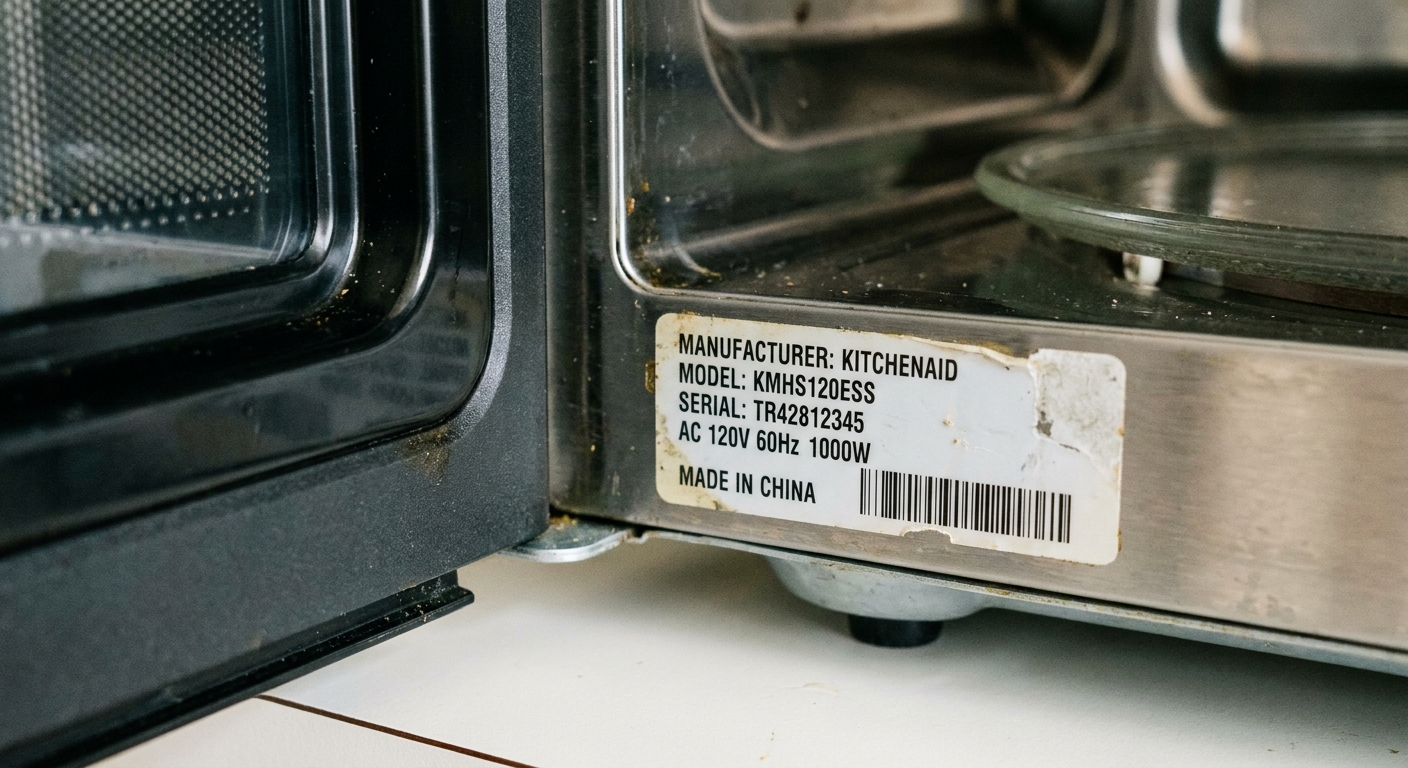
If you are unsure, look up your model number and search the manual for “control lock” or “child lock.” The model number is usually on a sticker inside the door frame or along the door edge.
Step 3: Rule out a door latch problem
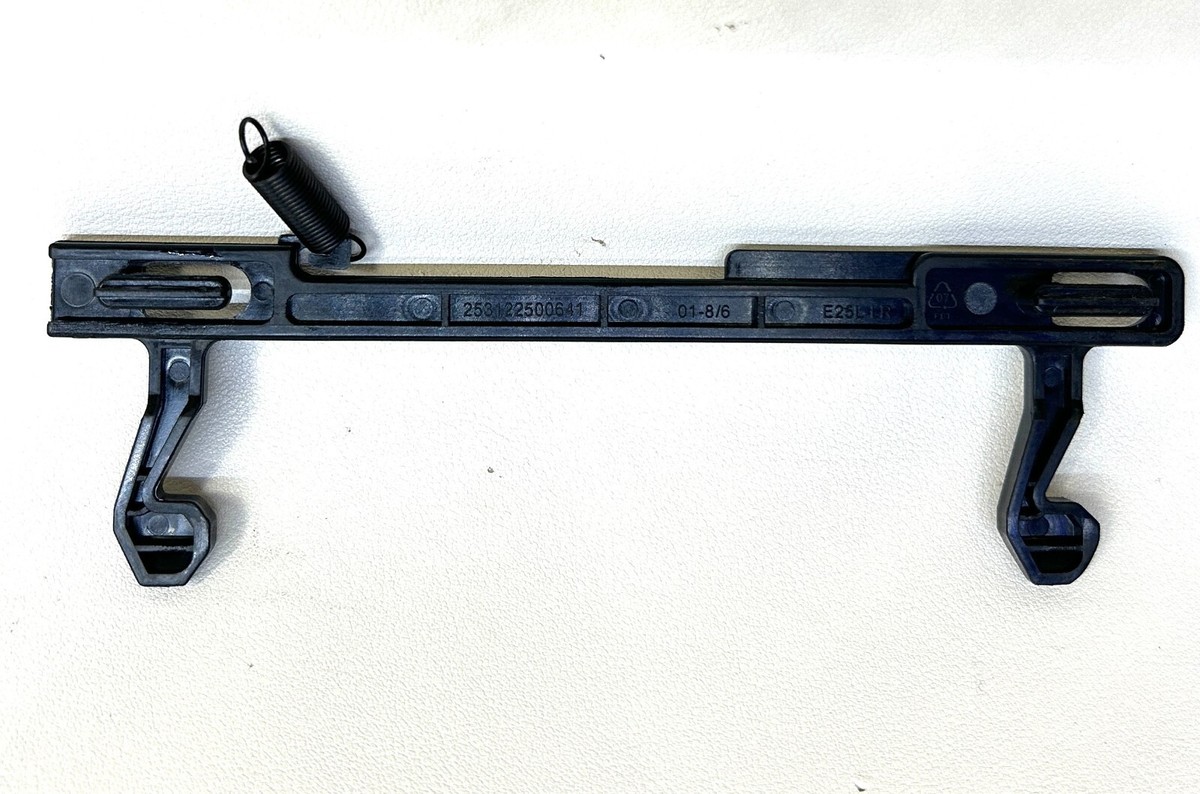
Here is a weird one: on many microwaves, if the control board does not see the door as fully closed, it will often ignore Start (and may ignore other functions, depending on the brand). That can feel like “the keypad is broken” when the real issue is the door not latching correctly.
Signs this is your issue
- You can type numbers, but Start does nothing
- It starts only if you lift the door slightly or press on it
- The door feels loose, droops, or does not click shut confidently
What to do (no tools)
Open the door and inspect the latch hooks on the door and the latch slots on the frame.
Clean crumbs and grease around the latch area with a damp cloth.
Close the door firmly and listen for the normal latch click.
Try a quick test: heat a cup of water for 30 seconds.
If the door is sagging or not aligning, the fix can be as simple as tightening hinge screws. If the latch switch assembly is failing internally, that is usually a service call because it often requires partial disassembly to test and replace.
Step 4: Clean the keypad the right way
If the door seems to be latching normally, the next most common culprit is boring but real: grime on the surface, or moisture creeping in around the edges.
Membrane keypads hate two things: liquid and grease. Steam from the stovetop and cleaners sprayed directly on the panel can creep behind the membrane and cause keys to stick or stop registering.
Cleaning method I trust
Unplug the microwave.
Mix a drop of dish soap into warm water.
Dampen a cloth (do not soak) and wipe the keypad gently.
Wipe again with a cloth dampened with plain water.
Finish with a light wipe of isopropyl alcohol on a cloth to remove oily residue.
Let it air dry for 15 to 30 minutes before plugging back in.
Avoid these common mistakes
- Spraying cleaner directly on the control panel
- Using abrasive pads that scratch the membrane
- Flooding the edges of the keypad where it meets the frame
Step 5: Suspect moisture behind the panel
If your microwave lives above the stove, steam and cooking vapor can work their way into the control panel area over time, depending on your venting design and how the unit is sealed. Over time, moisture can condense behind the keypad and create intermittent button failures. I have seen this show up as a few “dead” numbers, or a Start button that works only after the microwave has been sitting unused.
Clues moisture is the culprit
- Buttons work better when the kitchen is dry and worse after boiling water
- Keypad acts up right after you clean the panel
- Some keys feel tacky or slow to pop back
What you can do safely
- Run the range hood anytime you boil or pan fry. If your hood vents back into the kitchen, still run it, it helps.
- Keep the microwave door open for 10 minutes after cooking to vent humidity.
- Dry-out attempt: unplug the unit and aim a fan across the front control panel area for a few hours.
If the keypad improves after drying out but fails again, the long-term fix is usually replacing the keypad membrane or the full control panel assembly, depending on the model.
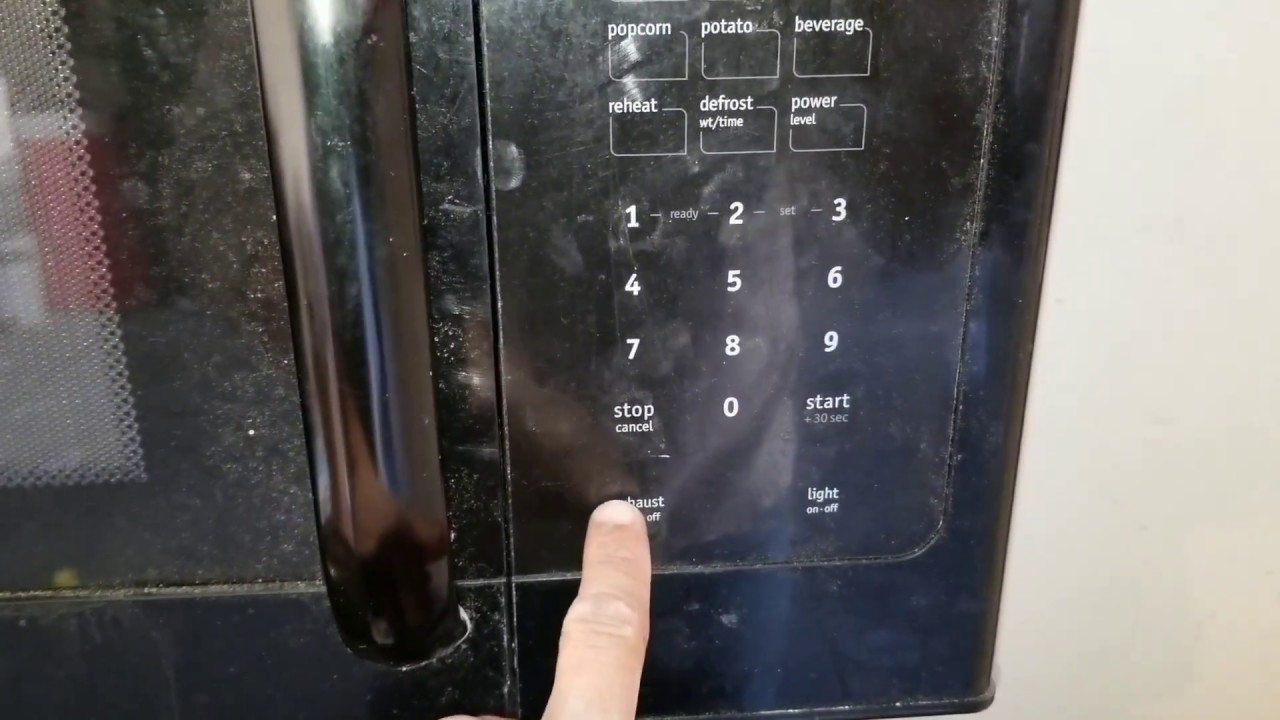
Step 6: Stuck key symptoms
A stuck membrane key can confuse the control board. Some microwaves will beep, flash, or show an error code. Others will simply ignore input.
Try this
Plug the microwave in.
Press Stop or Cancel once firmly.
Wait 10 seconds and try a different key like 1 or 2.
If Stop or Cancel is the only button that reliably works, it does not automatically mean the control board is dead. It often means the membrane keypad has failed in a way that leaves one circuit functioning and the rest open.
Keypad vs control board
This is the decision point homeowners care about. The keypad is often part of a replaceable assembly, but not always worth the cost.
More likely a membrane keypad problem
- Only certain numbers do not work
- You have to press hard or press off-center
- Keys work intermittently and improve after drying
- Display is normal and steady
More likely a control board problem
- Keypad is totally dead and the display is blank or flickers
- Random beeping or “ghost” button presses
- Microwave resets itself or loses the clock
- Burnt smell near the control area or visible scorching behind the panel (at that point, stop using it)
A quick note on ribbon cables (only if safely accessible)
On some models, the keypad connects to the control board with a flat ribbon cable and plug. If that connection loosens or gets contaminated, you can get weird, partial key response. I only recommend checking this if you can remove the control panel trim or lift the control panel to access the connector without removing the outer metal cabinet, and only after unplugging the microwave. If accessing it requires taking off the metal shell, skip it and call a pro.
Also, on some designs the keypad is part of the door, not the side control panel. In that case, replacement can be fussier and alignment matters. Always follow model-specific instructions.
On many countertop microwaves, the “keypad” is actually integrated with the control panel housing and sometimes bundled with the electronic control board as a single part. On many over-the-range units, you can often replace the keypad membrane separately, but models vary a lot.
Is the control panel replaceable?
Usually, yes. The control panel assembly and/or membrane keypad can often be ordered by model number. But “replaceable” does not always mean “smart to replace.”
How I decide if repair is worth it
- Age: As my personal rule of thumb, under 5 to 7 years old, I am more likely to repair. Over 8 to 10 years old, I lean toward replacement unless it is a higher-end built-in unit.
- Part cost: Another rule of thumb I use is this: if the control panel assembly is more than about 40 to 50 percent of the cost of a similar new microwave, replacement usually wins.
- Type of microwave: Built-in and over-the-range units can justify repair more often because replacement can involve trim kits, mounting, and venting.
- Symptoms: If you also have heating issues, burning smells, or repeated tripped breakers, I stop treating it as “just a keypad.”
What to check before you order anything
- Find the model number inside the door area.
- Search parts diagrams for your exact model and confirm whether you need a membrane keypad, a control panel frame, or an electronic control board.
- Look closely at the photos in listings to verify button layout matches.
When to retire the microwave
I love repairing things, but I also love not turning my kitchen into a science experiment. Replace the microwave instead of repairing it if any of these are true:
- It runs but does not heat and the unit is older or inexpensive. Heating circuit repairs can be costly and involve high voltage work.
- The display is glitchy and the keypad is dead, suggesting broader electronic failure.
- There is a burning smell, melted plastic near the panel, or visible scorching.
- The door does not latch safely or the door frame is damaged.
- It trips the breaker or blows fuses repeatedly.
If you are on the fence, price out the correct control panel or keypad part first. If that number makes you wince, your answer is probably replacement.
FAQ
Why do only some microwave buttons work?
That pattern points strongly to a failing membrane keypad. The conductive traces inside the keypad wear out, crack, or get contaminated. It can also happen if moisture gets behind the membrane and partially shorts the keypad matrix.
My microwave keypad works, but Start does nothing. What now?
Check control lock first. If it is not locked, suspect the door latch system. A misaligned door or failing door switch can prevent the microwave from starting even when the keypad seems fine.
Can I spray cleaner on the keypad?
I do not. Spray the cloth, not the panel. Liquid that seeps into the edges of a membrane keypad is a common cause of dead keys.
Is it safe to keep using a microwave with a flaky keypad?
If the keypad is intermittently unresponsive, it is usually not an immediate safety hazard. But if you get random beeping, “ghost” inputs, error codes you have not seen before, burning smells, or the unit starts acting on its own, unplug it and stop using it.
If the microwave runs but does not heat, is that related to the keypad?
Usually not. A microwave that runs but does not heat typically has a heating circuit failure. That is a different troubleshooting path than keypad or control panel issues.
The 30-Second Cheat Sheet
Essential takeaways for: Microwave Buttons Not Working? Fix an Unresponsive Keypad
Fast checks (in order)
Hard reset: unplug or breaker off for 60 to 120 seconds, then restore power.
Control lock: press and hold Stop or Cancel (or Start) for 3 to 5 seconds until LOCK clears.
Door latch check: if numbers work but Start does nothing, clean the latch area and close the door firmly. If it only starts when you lift or press on the door, suspect door alignment or door switches.
Clean safely: wipe keypad with a barely damp soapy cloth, then water, then alcohol. Never spray cleaner on the panel.
Moisture dry-out: unplug and run a fan across the control panel area for a few hours, especially for over-the-range microwaves.
Key diagnosis
- Some buttons dead: likely membrane keypad failure or moisture behind panel.
- All buttons dead plus flickering or blank display: more likely control board or power issue.
- Microwave runs but food stays cold: heating circuit issue, usually not a keypad fix.
Replace the control panel when
- Microwave is under about 5 to 7 years old and the correct keypad or control panel part costs less than 40 to 50 percent of a comparable new unit.
- The unit is built-in or over-the-range where replacement is a bigger hassle.
Retire the unit when
- Burning smell, melted plastic, or visible scorching near the controls
- Door will not latch safely
- Repeated breaker trips
- Runs but does not heat and the unit is older or budget-grade
💡 Tip: Scroll up to read the full article for detailed, step-by-step instructions.
⬆️ Back to top
About Marcus Vance
Content Creator @ Grit & Home
Marcus Vance is a lifelong DIY enthusiast and self-taught home renovator who has spent the last decade transforming a dilapidated 1970s ranch into his family's dream home. He specializes in budget-friendly carpentry, room-by-room renovations, and demystifying power tools for beginners. Through his writing, Marcus shares practical tutorials and hard-learned lessons to help homeowners tackle their own projects with confidence.