
🚨 In a DIY emergency or rush?
Skip the details and jump straight to our 30-second cheat sheet for the most crucial info.
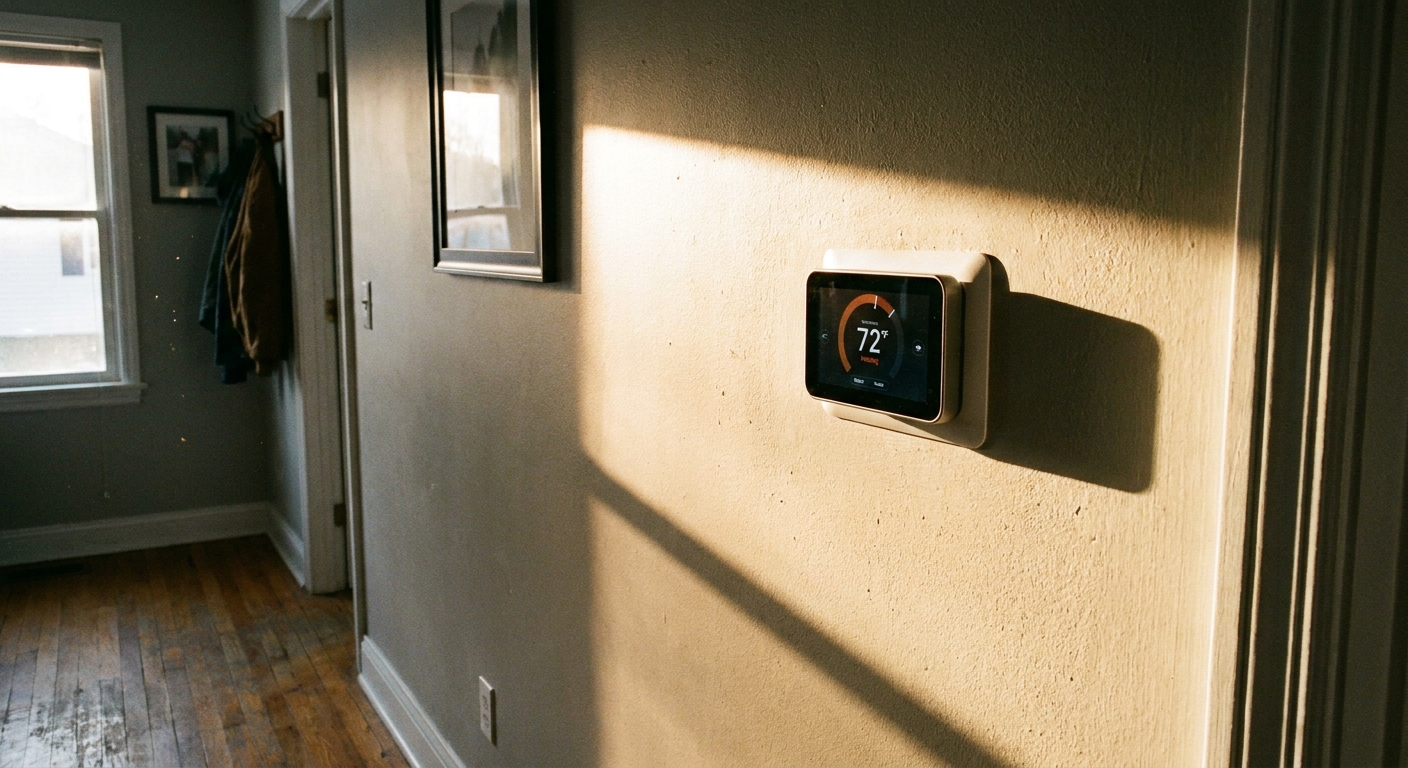
I learned this one the hard way in our 1970s ranch. I kept bumping the AC colder because the thermostat insisted the hallway was 77°F, but the living room felt fine. Turns out, the thermostat was catching a late afternoon sunbeam that hit the wall for about 45 minutes a day. The house was not “too warm.” The thermostat was in a bad spot.
If your thermostat reads hot because of sun, a nearby vent, a lamp, or a draft, the fix is usually placement and airflow, not the HVAC system. Below is how to confirm what is happening, what to try first, and when it is actually a thermostat problem (sensor, batteries, wiring, or settings).
One quick thing that explains a lot of weird thermostat behavior: most thermostats sense temperature at or inside the wall unit, so they are sensitive to radiant heat (sun-warmed drywall) and to air sneaking in from inside the wall cavity.
Quick check: is it really reading hot?
Before we start moving anything, verify the thermostat is the outlier.
What you need
- A basic digital thermometer (even a kitchen probe works in a pinch)
- Painter’s tape or a sticky note
- Your phone timer
The 10 to 20 minute reality test
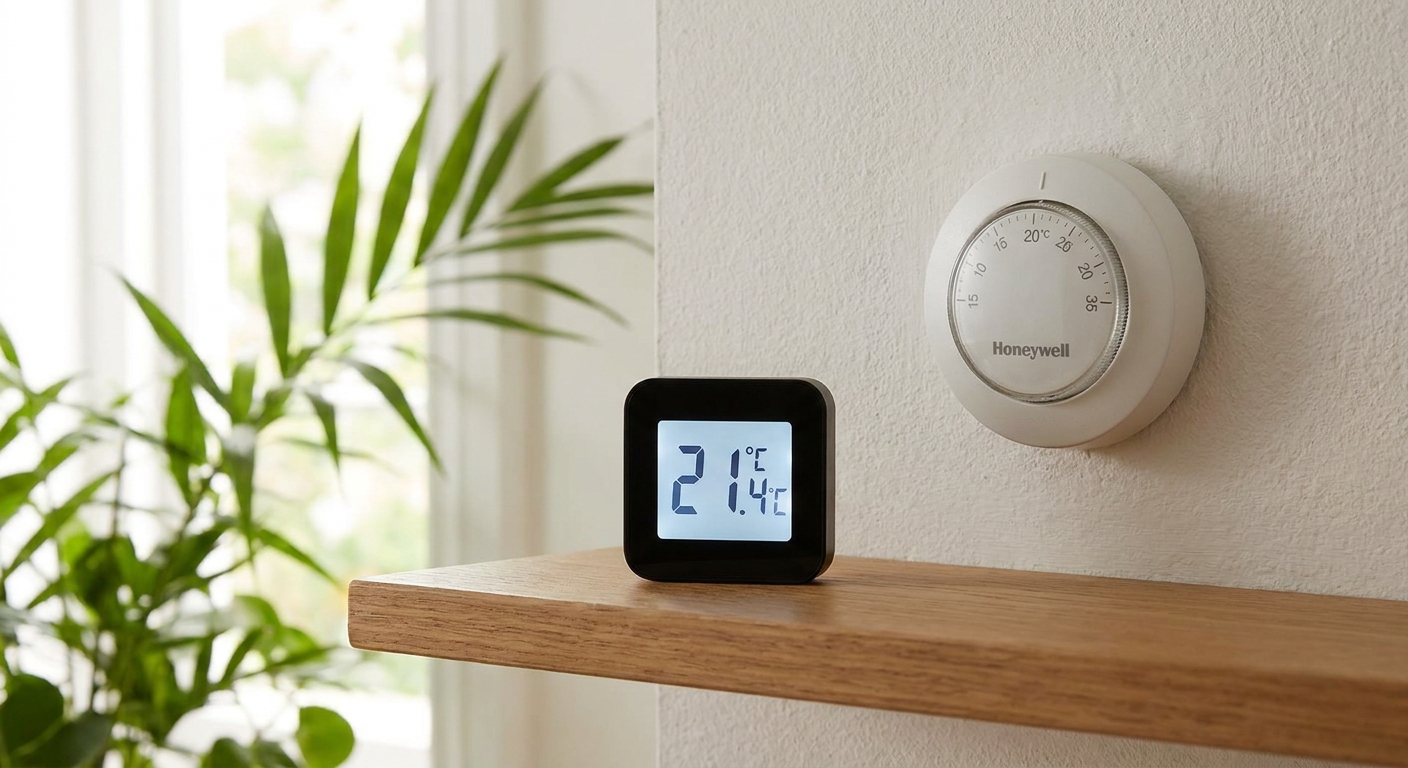
- Put a thermometer right next to the thermostat, but not touching it.
- Wait 10 to 20 minutes with the HVAC running normally, and avoid exhaling directly on the sensor.
- Compare readings. A 1 to 2°F difference is often within the normal range for consumer sensors and placement quirks. If it is consistently off by around 3°F or more, it is usually worth fixing. If it is close, wait longer and repeat.
Pro tip: If you can, repeat the test at the time of day you notice the problem. Sun and vent blasts are often timed.
Common reasons a thermostat reads hot
1) Direct sunlight or a sun-warmed wall
This is the classic. Even if the sun is not hitting the thermostat face, it can heat the drywall and the thermostat ends up reading the wall temperature, not the average room air.
- Clue: The thermostat reads hot at the same time every sunny day.
- Clue: The wall near the thermostat feels warm to the touch.
- Clue: Closing blinds or curtains improves the issue within 15 to 30 minutes.
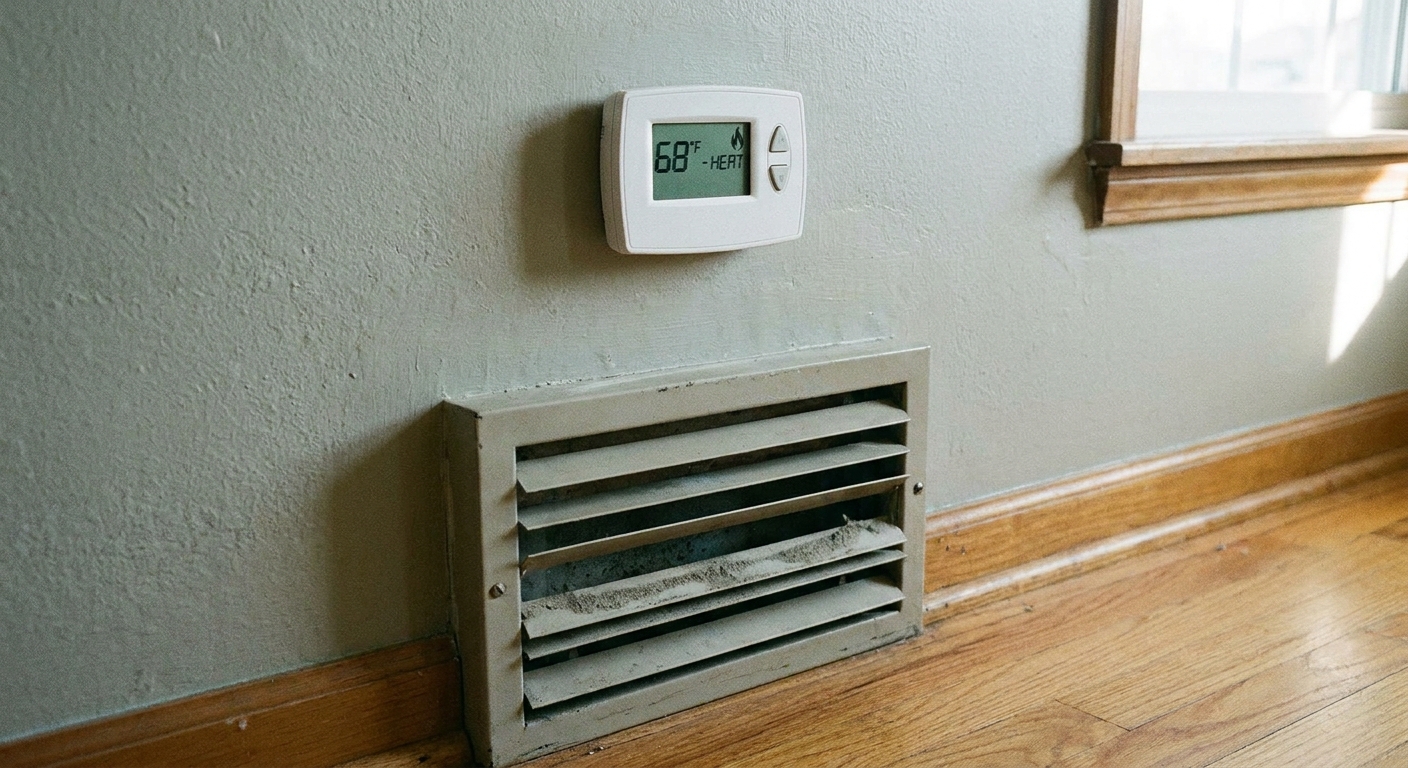
2) A nearby supply vent or a return stream
If a supply register blows warm air in winter (or cool air in summer) across the thermostat, it can trick the system into short cycling. Returns can cause problems too when they create a strong, localized stream of air that pulls conditioned air from another area and drags it right past the thermostat sensor.
- Clue: The reading jumps quickly when the system turns on.
- Clue: You can feel airflow on your hand near the thermostat when the fan runs.
- Clue: The thermostat is on the same wall as a register, or within a few feet of a doorway that channels airflow.
3) Heat from nearby electronics or lighting
Lamps, sconces, TVs, game consoles, aquariums, and even a router on a shelf can create a warm pocket of air that drifts up the wall.
- Clue: The thermostat reads hot in the evening when lights and electronics are on.
- Clue: Turning off a nearby lamp for 20 minutes makes the reading drop.
4) Drafts from doors, windows, or leaky wall cavities
Most people think drafts only make a thermostat read cold. Not always. A draft can pull air from a hot attic-adjacent wall cavity, or it can create weird mixing where the thermostat sits in a “not average” air stream.
- Clue: The reading changes when a nearby exterior door opens or closes.
- Clue: You feel air movement at the thermostat even when the HVAC is off.
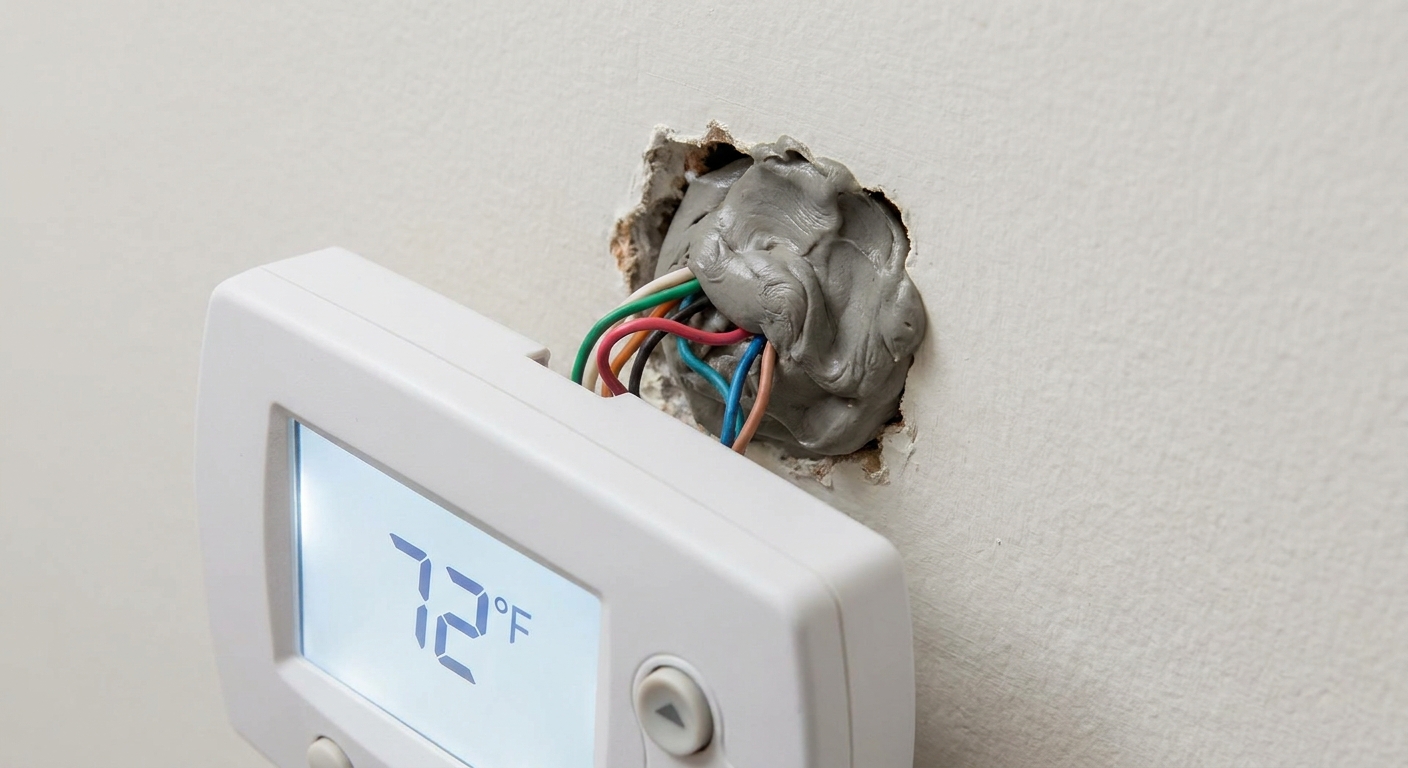
- Clue: There is an unsealed hole behind the thermostat where the wire comes through.
Fix it fast
I like starting with changes you can undo in five minutes. If one of these solves it, you just saved yourself patching drywall.
Block the sun that hits the thermostat wall
- Close blinds or curtains during the problem window.
- Add a light-filtering shade if you do not want the room darkened.
- If the sunbeam is narrow, a small curtain adjustment can be enough.
Redirect a vent that is blasting the thermostat
- Adjust the register louvers so air is aimed along the ceiling, not across the wall.
- If it is a ceiling vent, angle it away from the hallway where the thermostat sits.
- Make sure the register is not blocked, which can increase air velocity in a weird direction.
Seal the wire hole behind the thermostat
This one is shockingly effective in older homes with leaky wall cavities.
- To be safest, shut off power to the furnace or air handler at the breaker (or the service switch) before you loosen the thermostat from the wall. On low-voltage systems, accidentally shorting wires can still blow a small fuse on the control board.
- Remove the thermostat face, then gently pull the thermostat base away from the wall (leave wires connected if you can).
- Use a small piece of painter’s tape, plumber’s putty, or low-expansion foam to seal the hole where the wires come through.
Why it works: That hole can act like a straw, pulling warmer or cooler air from inside the wall and feeding it straight into the thermostat’s sensor.
Move the heat source, not the thermostat
If the thermostat shares a wall with a sconce or sits above a lamp on a console table, try relocating the lamp first. In a tight hallway with poor air mixing, even a single bulb can throw off readings by several degrees.
When shielding helps
People ask about putting a cover over the thermostat. Sometimes that is fine, sometimes it makes the thermostat worse.
Shielding is OK when
- The thermostat is getting intermittent direct sun and you cannot control it with window coverings.
- You use a proper thermostat sun shield that blocks radiant heat but allows room air to circulate freely.
- The thermostat is not in a tight hallway where airflow is already poor.
Avoid shielding when
- The thermostat is already slow to respond or reads oddly at random times.
- You would be enclosing it in a way that traps warm air from the thermostat’s own electronics.
- You are thinking about taping cardboard or plastic over it. That often creates its own microclimate and causes longer run times.
My rule: If sunlight is the only problem and it is predictable, a purpose-made shield can help. If airflow and location are the problem, shielding is a band-aid.
When to relocate the thermostat
If your thermostat is in a truly bad location, relocating is the clean fix. It is also the most work, so I only recommend it when the quick fixes fail.
Signs relocation is worth it
- The thermostat is regularly off by about 3 to 6°F compared with a nearby thermometer (tested more than once).
- It is on an exterior wall that gets sun or winter chill.
- It is within a few feet of a supply register, return grille, or a doorway that channels airflow.
- The HVAC short cycles because the thermostat gets “fake hot” or “fake cold” quickly.
A better location
- Interior wall, in a commonly used area
- About 52 to 60 inches from the floor
- Away from direct sun, exterior doors, kitchens, fireplaces, and supply registers
- Where air can mix normally, not a dead-end hallway
Relocation cautions for smart thermostats
- Shut off power to the furnace or air handler before disconnecting any wires.
- Photograph the wiring before you move anything. That one photo can save you later.
- Plan for the C-wire (common wire). Many smart thermostats need one, and relocating is a common time to discover you do not have it where you want it.
DIY reality check: Moving a thermostat can mean extending thermostat wire and patching the old hole. If fishing wire through finished walls makes you break out in hives, this is a fair time to call an HVAC tech or electrician.
When it is not placement
Sometimes the thermostat really is wrong. Here is how to tell.
Weak batteries can cause erratic behavior
Not every thermostat uses batteries, but many do. Low batteries can cause odd operation, blank displays, incorrect readings, or the system not responding normally.
- Replace batteries with fresh name-brand alkalines.
- Clean any corrosion on battery contacts (gently) if present.
- After replacement, give it 10 to 20 minutes to stabilize.
Check for a temperature offset
Many thermostats allow calibration or an “offset” setting (for example, adjust displayed temperature by plus or minus a few degrees). This is meant for fine-tuning, but it can also be accidentally changed.
- If the thermostat is always off by the same amount, an offset may be set wrong.
- If it is off by wildly different amounts depending on time of day, that is usually placement, not calibration.
Remote sensors can fool you
On some smart thermostats, the app may show an average of remote sensors while the wall unit shows its own sensor, or vice versa. Also, some systems switch sensors on a schedule (daytime sensor versus bedroom sensor at night).
- In the app, confirm which sensor is currently active and actually driving heating and cooling.
- If you are troubleshooting, temporarily set it to use one sensor (or “thermostat only”) so you are not chasing a moving target.
Bad sensor or internal failure
If you have confirmed there is no sunbeam, no vent blast, no drafts, and it still reads wrong, the sensor may be failing.
- Clue: The temperature reading jumps up and down quickly while the room temperature is stable.
- Clue: The thermostat reads wrong even after battery replacement and a restart.
Older mechanical thermostats
This article assumes a modern digital thermostat. If you have an older mechanical thermostat, dust, leveling, or a worn internal part can affect accuracy. In practice, replacement is often the easiest fix.
Setpoints: do not chase a bad reading
This is the trap: if the thermostat reads hot, you tend to lower the cooling setpoint or raise the heating setpoint to compensate. That can increase energy use and make other rooms uncomfortable.
My advice is simple:
- Fix the reading first (sun, vent, draft, location, or sensor selection).
- Then go back to your normal seasonal setpoints.
- If you need a temporary workaround while you diagnose, adjust setpoints in small steps (1°F at a time) so you do not overshoot.
FAQ
How far should a thermostat be from a supply vent?
Far enough that supply air is not blowing across it or creating a fast temperature swing at the sensor. If you can feel air movement on your hand at the thermostat when the fan runs, it is too close for comfort. Relocation is ideal, but redirecting the register often solves it.
Can I put a thermostat on an exterior wall?
You can, but it is a common source of bad readings, especially if the wall gets afternoon sun or has less insulation. An interior wall is usually more stable.
Why does my thermostat read hot only in the afternoon?
That pattern almost always points to sunlight heating the wall, or a daily routine change like a lamp turning on, cooking, or airflow changing when the HVAC starts. Try the same-time-of-day thermometer test and look for what changes on a schedule.
Should I calibrate my thermostat?
Only after you rule out placement, drafts, and sensor selection. Calibration or offset can help correct a consistent, repeatable error. It is not a good fix for a sunbeam or vent blast.
The 30-Second Cheat Sheet
Essential takeaways for: Thermostat Reads Hot From Sun or a Vent
Fast diagnosis
- Confirm the problem: Put a digital thermometer next to the thermostat (not touching) and wait 10 to 20 minutes. If it is consistently off by about 3°F or more, keep going. If it is close, give it longer.
- Time-of-day clue: If it reads hot at the same time every day, suspect sunlight or a scheduled heat source (lamp, cooking).
- HVAC-on clue: If it jumps when the system turns on, suspect a supply vent blowing across it or strong return airflow pulling air past it.
Quick fixes (no drywall work)
- Sun: Close blinds during the problem window or reduce the sunbeam hitting the thermostat wall.
- Vent blast: Aim register louvers away from the thermostat, usually along the ceiling.
- Drafts: Seal the wire hole behind the thermostat with putty or tape to stop wall-cavity air from skewing readings.
- Nearby heat: Move lamps or electronics that warm the air near the thermostat.
When to relocate the thermostat
- It is on an exterior wall or gets direct sun.
- It is close enough to a register or doorway that you can feel airflow at the thermostat.
- It causes short cycling or constant run time because the sensor sees “fake hot” or “fake cold.”
When it is not placement
- Replace batteries (if applicable) if behavior is erratic.
- Check temperature offset if it is always wrong by the same amount.
- If it still jumps around with no sun, drafts, or vent airflow, the internal sensor may be failing.
- If you use remote sensors, confirm which sensor is currently controlling the system.
Setpoints tip
Do not permanently change your seasonal thermostat settings to compensate for a bad reading. Fix the sun, vent, draft, or sensor-selection issue first, then return to your usual summer and winter setpoints.
💡 Tip: Scroll up to read the full article for detailed, step-by-step instructions.
⬆️ Back to top
About Grit
Content Creator @ Grit & Home
Grit is Grit & Home’s little blue clay courier, delivering big questions about the place you call home. Expect practical ideas, a raised eyebrow, and a satchel full of curiosity.